
Using Backstage with Raid Train Express: Countdowns, Handoffs and Every New Buyer Caught
Backstage partners with Raid Train Express. Ride a train with Backstage and it finds your slot, counts you down, has your raid message ready, and catches every raider, first-time buyer and sale while the train's crowd is in your show.
Raid trains are organized on Raid Train Express, our partner. For questions about a specific train, like signing up, slots, the lineup or its rules, see the Raid Train Express help center. For questions about Backstage, we’re here.
A raid train is the best night of the month for a lot of Whatnot sellers: a room full of new viewers, handed to you by the seller before you. It’s also the night most likely to go sideways. You’re watching the clock, hunting for who’s next, thanking a raider you can barely read, and selling to people who’ve never bought from you before.
Raid Train Express handles the train: the lineup, the times and the live page everyone follows. Backstage handles your show: it knows your slot, counts you down, has the handoff ready, and catches every new buyer the train brings in. Here’s how they work together.
How Backstage and Raid Train Express work together
- The organizer builds the train on Raid Train Express. Lineup, slot times, rules. Nothing changes for them.
- Backstage finds your slot. Every few minutes, Backstage reads the lineups of active Raid Train Express trains. If the Whatnot username on your Backstage account is in one, Backstage picks up your slot on its own. Matching happens on Backstage’s side; your username isn’t sent to Raid Train Express.
- It stays current. Organizers reshuffle lineups mid-train. While a train is running, Backstage re-reads it every 30 seconds, so a last-minute change reaches you fast.
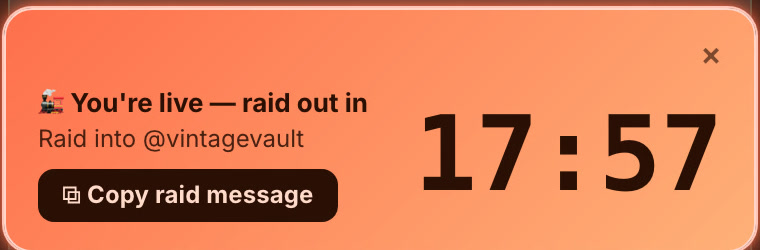
- Backstage counts you down and has the handoff ready. Shortly before your slot, and again while you’re live, a pop-up shows the time left and who you raid into next.
Set it up in two minutes
- Use the same Whatnot username everywhere. The username in the train’s lineup on Raid Train Express has to match the Whatnot username on your Backstage account, letter for letter. That’s how Backstage finds you.
- Sign in to Backstage in Chrome with Backstage Lite, or in the Backstage iPad app.
- Optional: paste the tracking number. If you want to see the lineup ahead of time, or your slot is close and nothing has shown up, paste the train’s tracking number in Backstage’s Raid train settings (in Lite and on iPad). The tracking number is on the train’s page on Raid Train Express, like K7M-3XQ. It isn’t the Join Code; that’s for signing up on Raid Train Express.
You can also look any train up on the Backstage raid trains page with its tracking number.
During your slot
- Shortly before your slot, with Backstage open, the pop-up counts down to it. Be streaming before the seller ahead of you wraps up: Whatnot only lets a seller raid someone who’s already live.
- While you’re live, it switches to “raid out in” with the time left and who you raid into next.
- When it’s time, tap Copy raid message for a ready line, ”🚂 We’re headed to @next-seller now — stay on the train to follow along!”, paste it in chat, and raid.
- On the iPad app, a nudge after you go live has a thank-you for the organizer ready to copy, so the host who built the train gets their shout-out.
Why ride the train with Backstage
The train hands you a room full of people who don’t know you yet. The sellers who come out ahead are the ones who welcome them, catch who bought, and ship fast. That’s what Backstage does while you sell.
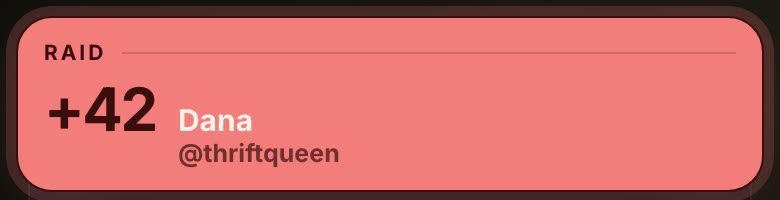
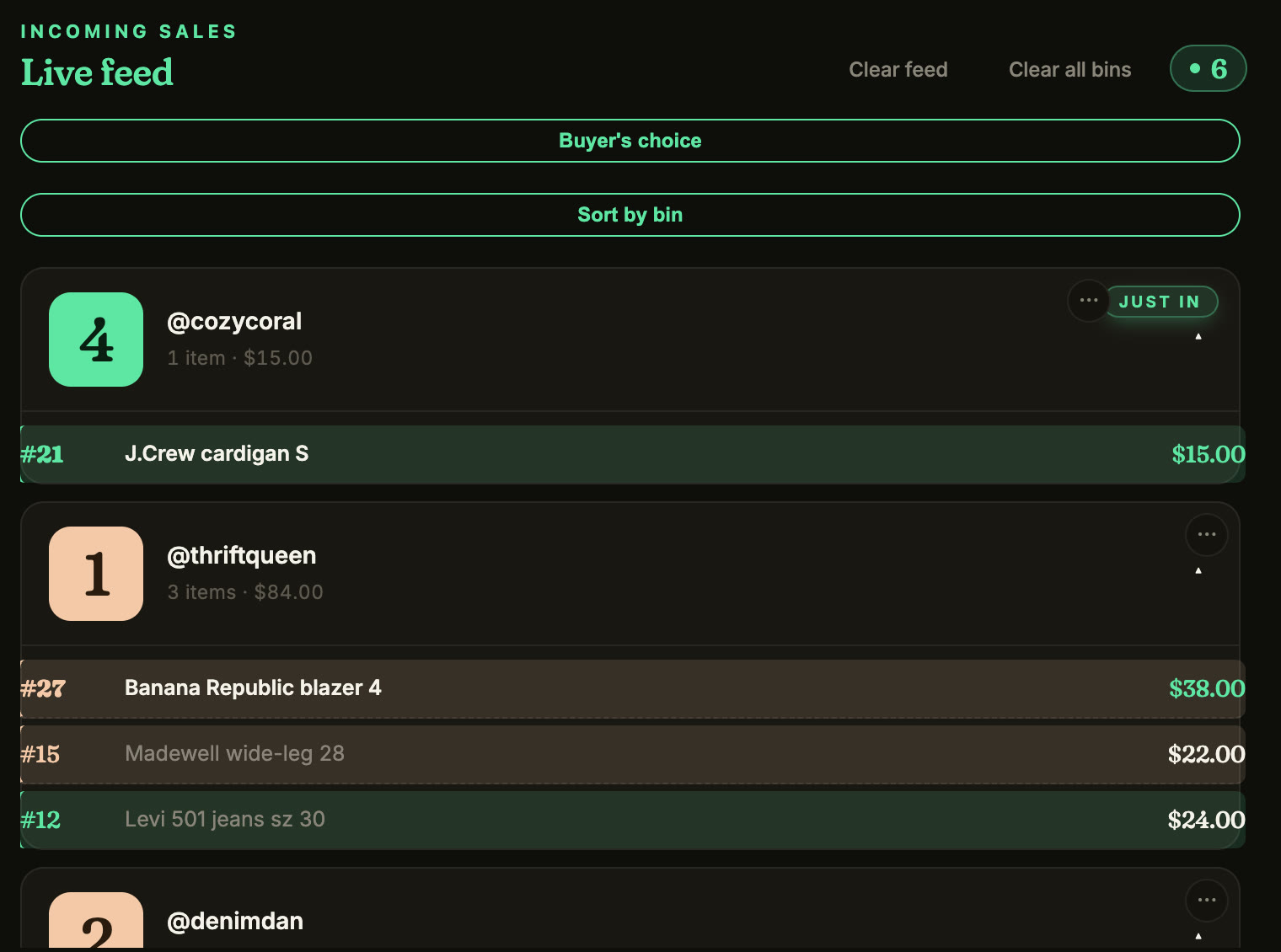
Catch the raid. When the seller ahead of you raids in, a pop-up shows who raided you and how many viewers they brought, so you can thank them by name while their crowd is still arriving. The raid also lands on your Shoutouts list with your tips and giveaway winners.
Welcome every first-time buyer. Train nights bring buyers who’ve never bought from you. Backstage flags each one with a star the moment they buy, so you can welcome them on camera, the moment that turns a raid viewer into a follower.
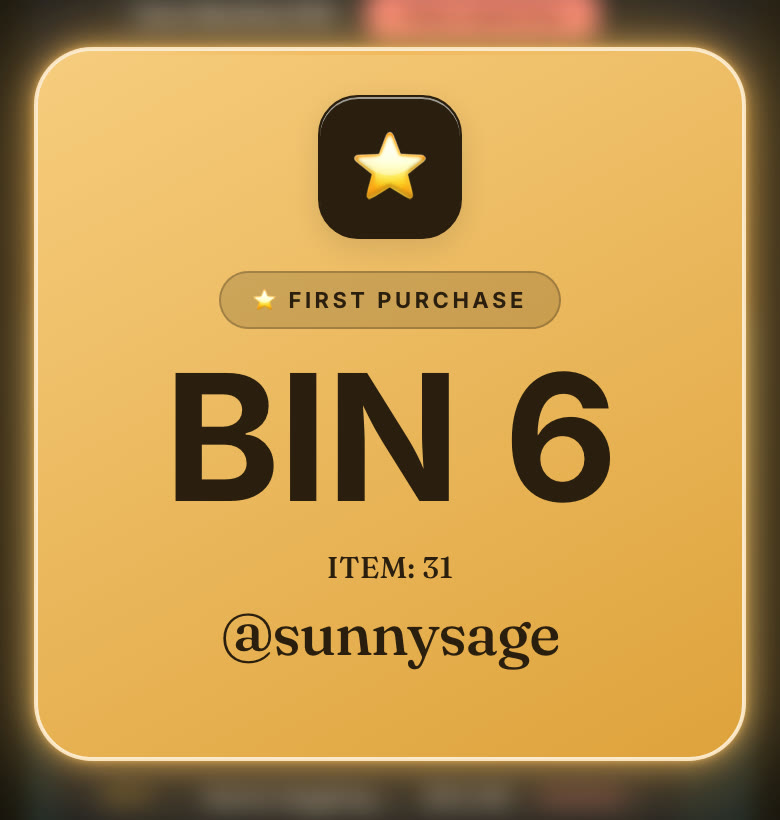
Every sale, by buyer, sorted into bins. Backstage records each sale as it happens, with the buyer, the item, the price and a screenshot from your stream. Each buyer gets a bin number on their first win and keeps it, so a busy train slot doesn’t turn into a pile you sort at midnight.
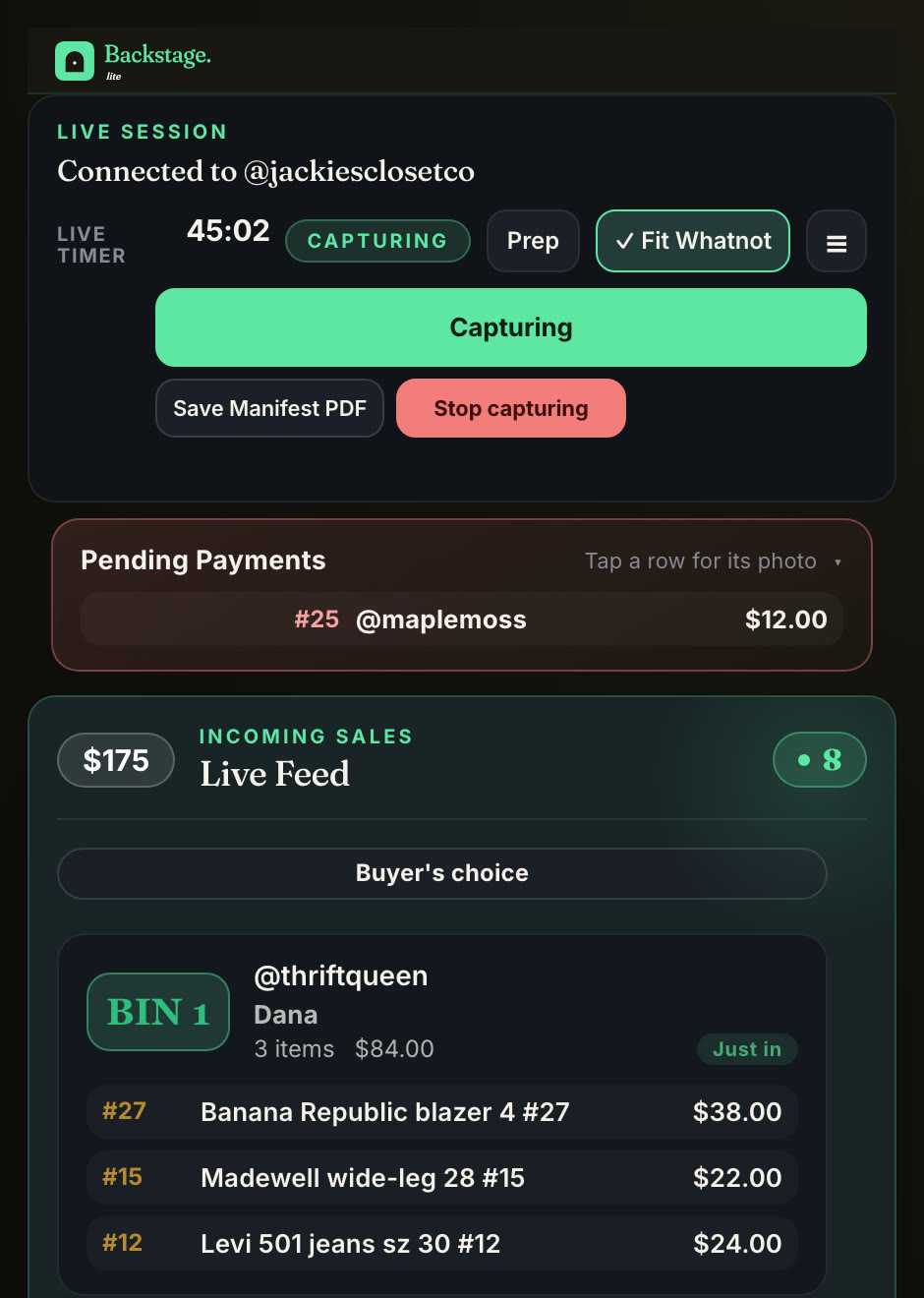
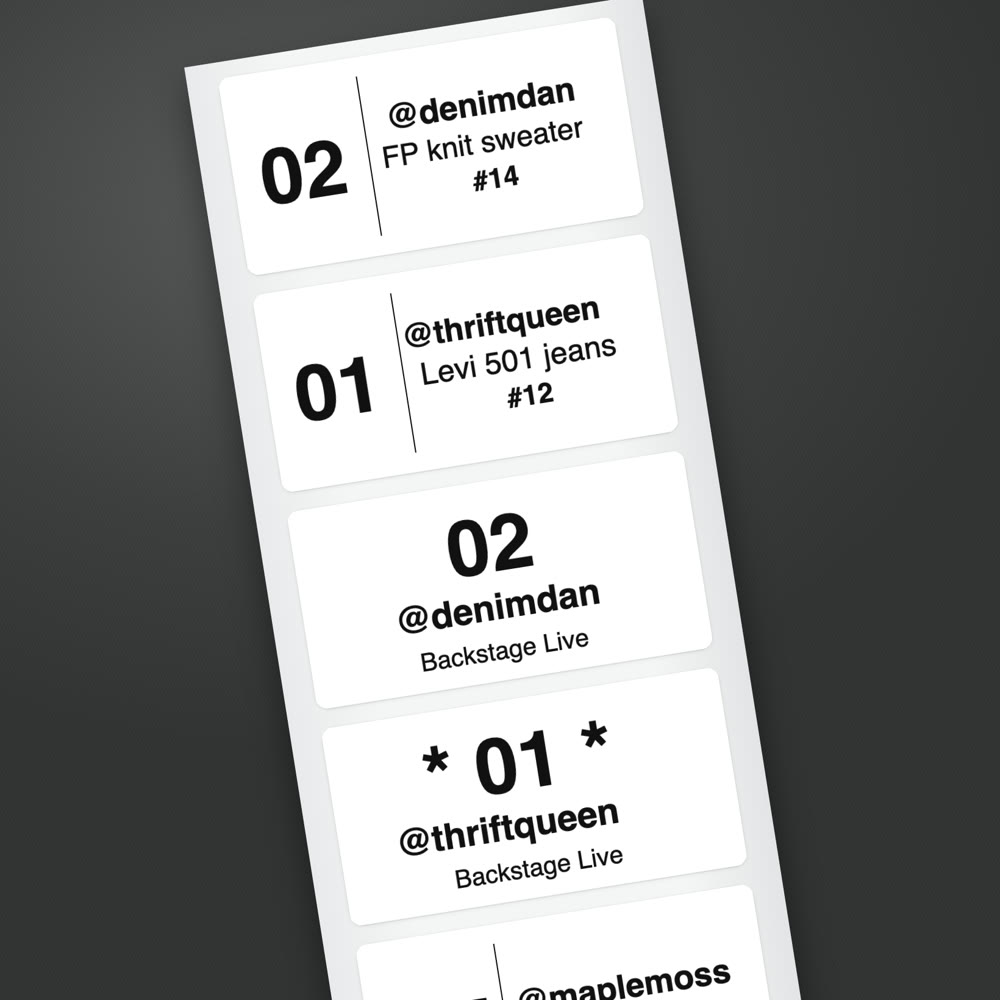
A label as each item sells. On the Plus plan, a bin label with the bin number and the buyer’s @username prints the second an item sells, from the iPad over Bluetooth or from Chrome on Mac or Windows. Stick it on, drop it in the bin, keep selling.
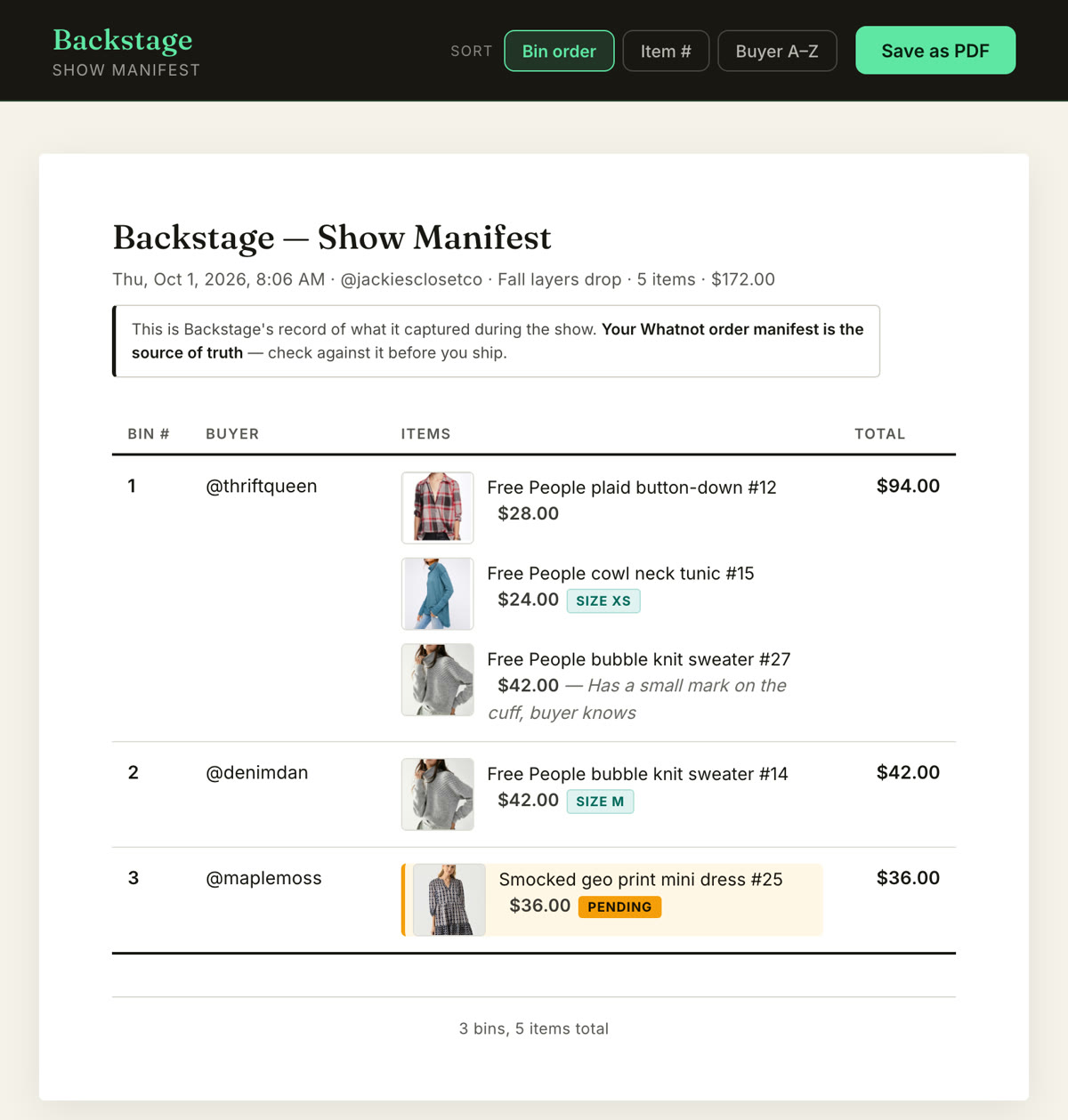
Pack the train in one pass. When you end the show, Backstage hands you a packing manifest sorted by bin, in pull order, with a photo of every item. Each sale also shows what it earned after Whatnot’s fees, so you know what the night really made.
Run it from the iPad, no computer. The Backstage iPad app does all of this on the tablet you run your show from: countdown, raid message, bins and labels, with your phone as the camera.
For organizers
Build your train on Raid Train Express as usual. Riders who use Backstage get their countdown and their raid target without watching your train page mid-show, and fewer “wait, who’s next?” messages land on you. Your mods can follow the whole train with Backstage Sidekick, free.
For running the train itself, see how to run a raid train.
Which Backstage do I need?
| Countdown and raid message | Bins and every sale by buyer | Bin labels as items sell | Runs on | |
|---|---|---|---|---|
| Backstage Lite | Yes | Yes | No | Chrome on Mac or Windows |
| Plus | Yes | Yes | Yes | Chrome and the iPad app, one login |
| Pro | Yes | Yes | Yes | Plus, and consignment |
Every paid plan starts with a 7-day free trial. See plans. Raid Train Express is free.
Next steps
- Find a train: the Raid Train Express schedule.
- New to trains: how to join a raid train.
- Modding the train: Sidekick with Raid Train Express.
- Everything Backstage does: Whatnot seller tools.