
Using Sidekick with Raid Train Express: Follow the Whole Train, Free
Backstage Sidekick is a free helper for Whatnot mods, hosts and riders. Paste a Raid Train Express tracking number and it shows who's live, who's up next and a countdown to every handoff, with one-tap lines for welcomes, thank-yous and the lineup.
Raid trains are organized on Raid Train Express, our partner. For questions about a specific train, like signing up, slots, the lineup or its rules, see the Raid Train Express help center. For questions about Sidekick, we’re here.
A raid train runs on handoffs. Every few minutes the room moves to a new show, and somebody needs to know who’s live, who’s next, when the switch happens, and who to thank. On a busy train that’s usually a mod juggling the train page, the chat and the clock at once.
Backstage Sidekick puts the whole train next to the show, free.
Follow the train in Sidekick
- Get Sidekick, free: a Chrome side panel or the iPhone and iPad app.
- Open the Train tab and enter the train’s tracking number from its page on Raid Train Express, like K7M-3XQ. Not the Join Code.
- That’s it. No sign-in to Raid Train Express or Backstage is needed to follow a train.
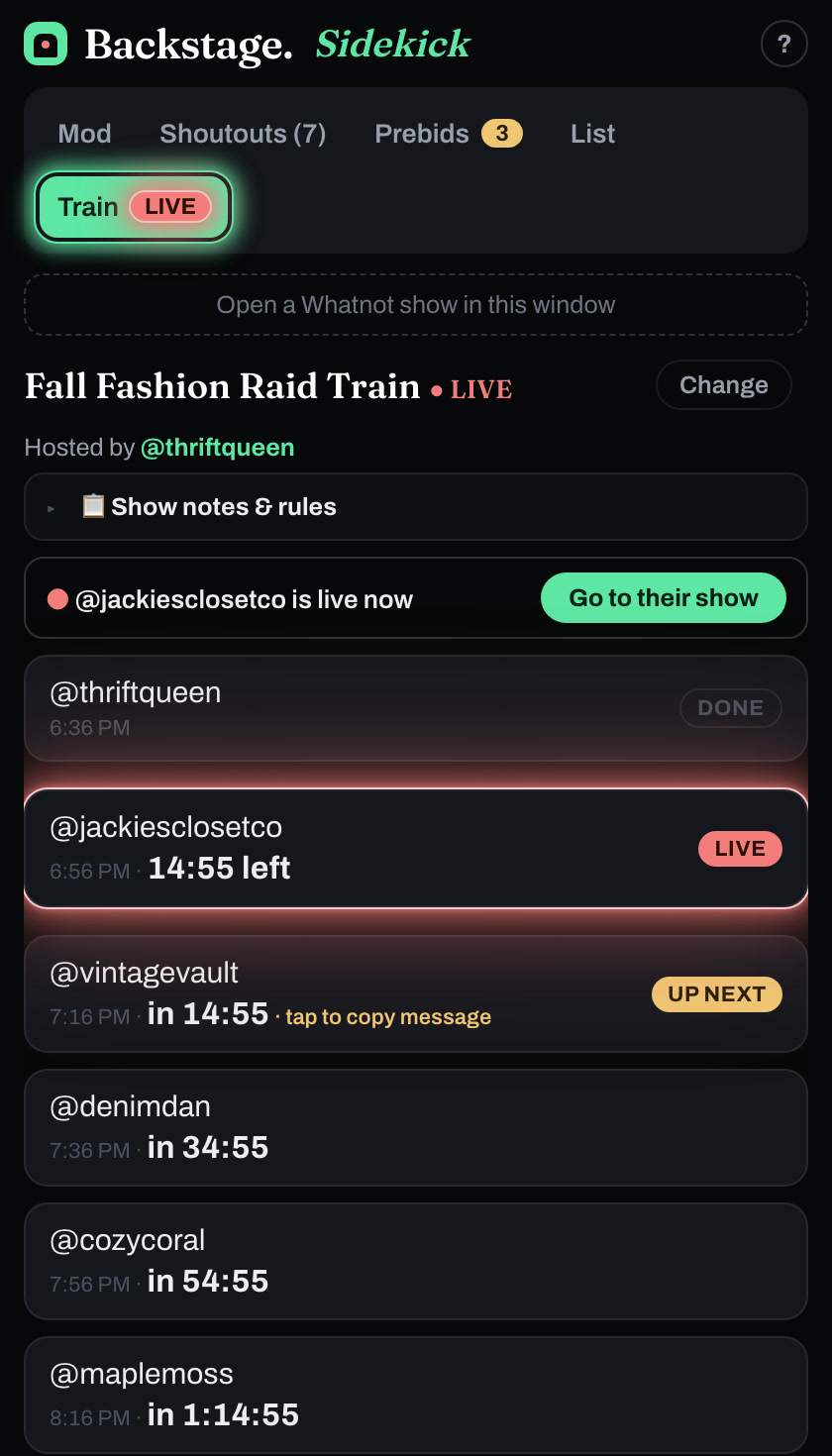
What the Train tab shows
- The train and its host, with a LIVE badge while it runs.
- Show notes and rules from Raid Train Express, folded away until you need them.
- Who’s live right now, with a Go to their show button.
- Every slot in order: done, live with the time left, up next with a countdown, and everyone after with their start time.
- A handoff line on the up-next row: ”🚂 We’re headed to @next-seller now — stay on the train to follow along!”, one tap away when it’s time.
- Live updates: lineups change mid-train, so the Train tab keeps refreshing while it’s open.
One-tap lines for every handoff
Once a train is connected, a Raid train category appears in Sidekick’s phrase deck, with the lines that repeat at every stop:
- 👋 Welcome the show: “Welcome in! 👋 We just rolled in with @previous-seller — glad you made the trip!”
- 🔥 Shop + giveaway hype: ”🔥 Shop’s live and the giveaway’s running — stick around, you don’t want to miss it!”
- 🙏 Thank the host: ”🙏 Shoutout to @host for putting this raid train together — go give them a follow!”
- 📋 Repost the lineup: ”🚂 Tonight’s raid train lineup: 1) @first 2) @second…”, so nobody hand-types it into every show.
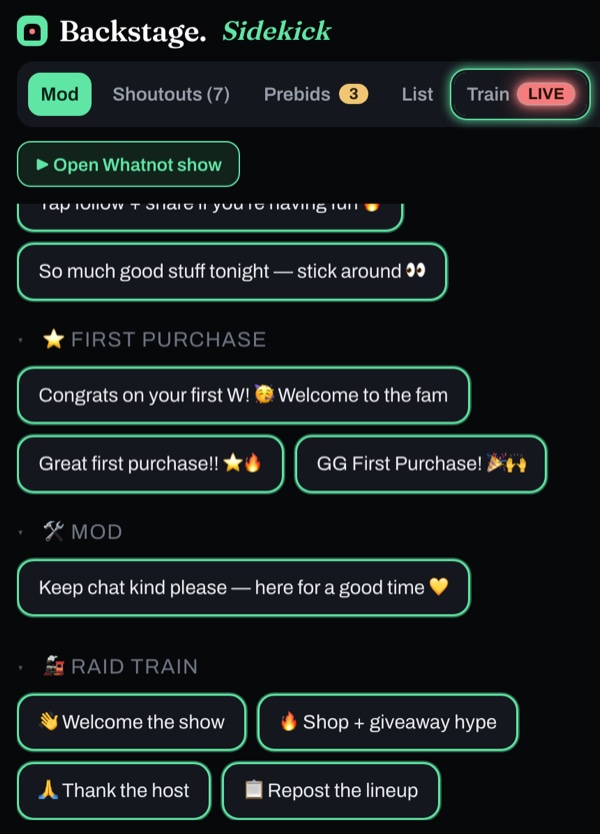
Like every phrase in Sidekick, a tap sends to chat or copies, and you can turn on /announce or /hide. The phrases are outlined in the mode’s color, yellow for chat, red for hidden, green for copy, so you always know what a tap will do.
Everything else Sidekick does on the night
A train brings a crowd, and Sidekick keeps up with it:
- A who-to-thank list of raids, tips, sponsors and giveaway winners, in the order they arrived, with a clock showing who’s been waiting.
- A phrase deck of welcomes, follow reminders and giveaway hype, with a separate phrase set for each seller you mod for.
- Size and brand chips for size callouts in one tap.
- A prebid radar for the listings already getting bids.
More in the Whatnot moderator toolkit.
Selling on the train yourself?
If you’re riding the train as a seller, Backstage Lite or the iPad app finds your slot on its own, counts you down to it, has the raid message ready, and catches every raider, first-time buyer and sale the train brings in.
Next steps
- Find a train: the Raid Train Express schedule.
- Build a train: Raid Train Express.
- Get Sidekick free: backstagelive.app/sidekick.