
Every Whatnot seller tool, in one place.
Backstage is a set of tools for Whatnot live sellers. It captures every sale, tip, raid and giveaway by name as it happens, sorts each buyer into a bin, prints a bin label the moment an item sells, works out what each item earned after Whatnot's fees, and hands you a packing manifest when the show ends. It preps a whole show into one CSV before you go live, settles consignors from real numbers, and throws in a free mod helper and a countdown to your slot on any raid train organized on Raid Train Express. It runs as a Chrome extension and as a native iPad and iPhone app, on one plan.
7-day free trial on every paid plan · Sidekick and Raid Trains are free · not affiliated with Whatnot
What Whatnot seller tools do you actually need?
Not twenty. For most live shows it comes down to four jobs, plus a few extras depending on how you sell.
The four every show needs
- Sales recorded by buyer, live, so you never piece the night together from video receipts.
- Bins, so each buyer's wins stay together from the first sale to the last.
- A label that prints as the item sells, so nothing gets hand-written mid-show.
- A packing manifest sorted by bin, so packing is one pass.
Add these if they fit how you sell
- Listing prep if you pre-list a show.
- Net after fees if you want to know what the night really made.
- Consignment if you sell for other people.
- A mod helper and raid trains for growing the room. Free.
Backstage does all of it in one app, in Chrome on Mac or Windows, or on an iPad with no computer. For the printers, label rolls, bins and mailers around it, see the Whatnot seller toolkit.
The jobs, one by one
Each one is something a seller types into a search box. Each one links to the product page and the guide that goes deeper.
-
Capture every sale live, by name
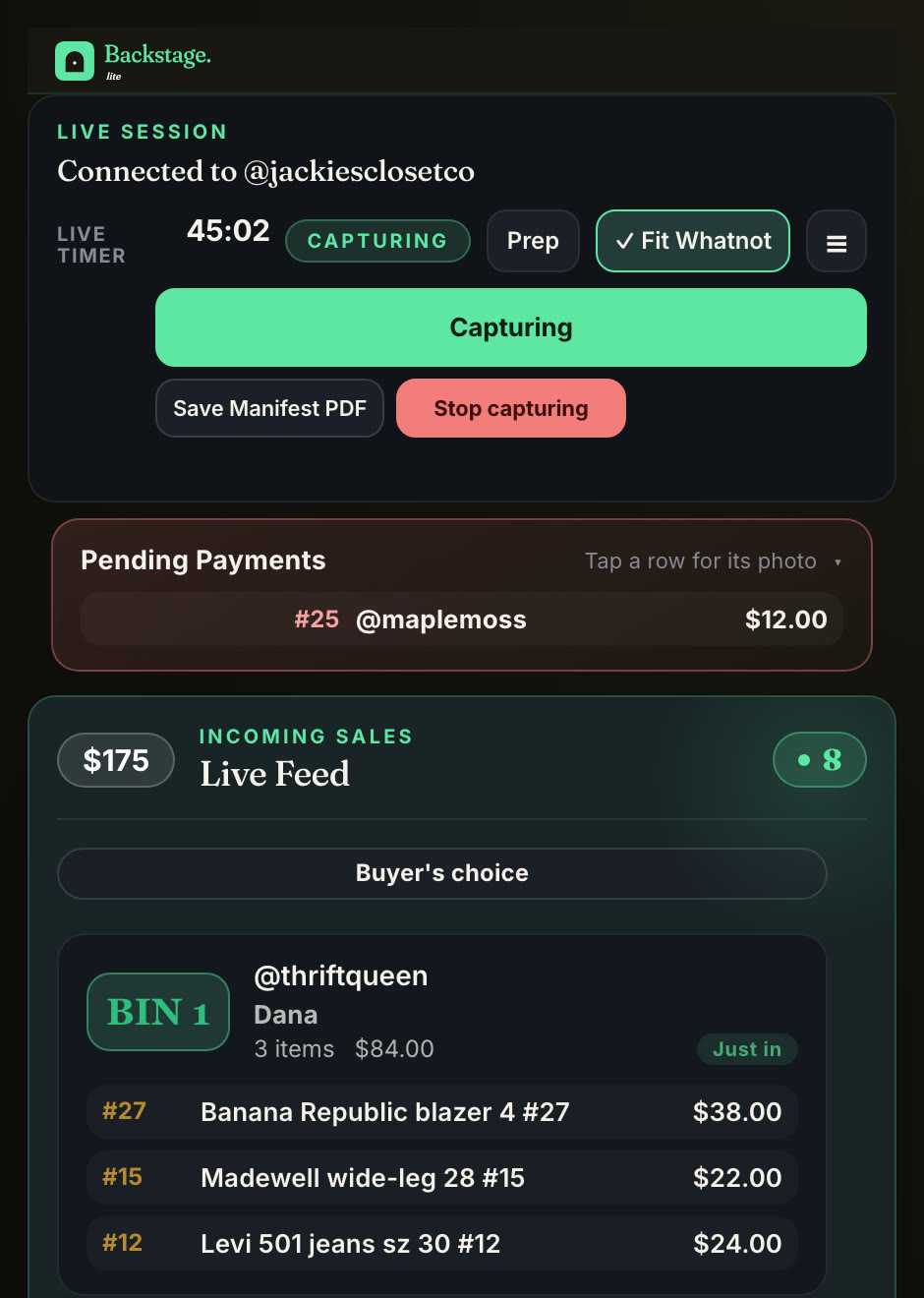
Lite and upBackstage watches your Whatnot show and records each auction win, Buy It Now, giveaway, tip and raid the second it happens, with the buyer's name and handle and a screenshot of the sale. Nothing to type during the show, nothing to reconstruct after it.
The Whatnot sales tracker, explainedBackstage Lite for ChromeRun the show from an iPad
-
Sort buyers into bins as they win
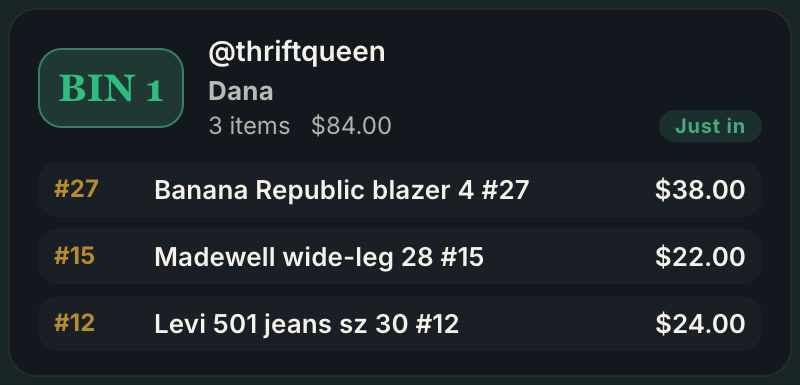
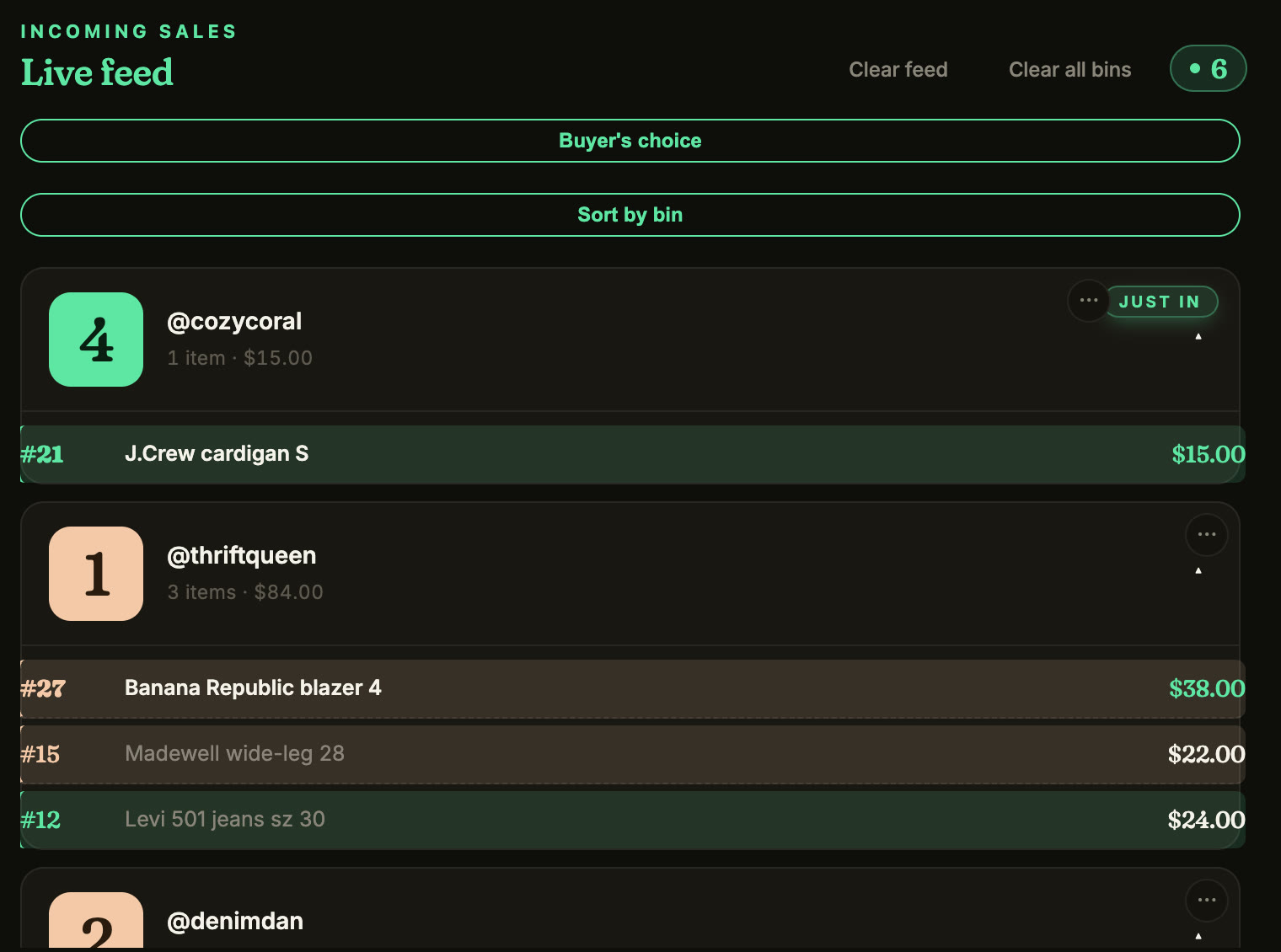
Lite and upThe first time a buyer wins, they get a bin number and keep it for the whole show. Every later win drops into that same bin in real time with the item, size and price, so a packer can sort while you keep selling. A crew can follow along on a shared board with no login.
-
Print a bin label the moment an item sells
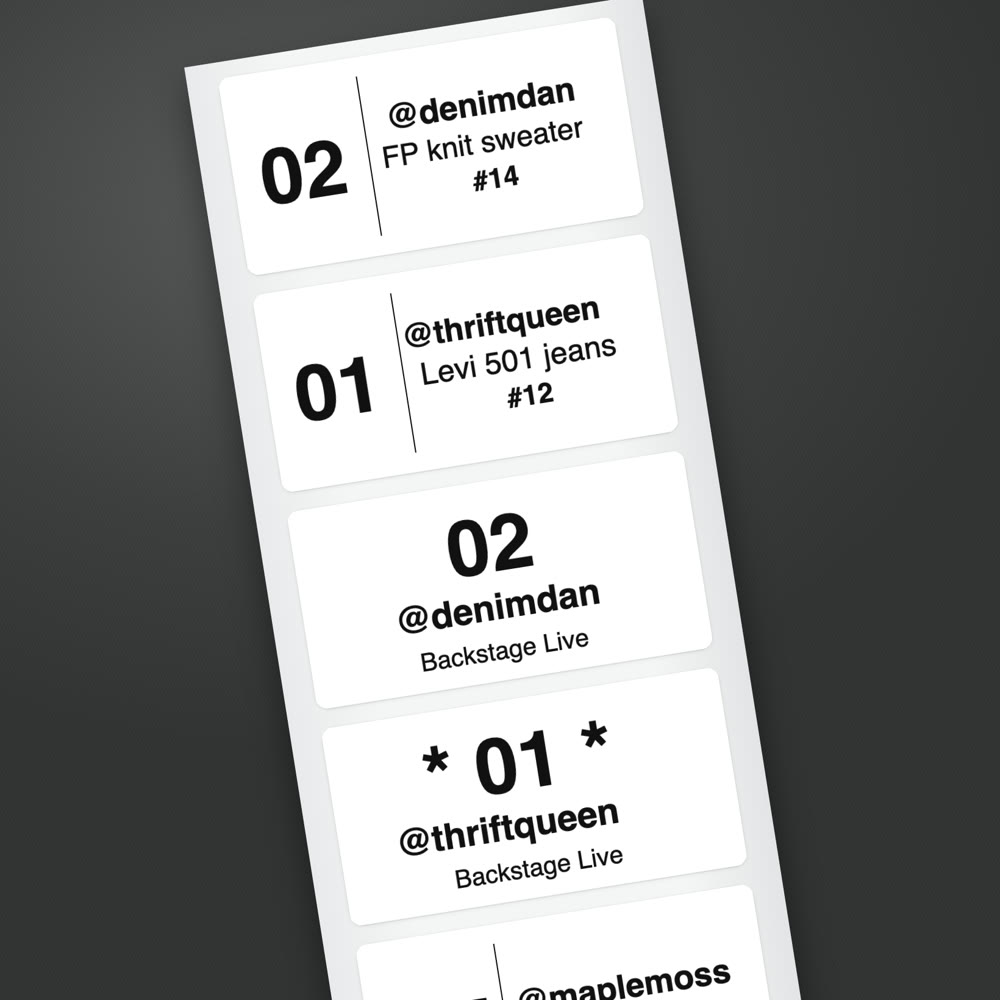
Plus and upA bin label with the buyer's number and handle prints the second the sale lands. First-time buyers get a star, giveaways and sales waiting on payment get their own labels, and item labels are optional. It prints from the native iPad app to a Bluetooth thermal printer, or from Chrome on Mac and Windows through the printer you already own, on one plan.
Label printing on iPad, Mac and WindowsThe Whatnot seller app for iPad
-
Run the whole show from an iPad, with no computer
Plus and upYour phone is the camera; the iPad does everything else. The native Backstage app captures each sale, sorts buyers into bins, prints bin labels over Bluetooth and saves the manifest when you end, so there is no laptop or desktop anywhere in the live show. It has printed on Jadens, Nelko and Rongta label printers.
The Whatnot seller app for iPadSet up an iPad show, step by step
-
Pack from a manifest that matches your bins
Lite and upWhen you end the show, Backstage hands you a packing manifest grouped by bin, in pull order, with a photo of every item, plus bin-label PDFs. Packing is one pass down the row of bins. Then you generate your shipping labels from the Shipments page in Seller Hub as usual.
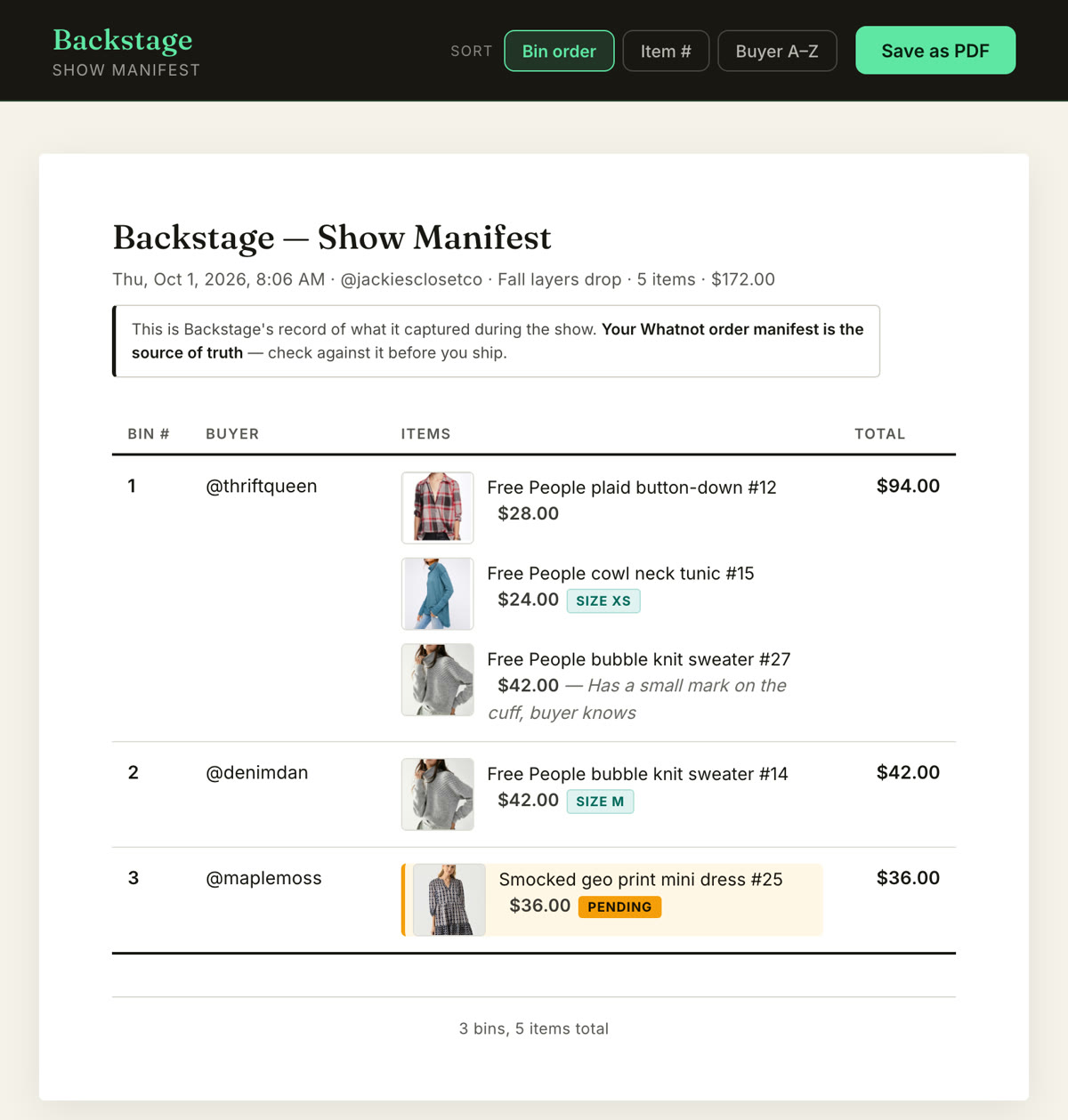
How to ship Whatnot orders fasterWeekly Bundling and holding a bin all week
-
Know what each item actually earned after Whatnot's fees
Lite and upEvery captured sale carries a real number: what it earned once Whatnot's commission and processing fee come off, not just the hammer price. The show recap adds it up, so you know what the night made before you have packed a single box.
-
Catch what slips past you while you are on camera
Lite and upA raid lands and you want to thank the raider by name. A giveaway ends and you need the winner. A first-time buyer just bought and deserves a welcome. A sale is sitting on a pending payment. Backstage surfaces each one as it happens, so you look sharp in the moment instead of finding out in the recap.
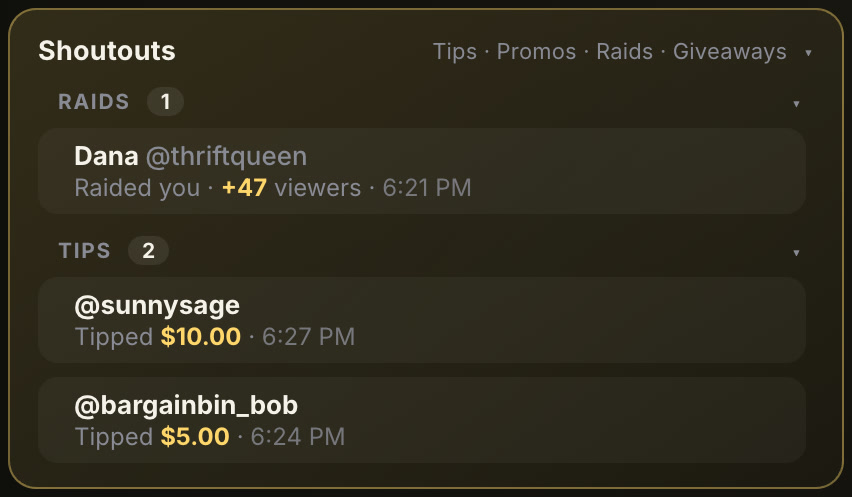
Giveaway and raid tracker, explainedWhat to do with a pending paymentSidekick, the free who-to-thank list
-
List a whole show before it starts
Plus and upPrep is a full-screen workspace for drafting a batch of Whatnot listings at once, with photos, categories, conditions and shipping profiles, and pushing them to Whatnot in a single CSV that matches Whatnot's own import template. It runs in Chrome and inside the iPad app.
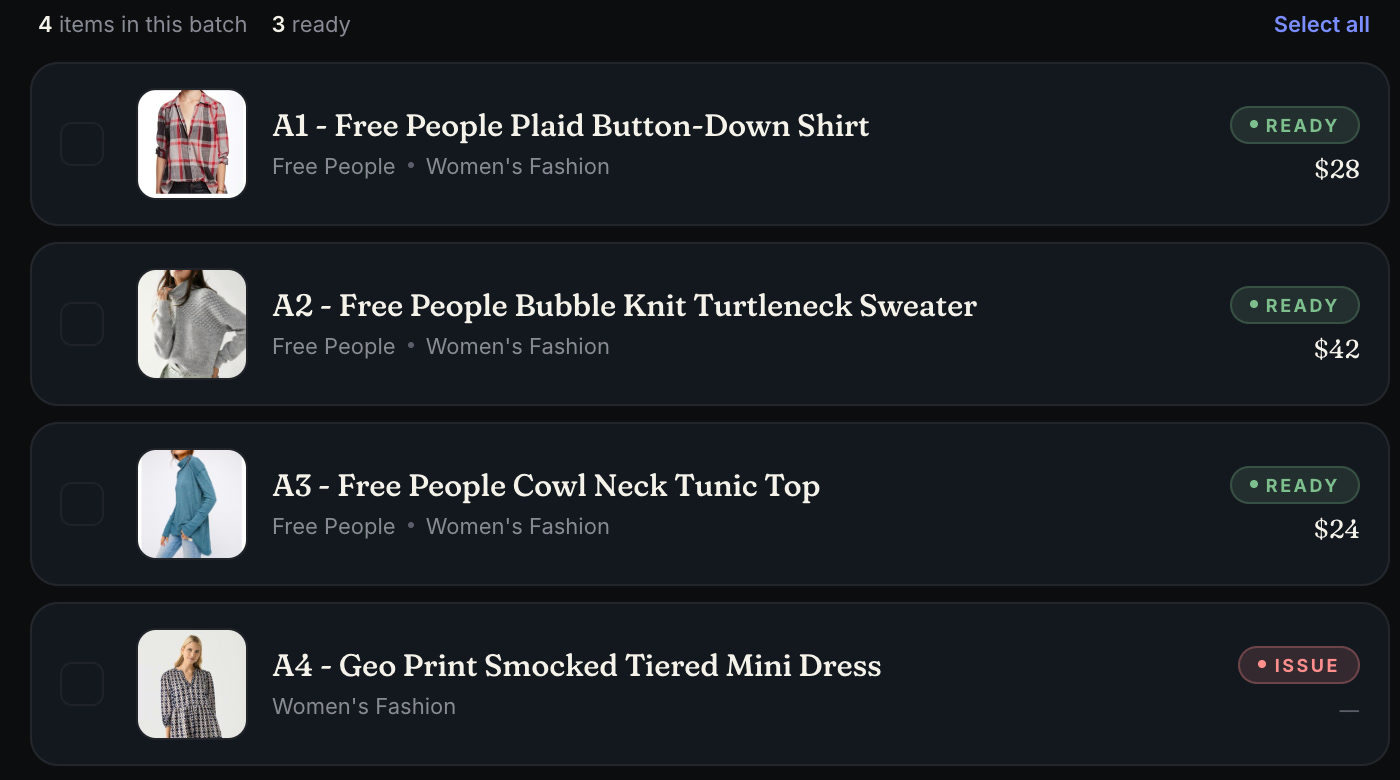
The bulk listing tool, explainedThe Whatnot CSV templateBackstage Prep
-
Sell for other people and settle them from real numbers
ProTag each item to the consignor who owns it. As it sells, Backstage attributes the sale to that consignor, applies your agreed split to what the item really earned after fees, builds a manifest and payout sheet per consignor, and gives every consignor a free portal into their own items and what they are owed. Contracts can be written and e-signed inside it.
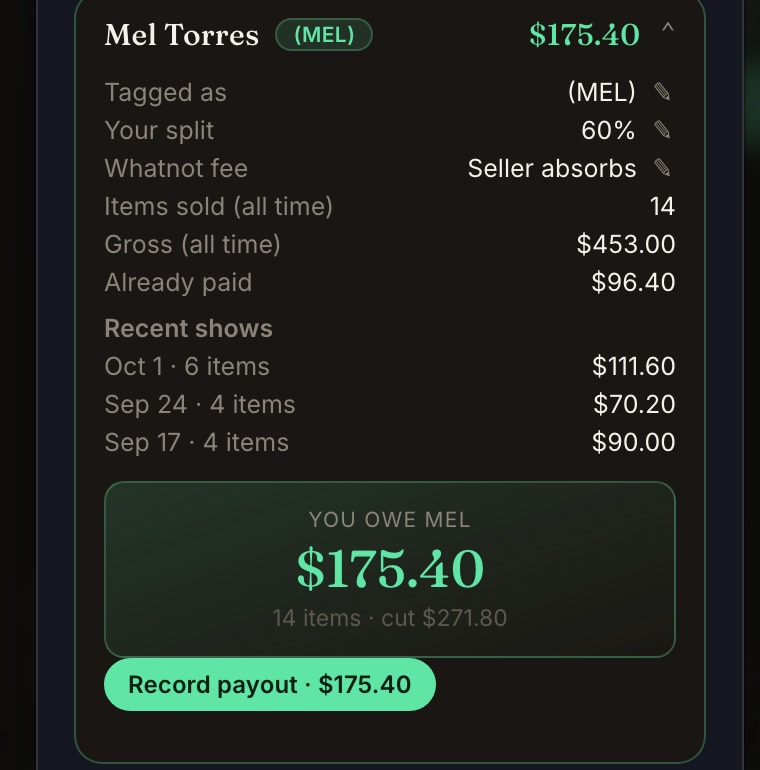
Whatnot consignment softwareThe best Whatnot consignment tracking tool
-
Mod your show with one-tap phrases
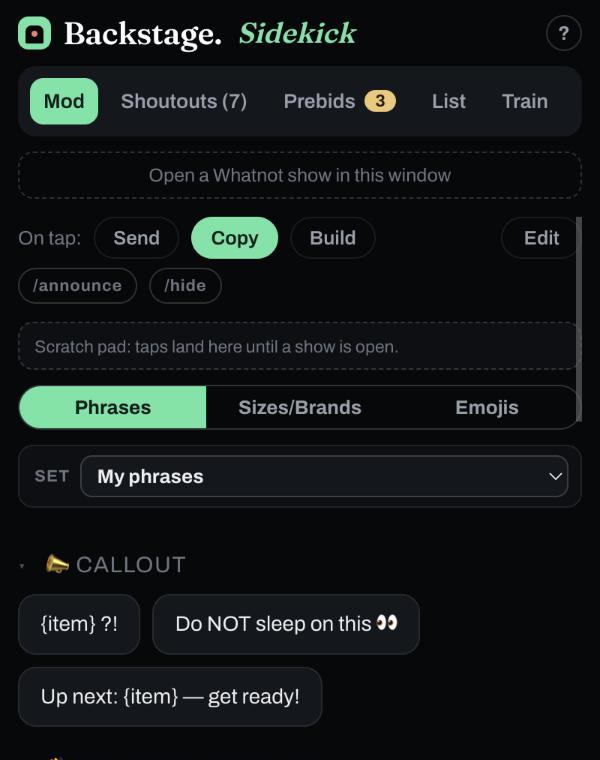
FreeSidekick is free for anyone modding or hosting a Whatnot show, in Chrome and on iPhone and iPad: one-tap chat phrases, a who-to-thank list for raids, tips and giveaways, a prebid radar and a name list. No account or password.
-
Ride a raid train without missing your slot
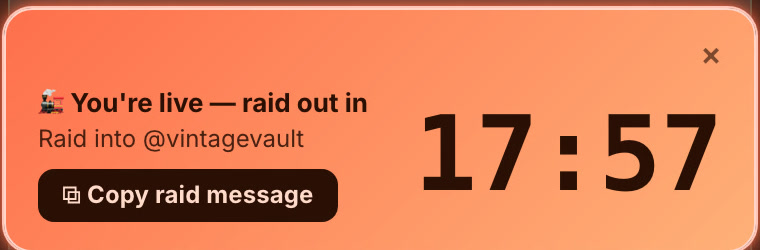
Lite and upBackstage partners with Raid Train Express, where trains are organized. If your Whatnot username is in the lineup, Backstage finds the train on its own and, shortly before your slot, shows a countdown and who you raid into next, in Chrome or on the iPad.
Where Backstage sits next to the other kinds of tools
Most tools for Whatnot sellers do one job. Cross-listers move inventory between marketplaces. Label tools print. Bookkeeping tools import last week's numbers. Whatnot's own tools show who won and your running totals during the show, and the full detail in Seller Hub afterward. Backstage adds what happens between the sale and the box: bins, labels as items sell, and a manifest in bin order.
| What you need | Cross-listing tools | Label-only tools | Bookkeeping tools | Whatnot's own tools | Backstage |
|---|---|---|---|---|---|
| Records each sale live, with the buyer's name | No | Some | No, after the show | Yes, a live feed of wins by @username | Yes, with a screenshot of each sale |
| Bin number per buyer that lasts the show | No | Some | No | No; orders group by buyer into shipments after the sale | Yes |
| Bin label printed the moment an item sells | No | Yes | No | In beta, for pilot sellers | Yes |
| Prints from a native iPad app | No | Rarely | No | No | Yes |
| Runs the whole live show with no computer | No | Rarely | No | The show, yes; its Sorting Labels need a computer | Yes, on iPad |
| Prints from Chrome on Mac and Windows | No | Varies | No | In beta, through the Whatnot Tray desktop app | Yes |
| What each item earned after fees, live | No | No | After the show | Running totals before fees; fees in the Show Report | Yes |
| Bulk listing to Whatnot's CSV template | Yes | No | No | Yes, you fill in its CSV template | Yes |
| Consignment splits and consignor payouts | No | No | Manual | No | Yes |
| Free mod helper, and a raid train slot countdown | No | No | No | Mod roles and chat commands; no raid trains | Yes |
Categories, not names: every tool in a category differs a little. Whatnot's Sorting Labels are in a limited beta and need a computer with the show open on it.
Pick a plan by the jobs you need
Lite
Live capture, bins, manifest and bin-label PDFs, in Chrome on your computer.
Plus
Everything in Lite, plus the iPad and iPhone app, listing prep, and label printing on desktop and iPad, all on one login.
Pro
Everything in Plus, plus consignment: contracts, splits, payouts and a free portal for every consignor.
Free
Sidekick for modding, in Chrome and on iPhone and iPad with no account or password, and a raid train lineup lookup for any Raid Train Express train.
Questions sellers ask before they find this page
What Whatnot seller tools do I actually need?
Four things cover most live shows: something that records every sale by buyer as it happens, bins so each buyer's wins stay together, a label that prints the moment an item sells so you never hand-write, and a packing manifest sorted by bin when the show ends. Add listing prep if you pre-list, a fee view if you want to know what the night really made, and consignment tools if you sell for other people. Backstage does all of it in one app, in Chrome or on an iPad.
Do I need a computer to run Whatnot seller tools?
Not with Backstage. Most label and packing tools for Whatnot are desktop programs or browser extensions that need a laptop or desktop running beside your show. The Backstage iPad app captures sales, sorts bins, prints labels over Bluetooth and builds the manifest on the iPad itself, while your phone is the camera. If you prefer a computer, Backstage Lite does the same in Chrome on Mac or Windows.
Do I need a barcode scanner for Whatnot orders?
No. Backstage gives each buyer a bin number automatically on their first win and prints a label with that bin number and the buyer's @username as the item sells, so you stick it on and drop the item in the bin. There is nothing to scan during the show or after it.
What is the best tool for Whatnot sellers?
It depends on the job. For running the live show itself, Backstage is built for exactly that: it captures every sale, tip, raid and giveaway by name as it happens, sorts each buyer into a bin, prints a bin label the moment an item sells, works out what each item earned after Whatnot's fees, and hands you a manifest matched to your bins when the show ends. It also lists a show ahead of time from a single CSV, settles consignors from real numbers, and includes free tools for modding and raid trains. Cross-listing tools and bookkeeping tools cover other jobs; Backstage covers the show.
Is there a Chrome extension for Whatnot sellers?
Yes. Backstage Lite is a Chrome extension that runs beside your Whatnot show and captures every sale, tip and raid live, then hands you a manifest and bin-label PDFs when you end the show. With the Plus plan it also prints thermal bin labels through a small helper on Mac or Windows. It only reads the Whatnot tab you are viewing and never touches your account.
Is there an iPad app for Whatnot sellers?
Yes. Backstage Live for Whatnot is a native iPad and iPhone app that does the same live capture, bins and label printing, plus listing prep and consignment, on the device you already run your show from. It prints to a Bluetooth thermal printer with no computer anywhere. It is included in the Plus and Pro plans.
Does Backstage print shipping labels?
No. Backstage prints bin labels live, as items sell, so your sold pile stays sorted by buyer. Shipping labels are the postage, and Whatnot generates those from the Shipments page in Seller Hub: in bulk on whatnot.com, or one at a time in the app. Backstage's manifest is already matched to your bins, so packing goes quickly.
Does Backstage track my Whatnot sales?
Yes, live. Each sale is recorded the moment it happens with the buyer, the item, the price, a screenshot, and what it earned after Whatnot's fees. The show recap totals it. Whatnot shows running sales totals and a feed of who won what during the show, and its Seller Analytics updates within one to two days. Backstage adds a record of every sale with a screenshot, the buyer's bin and what the item earned after fees, as it happens.
Can I use Backstage without a label printer?
Yes. Backstage Lite captures the show and gives you a manifest and bin-label PDFs to print on any printer and label by hand. Automatic thermal printing is a Plus feature you can add when you want it hands-free.
Is Backstage made by Whatnot?
No. Backstage is built by a working Whatnot seller and is not affiliated with Whatnot. It reads the show tab you are already viewing, never touches your account, and keeps your data local where it can.
How much does Backstage cost?
There are three plans. Lite is browser capture. Plus adds the iPad app, listing prep and label printing, all on one login. Pro adds consignment. Sidekick and Raid Trains are free. Every paid plan starts with a 7-day free trial. Current prices are on the pricing page.
You run the show. Backstage catches everything else.
Start with Lite in Chrome or the iPad app. Every paid plan begins with a 7-day free trial.