
The Whatnot Sales Tracker That Records Every Sale Live, by Name
A sales tracker for Whatnot should record each sale the second it happens, with the buyer's name, the item, the price, a screenshot and what it earned after fees, not a spreadsheet you fill in afterward. Here is what Backstage records per sale, how tips, raids and giveaways are handled, and what you get when you end the show.
Most “sales trackers” for Whatnot are spreadsheets: after the show you download the order report, paste it in, and rebuild what happened. That works, but it happens after the part that hurts. The part that hurts is live, when items sell faster than you can write and you end the night going through your video receipts to work out who bought the navy one.
A real sales tracker records the sale as it fires. Here is what that looks like in Backstage.
What gets recorded for every sale
The moment a sale fires in your show, Backstage creates a card for it. No click, no button to babysit.
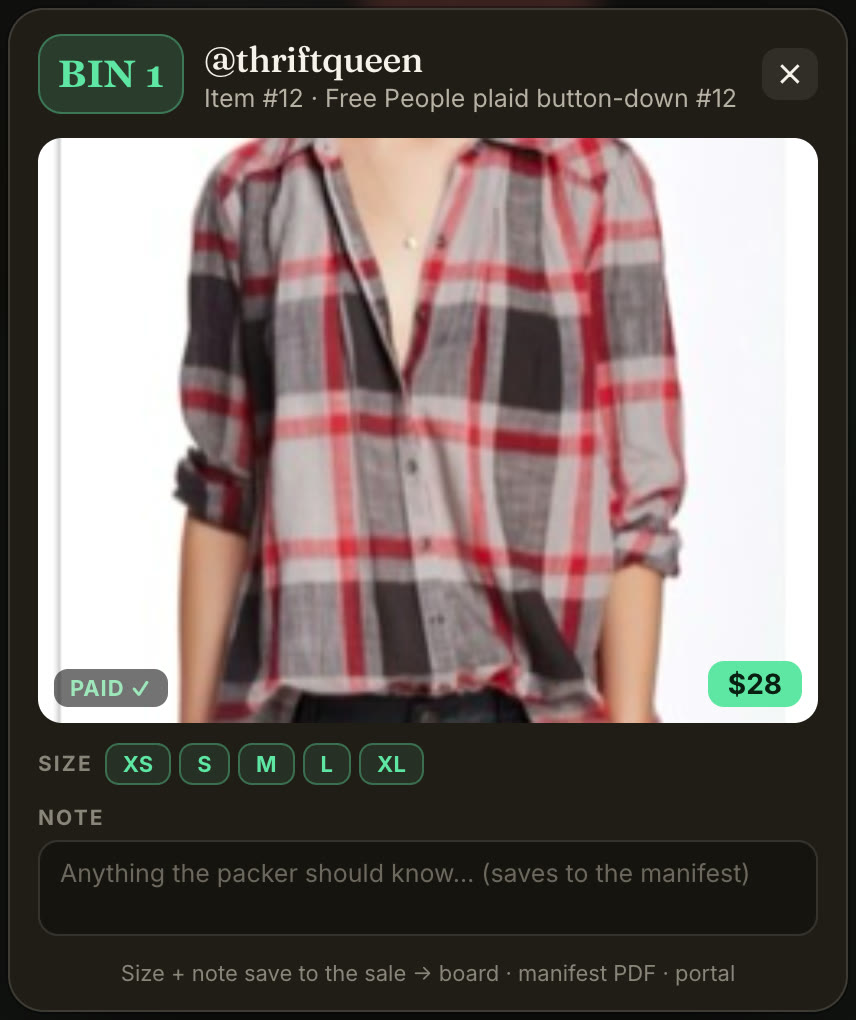
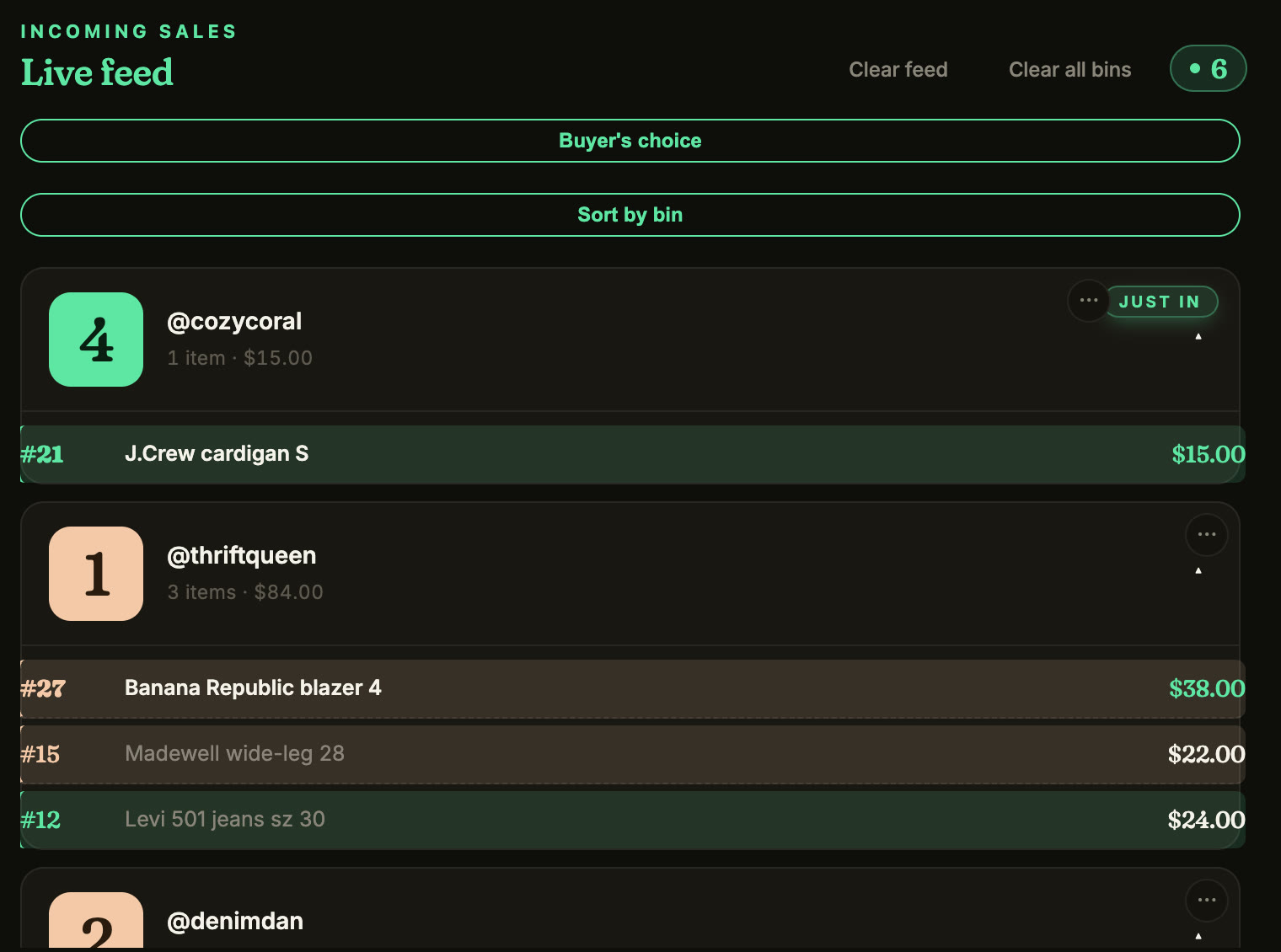
- The buyer, by @handle and first name, so you can thank Jackie by name instead of a username. Repeat buyers get a badge the instant they win again, and buyer history carries across your shows so you recognize regulars.
- The item and the price, whether it was an auction, a Buy It Now or a flash sale.
- A screenshot from the stream at the moment it sold, on most sales. When a buyer messages “was that the navy one?”, click the card. No more scrolling video receipts.
- A bin number. The first time a buyer wins they get a bin, and everything they win after that lands in the same bin, live. That is what turns a sold pile into sorted orders; the bin system guide covers it.
- What it earned after Whatnot’s fees. Not the hammer price: the real number once commission and processing come off. The fee calculator shows how that is worked out.
Tips, raids and giveaways are recorded, not counted as sales
A tip is not a sale, and neither is a raid, so a tracker that lumps them into your gross gives you a wrong number. Backstage keeps them apart:
- Tips become a card with the buyer and the amount, ready to thank, and get their own total.
- Raids become a card with the streamer and the party size, so you thank the raider by name while they are still in the chat.
- Giveaways are captured with the winner, so the item gets tagged and shipped like everything else.
- Pending payments are flagged, so a sale that is still waiting on the buyer does not get packed early.
When you end the show
One click ends the show and hands you two things:
- A manifest: every buyer, every bin, every item, with totals, grouped by bin and sorted in pull order. Print it or save it like a receipt.
- A recap of what the show made, with the real net after fees, and tips broken out on their own.
Then you go to Seller Hub for your shipping labels as usual. The difference is that the pile on your table already matches the manifest, so packing is a batch job instead of a reconstruction.
Where Whatnot’s own reports fit
Whatnot’s own tools cover a lot. During the show, hosts see a feed of who won what and running sales totals. Afterward, Seller Hub has every order, shipments grouped by buyer, a downloadable Show Report with fees, and video receipts for 60 days. You will still use them for shipping and for your books. What they do not do is sort the room while you sell: no bin numbers, no label on each item as it sells (outside a beta for pilot sellers that needs a computer), and no packing manifest in bin order. Backstage does that live half; Seller Hub does the rest.
Chrome or iPad, the same tracker
Backstage Lite runs as a Chrome extension beside your show on a computer. Backstage Live for Whatnot does the same tracking as a native iPad and iPhone app, on the device you already run your show from. One login covers both on the Plus plan, and your buyer history follows you.
It only reads the tab you are on
Backstage never signs in as you. It reads the Whatnot show tab you are already viewing, records what happens there, and keeps your data with you. It is built by a working Whatnot seller and is not affiliated with Whatnot.
Next steps
- Every job in one place: Whatnot seller tools, from sales capture and bins to labels and packing.
- What to buy, by job: the Whatnot seller toolkit, from label printers and bins to mailers and lights.
- See how bins turn the sold pile into orders: the Whatnot bin system.
- Know what each sale is worth: Whatnot fee calculator.
- Start tracking: Backstage Lite, free for 7 days.