
How Do Whatnot Sellers Keep Track of Who Bought What? During the Show and After
Whatnot sellers keep track of who bought what in three ways: Whatnot's own tools (the Activity tab during the show, then Orders, Shipments, the Show Report and video receipts after), a hand system of numbered bins and sticky notes, or a tool that records every sale by buyer as it happens. How each works, why fast auctions break the hand system, and how Backstage gives every buyer a bin and hands you a packing manifest sorted by bin. From Whatnot's help center as of October 4, 2026.
Whatnot sellers keep track of who bought what in three ways. Whatnot’s own tools show each win during the show and list every order afterward. Many sellers add a physical system at the table, often one numbered bin per buyer. And a tool like Backstage records every sale by buyer as it happens, so the bins and the packing list build themselves while you sell.
Here’s how each works, and why fast auctions are where the hand system breaks. Whatnot’s features are from its help center as of October 4, 2026.
During the show: what Whatnot shows you
- The Activity tab. Tap the viewer count in the upper-right corner during your show, then switch to Activity. It lists auction wins and purchases, along with raids, new followers and tips. On whatnot.com it’s in the right sidebar.
- Show stats. Just above the viewer list: estimated gross sales, estimated order count, how long you’ve been live, and show shares.
- Sorting Labels, in beta for selected pilot sellers. They print details such as the listing title and the buyer’s username as items sell, and they need a computer running Whatnot Tray, with the show open on whatnot.com on that same computer.
These tell you who just won. None of them gives each buyer a bin or sorts the pile for you while you sell. That part is up to you.
The hand systems sellers use
- A numbered bin for every buyer. A buyer gets the next bin number on their first win and keeps it all show, so every later win goes straight into the same bin. See the Whatnot bin system.
- An item number in every listing title. “Levi 501 jeans #12” is easy to match to an order. “Jeans” isn’t.
- A sticky note or bag label with the buyer’s name or bin number, written as the item sells.
- A second person sorting and labeling while you sell, if you have one.
It works at a slow pace. In a fast show, with auctions running back to back, the writing falls behind, and that’s where the wrong item lands in the wrong bin.
After the show: where Whatnot keeps the record
- Orders in Seller Hub lists every purchase with the buyer, items and price.
- Shipments groups a buyer’s purchases into one package in most cases, and it’s where you print labels and packing slips.
- The Show Report CSV, from the Shipments page on whatnot.com, lists the show’s purchases, items and buyers in a spreadsheet.
- Video receipts show the moment each item was featured, for 60 days. See Whatnot video receipts.
All four are built for after the show. None of them sorts the table while you’re still selling. More in Whatnot order management.
How Backstage keeps track for you
Backstage runs beside your show, in Chrome, or as a native iPad app on the Plus and Pro plans, and does the writing for you:
- Every sale, by name, the second it happens. The buyer’s name and @username, the item, the price and the time.
- A bin number on each buyer’s first win, kept all show, with one card per buyer showing everything they’ve bought.
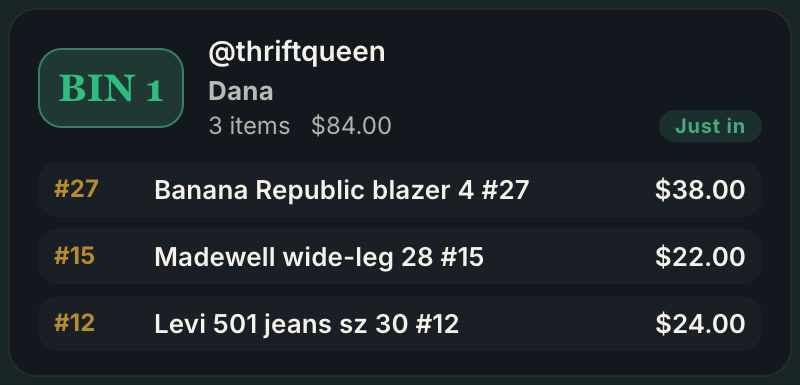
- A bin label that prints as the item sells, on the Plus and Pro plans, so you stick it on the item instead of writing.
- First-time buyers flagged, so you can welcome them on air, and pending payments marked, kept in their bin and out of your totals, so an unpaid item doesn’t ship by accident.
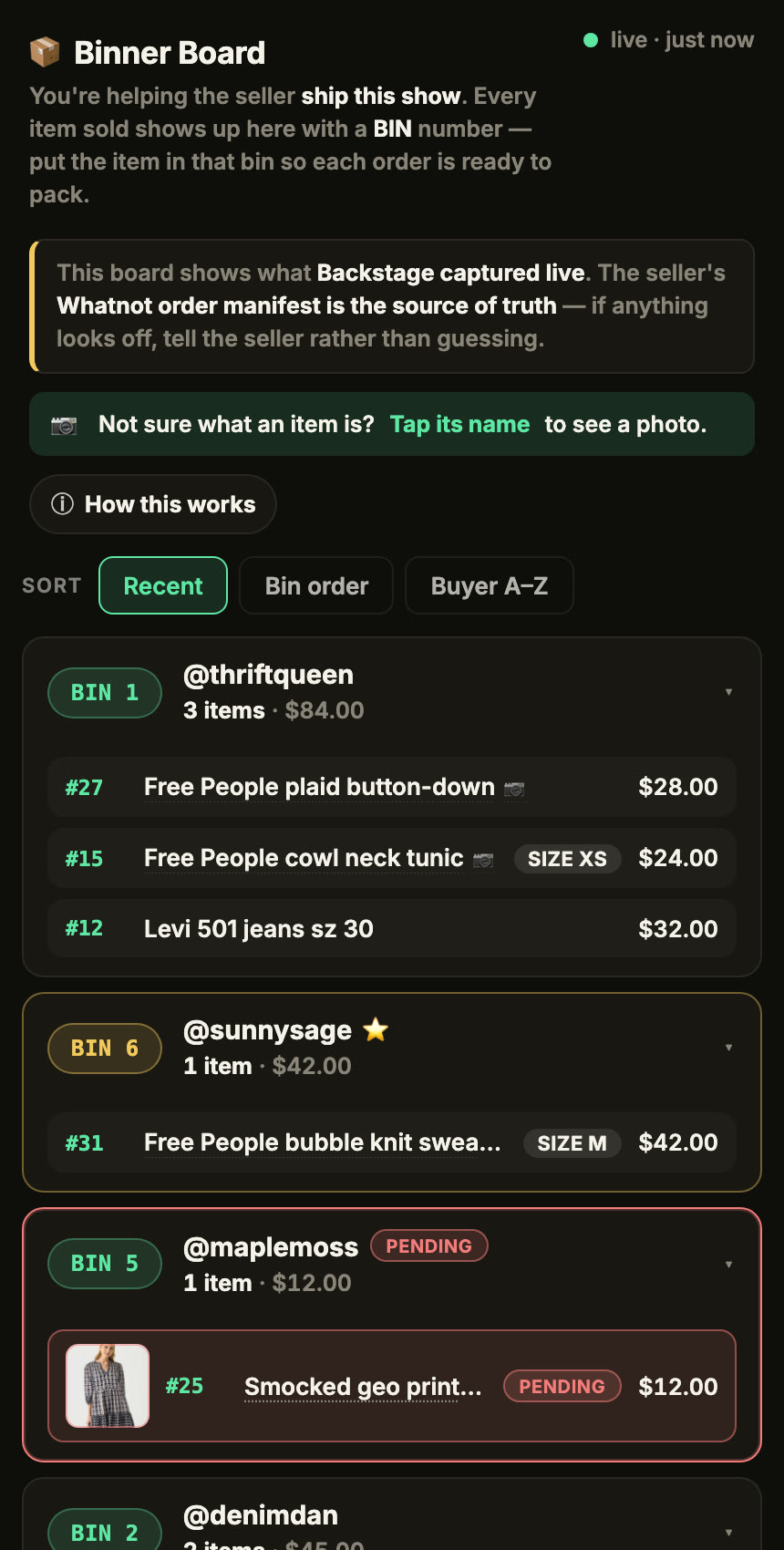
- A live board for your packer, shared by link, with each buyer’s bin filling in as items sell.
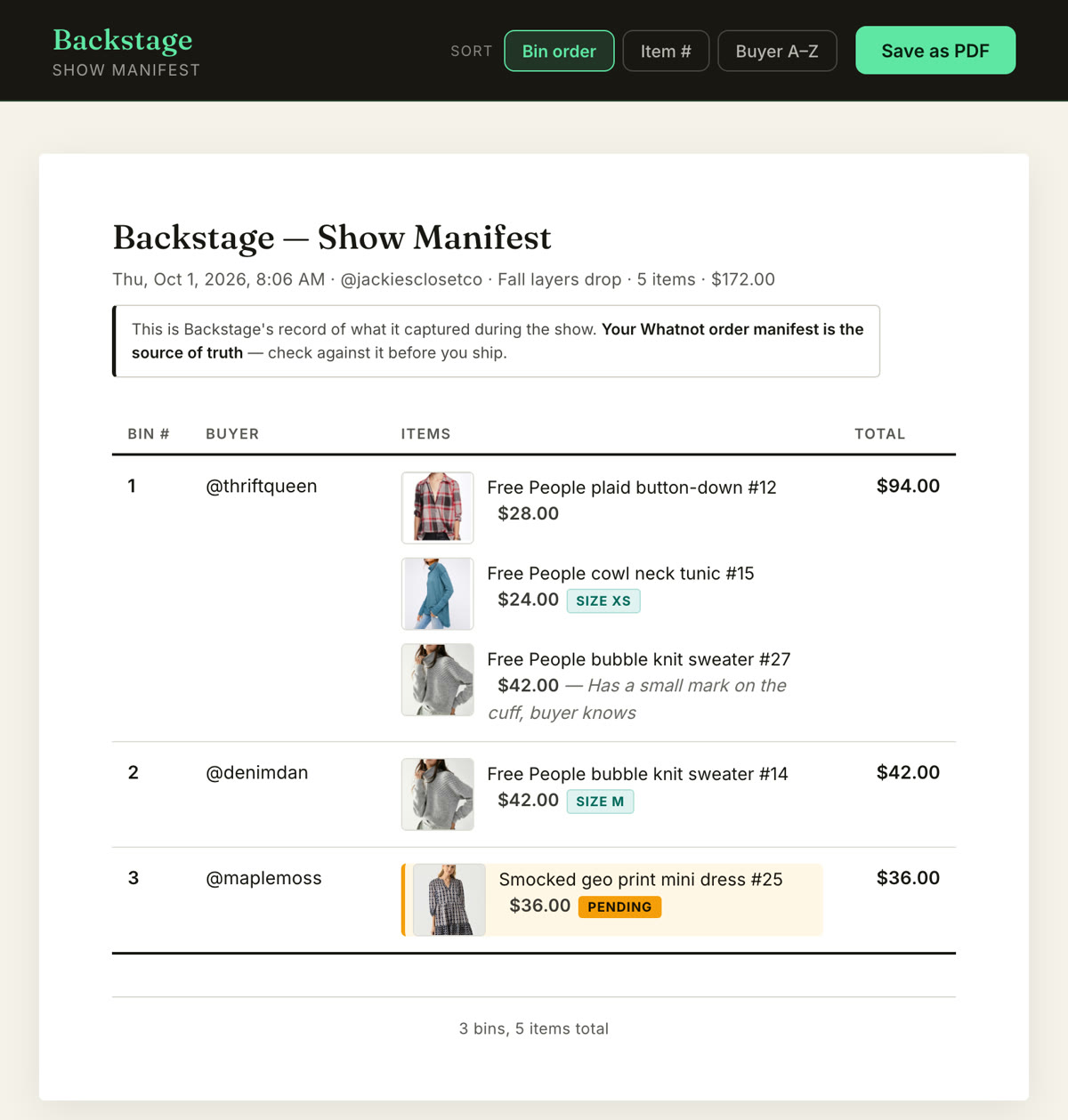
- A packing manifest at End Show, every buyer, bin and item, grouped by bin. Sort it by buyer name and it lines up with the Shipments page in Seller Hub.
In Chrome, turn on Sale screenshots in Settings and most sales also get a photo from the stream, so you can see exactly which item went to whom.
Next steps
- How bins work, step by step: the Whatnot bin system.
- Every sale, recorded live: the Whatnot sales tracker.
- Pack one bin per box: how to ship Whatnot orders faster.
- Every job in one place: Whatnot seller tools.