
The Best Chrome Extension for Whatnot Sellers: What to Look For, and What Backstage Does
The best Chrome extension for a Whatnot seller depends on the job. For running live shows, the job is recording every sale by buyer, sorting buyers into bins, printing a label as each item sells, and packing from a manifest at the end. Backstage for Whatnot does all four in a side panel next to your show, on Mac or Windows (label printing on the Plus and Pro plans), and on Plus and Pro the same login runs a native iPad app. What the different kinds of Whatnot extensions do, what to check before you install one, and how Backstage works.
The best Chrome extension for a Whatnot seller depends on the job you need done. If the job is running live shows, that means recording every sale by buyer, keeping each buyer’s wins together, labeling items as they sell, and packing fast afterward. Backstage for Whatnot does all of that in a side panel next to your show, in Chrome on a Mac or Windows computer, and on the Plus and Pro plans the same login runs a native iPad app.
Here’s what the different kinds of Whatnot extensions do, what to check before you install one, and how Backstage works.
The kinds of Chrome extensions Whatnot sellers use
Search the Chrome Web Store for “whatnot” and you’ll find a mix, including some tools for buyers. The ones for sellers mostly fall into five groups:
- Live analytics and viewer tracking. Stats about your show or someone else’s: viewers, sales pace, top buyers. Useful for planning, not for packing.
- Label auto-printers. They print a small label as an item sells. Helpful at the table, though many stop at the label.
- Listing and cross-listing helpers. For getting inventory into Whatnot faster, or moving it between marketplaces.
- Profit and bookkeeping tools. They import your Whatnot reports to show profit, fees and trends after the fact.
- Live-show workflow tools. They follow the show as it happens and handle the whole run: who bought what, which bin it goes in, the label, and the packing list. That’s what Backstage is.
If you sell live and pack your own orders, group 5 saves the most time, because it covers the part of the night that goes wrong most: matching the pile on your table to the right buyers.
What to check before you install one
- It works on your seller dashboard. The extension should run on the show you’re hosting on whatnot.com, not only on shows you’re watching.
- What it reads, and what it never does. A seller extension shouldn’t post for you, sign in as you, or touch your stream. Read the listing for that promise.
- Mac and Windows. If you might switch computers, make sure both are covered.
- Printing. Does it print to the label printer you already own, or does it need its own? Can it run with no printer at all?
- What happens at the end of the show. A label is one moment. A packing list grouped by buyer is the whole night.
- An iPad option. If you stream from a phone, you may not want a laptop beside it at all.
- Recent updates and real reviews. Whatnot changes often. A tool that was updated last week is a safer bet than one that hasn’t moved in months.
What Backstage for Whatnot does
Backstage runs in a side panel next to your Whatnot tab. You open your show on whatnot.com in Chrome, open the Backstage panel, and press Start when you go live.
During the show
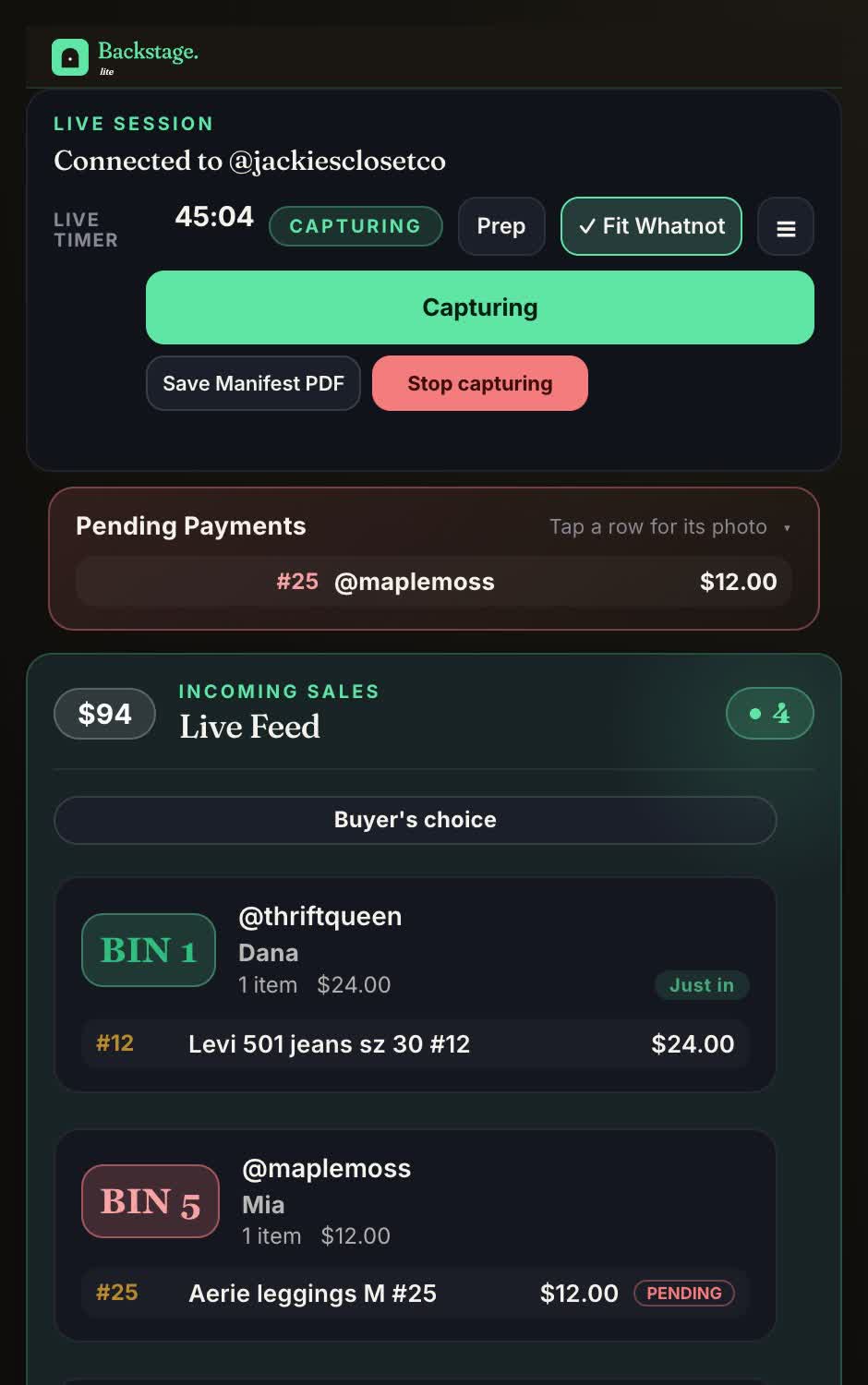
- Every sale, by name. The buyer’s first name and @username, the item, the price and the time, for auctions, Buy It Now and flash sales. Turn on Sale screenshots in Settings and Chrome will ask permission once; after that most sales also get a photo from the stream, as long as the Whatnot tab stays in front.
- A bin for every buyer. Assigned on their first win and kept all show, so every later win lands in the same bin. One card per buyer shows everything they’ve bought.
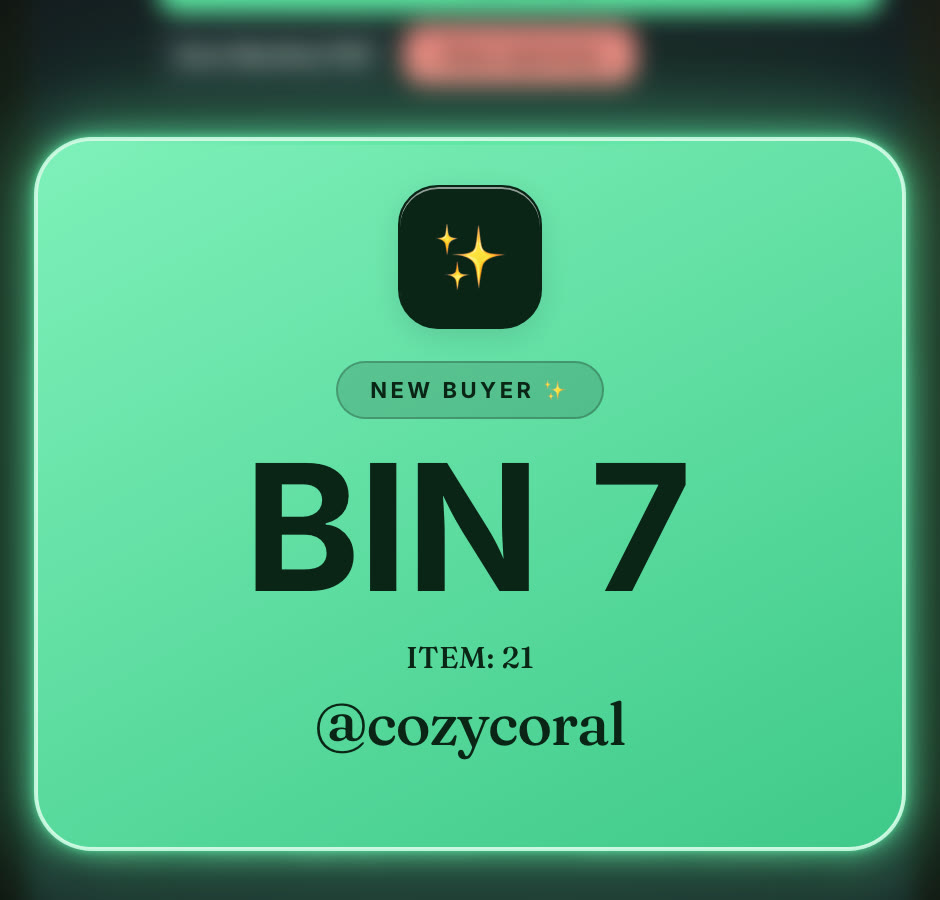
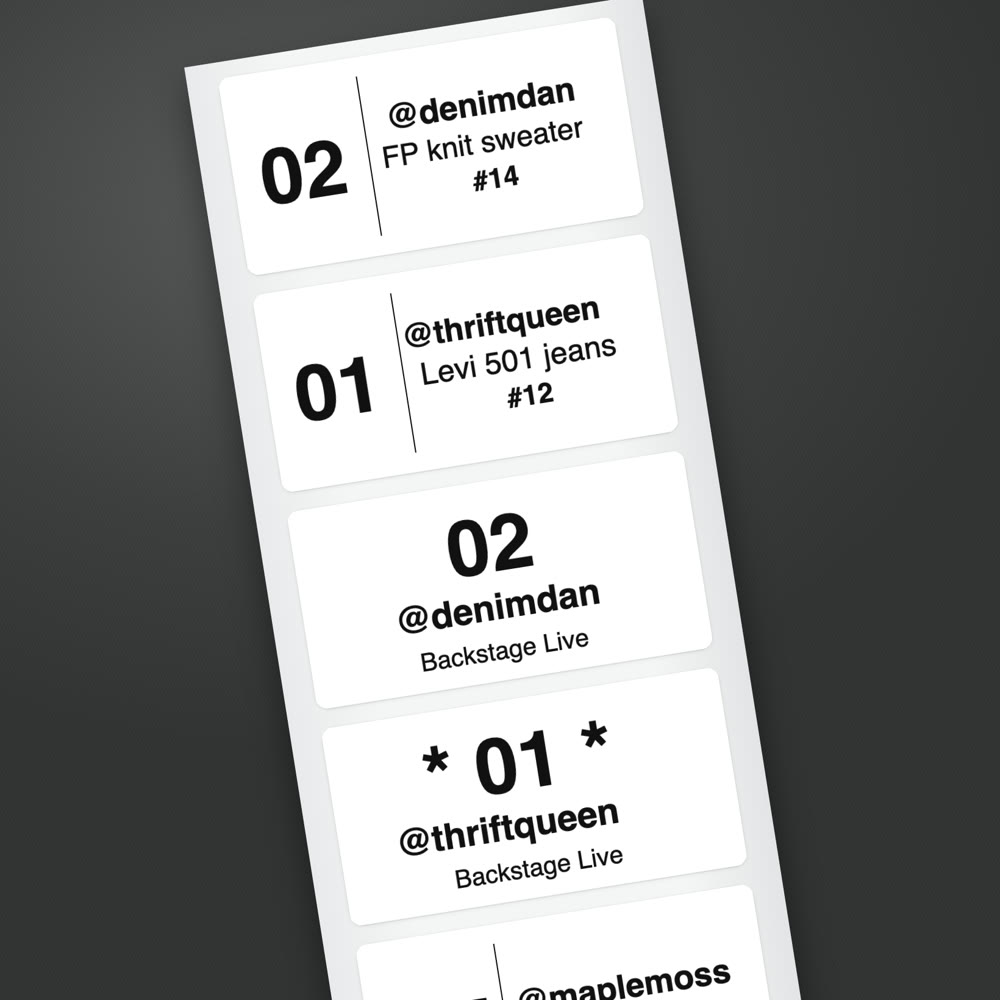
- A bin label the second an item sells, on the Plus and Pro plans, printed to the label printer you already have on that Mac or Windows computer. It carries the bin number and @username, with a star for a first-time buyer, and separate labels for giveaways and pending payments.
- The things that are easy to miss live: raids, giveaway winners, tips and first-time buyers, flagged while they’re still in the chat.
- Pending payments held back. A sale waiting on a card keeps its bin, gets its own label, and stays out of your totals until it clears.
When you end the show
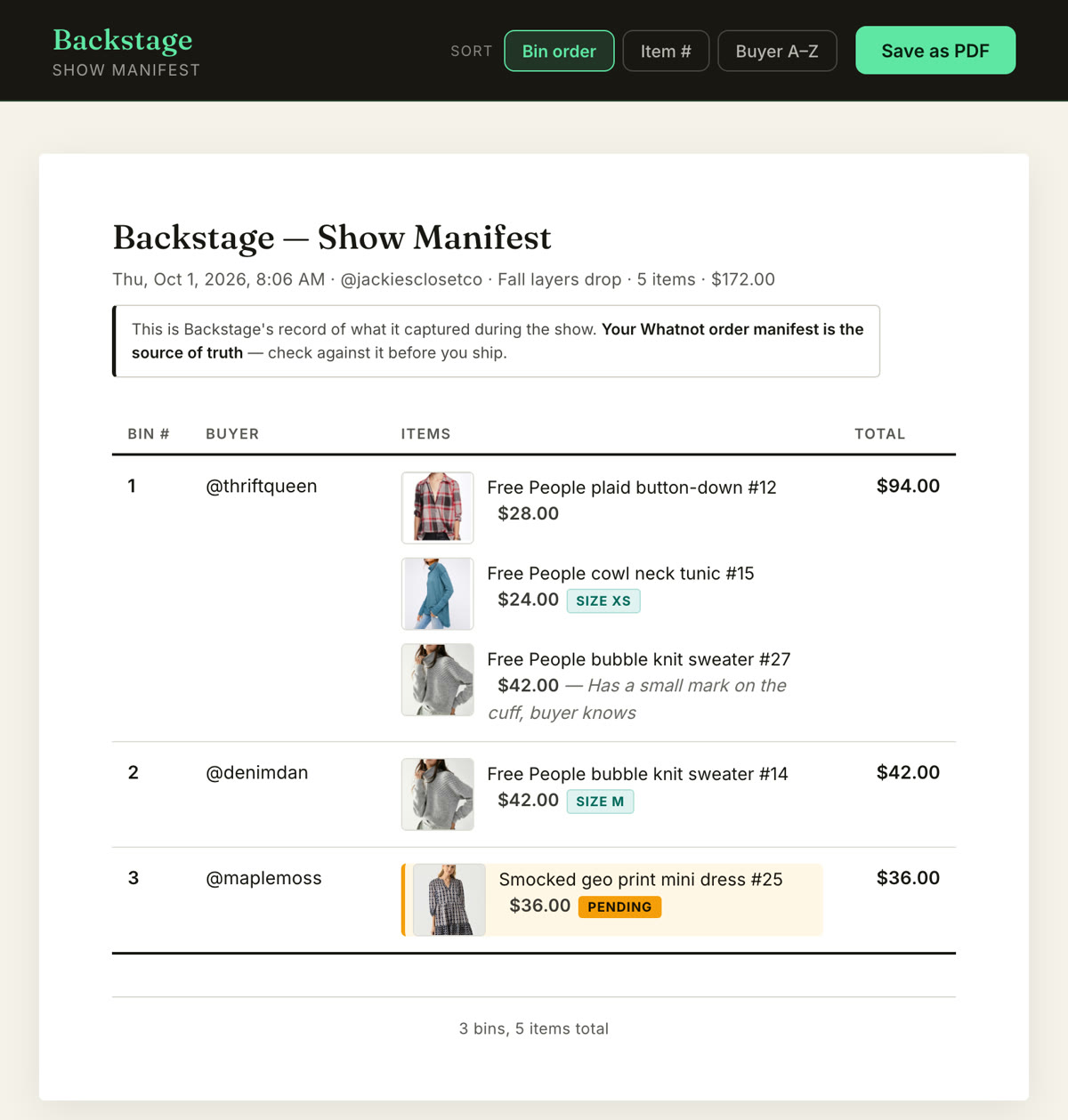
- A packing manifest with every buyer, bin and item, grouped by bin in pull order. Sort it by buyer name and it lines up with the Shipments page in Seller Hub.
- A show recap with your net after Whatnot’s fees.
- Bin-label PDFs in five formats, including plain letter paper and Avery sheets, if you’d rather print on a regular printer.
What it doesn’t do: Backstage doesn’t make shipping labels or touch your Whatnot account. Whatnot handles postage from Seller Hub after the show. Backstage handles the part it doesn’t: who bought what, which bin it’s in, and what to pull.
Plans
Every paid plan starts with a 7-day free trial. Lite is the Chrome capture: sales by name, bins, the manifest and the recap. Plus adds automatic label printing, the native iPad and iPhone app, and Prep for listing a show ahead of time. Pro adds consignment. Sidekick, our free mod tool, is a separate Chrome extension and iPhone and iPad app. Current prices are on the pricing page.
No computer at your table?
Then you may not want a Chrome extension at all. The Backstage iPad app does the same capture, bins and label printing over Bluetooth, on the iPad you already own, on the same login. See how to run a Whatnot show from an iPad.
Next steps
- How label printing works, printer by printer: Whatnot label printing software.
- How bins work: the Whatnot bin system.
- Every sale, recorded live: the Whatnot sales tracker.
- Every job in one place: Whatnot seller tools.