List a whole show with Prep
Photos in, items filled out, one file out for Whatnot's bulk upload.
Prep
Open Prep from the Prep button in the Chrome panel, or the Prep tab on the iPad. It's included in Plus and Pro.
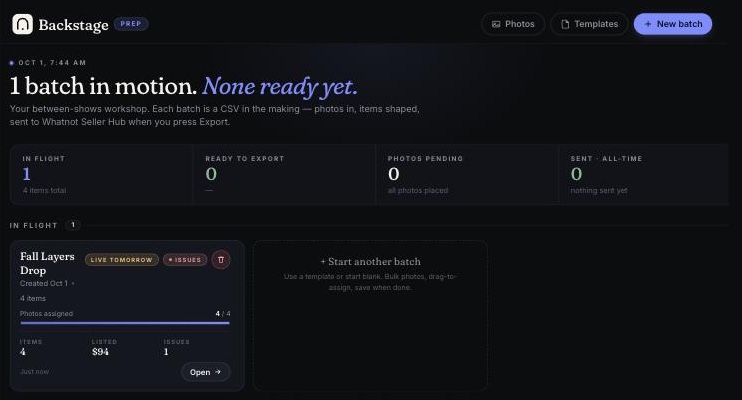
- Start a batch: one show's worth of items. Tap New batch.
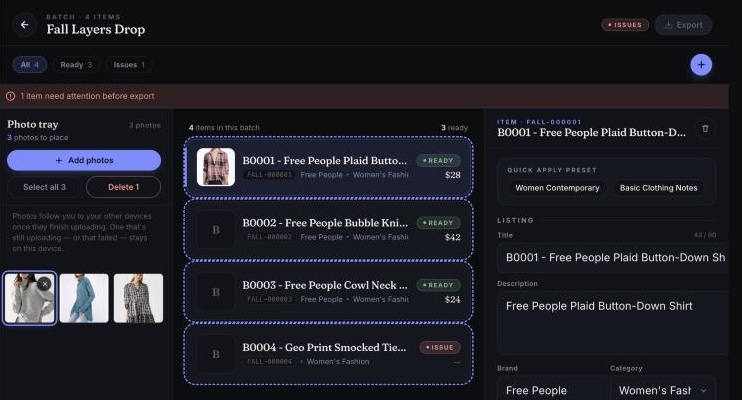
- Add your photos to the photo tray (drag files in on Chrome, pick from your camera roll on iPad).
- Put each photo on its item: tap the photo, then tap the item.
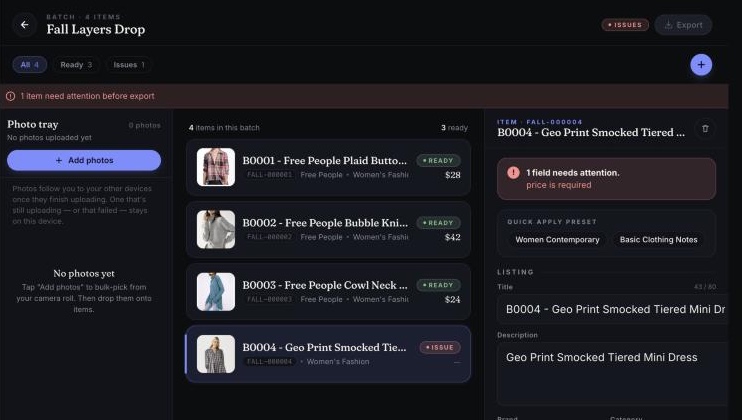
- Fill in the items. Templates do most of the typing.
- Fix anything flagged. Items missing something are tagged ISSUE and tell you exactly what's missing.
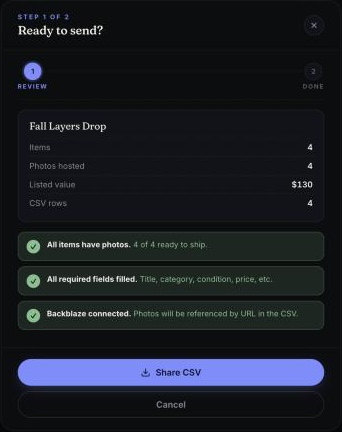
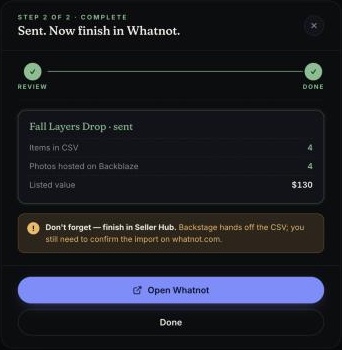
- Tap Export, then Share CSV.
Don't forget the last step. Prep makes the file; it doesn't post to Whatnot for you. Go to Whatnot Seller Hub, upload the file in the bulk listing importer, and confirm. Your photos come along by link.
Batches follow you. Start on the iPad at the rack, finish on your laptop.
What it looks like
These are from the iPad; Chrome has the same screens.