
Get started with Sidekick
The free mod tool: install it, open the show, pick what a tap does.
Sidekick
Sidekick is free. It sits next to the Whatnot show and handles the things that eat a mod's night: typing the same messages over and over, and keeping track of who raided, tipped and won.
- On a computer: add Backstage Sidekick from the Chrome Web Store, and click its icon. On iPhone or iPad: get Backstage Sidekick from the App Store.
- Open the show you're modding. The top bar says Riding @host once Sidekick can see it.
- Pick what a tap does under On tap: Send posts to chat, Copy puts it on your clipboard, Build stacks pieces into one message.
The five tabs
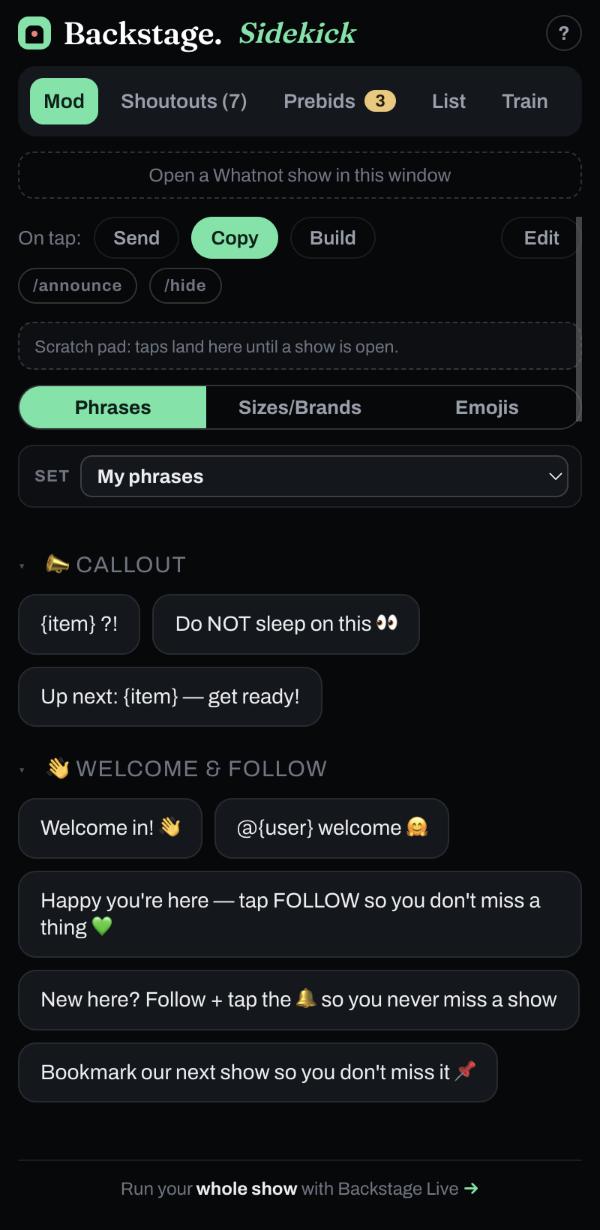
- Mod: your phrases, sizes, brands and emoji.
- Shoutouts: everyone who raided, tipped, boosted, won a giveaway or bought a sponsor item.
- Prebids: listings already holding bids.
- List: a name list you build by hand or let chat fill.
- Train: the running order on a raid train.