
The Best Whatnot Apps for Sellers in 2026: One Pick for Every Job
The best Whatnot apps for sellers, sorted by the job each one does: running the live show, sorting buyers into bins and printing labels, running a show from an iPad, bulk listing, profit and taxes, consignment, moderating chat, raid trains, streaming, card pricing, cross-listing and bookkeeping. What each kind of app is best for, what it doesn't do, and which ones you actually need as your shows grow.
The best Whatnot apps for sellers depend on the job. Whatnot’s own app runs the stream. Everything around it, from keeping the table sorted to listing, profit, moderating and taxes, is where other apps come in.
Below is one pick for every job a Whatnot seller has, what each kind of app is best for, what it doesn’t do, and which ones you actually need at each stage. Whatnot’s own features are described from its help center as of October 2026.
Why we built Backstage for solo sellers
We’ll be upfront: we make Backstage, and it’s on this list wherever it does the job. Here’s why it exists.
Backstage was built for the solo seller. The one running the camera, reading chat, calling the auction, welcoming the raid and trying to remember who bought the denim jacket three items ago, all at the same time, usually without a packer or a mod to lean on. Whatnot is brilliant at the stream, but when the show ends, that seller is the one standing in front of a pile, matching items to buyers and hoping nothing went in the wrong box.
So we built the crew a solo seller doesn’t have. Backstage keeps the table sorted while you sell, catches the moments that are easy to miss live, and has the packing list ready when you go offline. It grew from there into listing, profit, consignment and a free tool for mods, because those were the next things solo sellers kept asking for. Where another kind of app is the better fit for a job, this list says so plainly.
The quick list
| The job | Best pick | Cost |
|---|---|---|
| Running the stream | The Whatnot app | Free |
| Keeping track of who bought what, live, with bins and labels | Backstage in Chrome | Paid, 7-day free trial |
| Running a show from an iPad, no computer | Backstage Live for Whatnot iPad app | Plus and Pro plans |
| Bulk listing your inventory | Backstage Prep, or Whatnot’s CSV import | Plus and Pro plans |
| Profit after what your stock cost, and year-end numbers | Backstage profit report | Plus and Pro plans, in your Backstage portal |
| Selling for consignors | Backstage consignment | Pro plan |
| Moderating chat | Backstage Sidekick | Free |
| Running or riding a raid train | Raid Train Express, our partner, with Backstage | See Raid Train Express |
| Cameras, overlays and scenes | OBS or Streamlabs | Free |
| Show thumbnails and graphics | Canva | Free and paid |
| Pricing cards | PSA price guide, TCGplayer, 130point | Free |
| Selling the same stock on eBay or Mercari too | A cross-listing tool | Paid |
| Bookkeeping and taxes | Bookkeeping software like QuickBooks, a spreadsheet, or your accountant | Varies |
Current Backstage prices are on the pricing page.
Running the live show: keeping track of who bought what
Best for: any seller whose table gets hard to keep straight during a fast show.
Whatnot tells you who won. During a show, the Activity tab lists each win, and show stats give you estimated sales and order count. What it doesn’t do is sort your table while you sell, and in a fast show that’s where the wrong item ends up in the wrong box. Whatnot’s own Sorting Labels, which print a label as items sell, are in beta for selected pilot sellers.
Backstage runs in a side panel next to your Whatnot tab in Chrome, on Mac or Windows:
- Every sale, by name, the second it happens: the buyer’s name and @username, the item, the price and the time.
- A bin for every buyer, assigned on their first win and kept all show.
- Labels as items sell on the Plus and Pro plans: the bin number and @username, with a star for a first-time buyer.
- Raids, giveaway winners, tips and first-time buyers flagged while they’re still in the chat.
- Pending payments set apart and kept out of your totals until they clear.
- A packing manifest at End Show, grouped by bin.
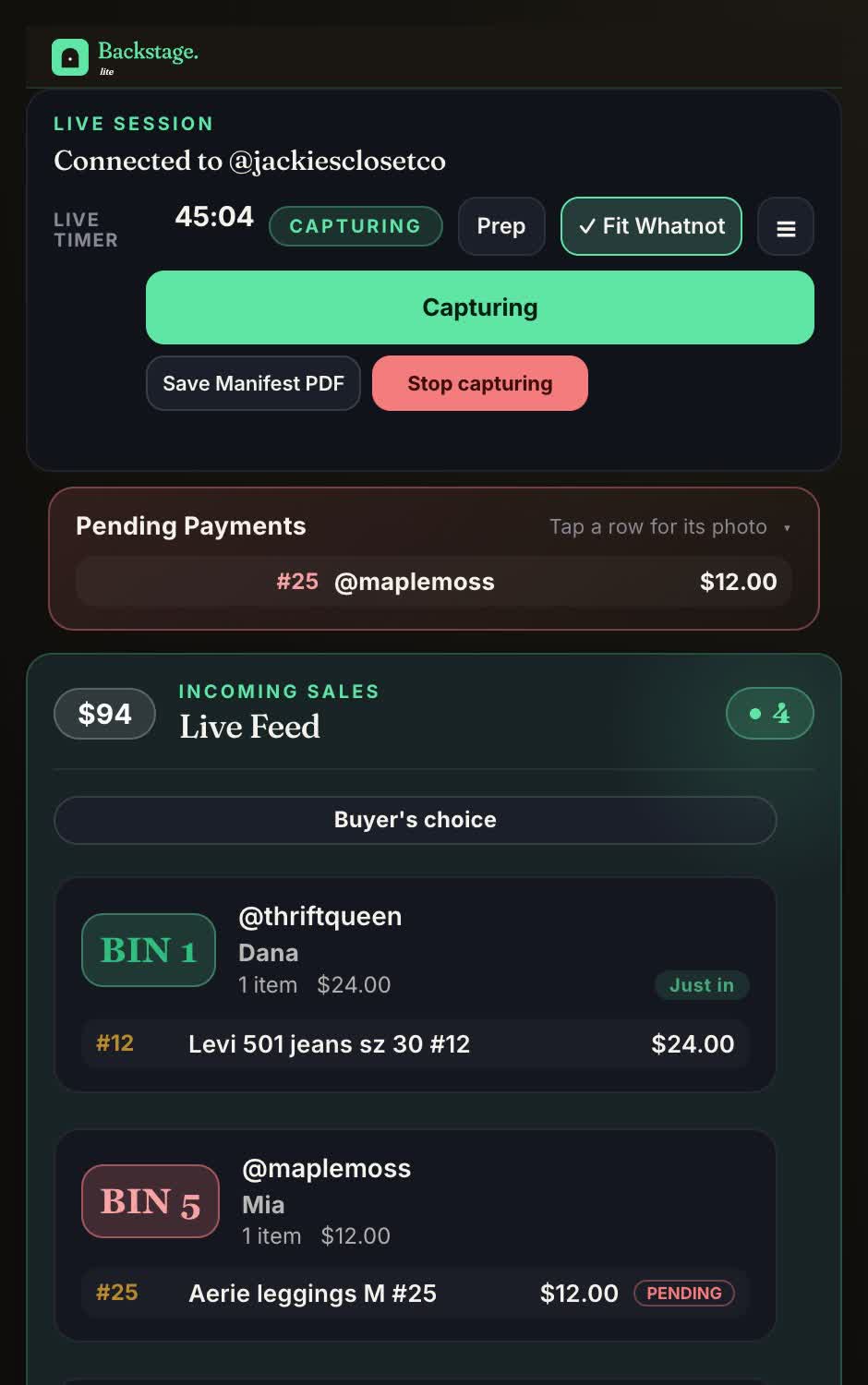
What it doesn’t do: stream your show, make shipping labels or change anything in your Whatnot account. Whatnot does those.
More: the Whatnot bin system and Whatnot label printing.
Running a show from an iPad
Best for: sellers who don’t want a computer running beside their show.
On the Plus and Pro plans, the same Backstage login runs Backstage Live for Whatnot, a native iPad and iPhone app. Go live from your phone with the Whatnot app, open the same show on the iPad, and Backstage records every sale, sorts buyers into bins and prints bin labels to a Bluetooth or Wi-Fi label printer.
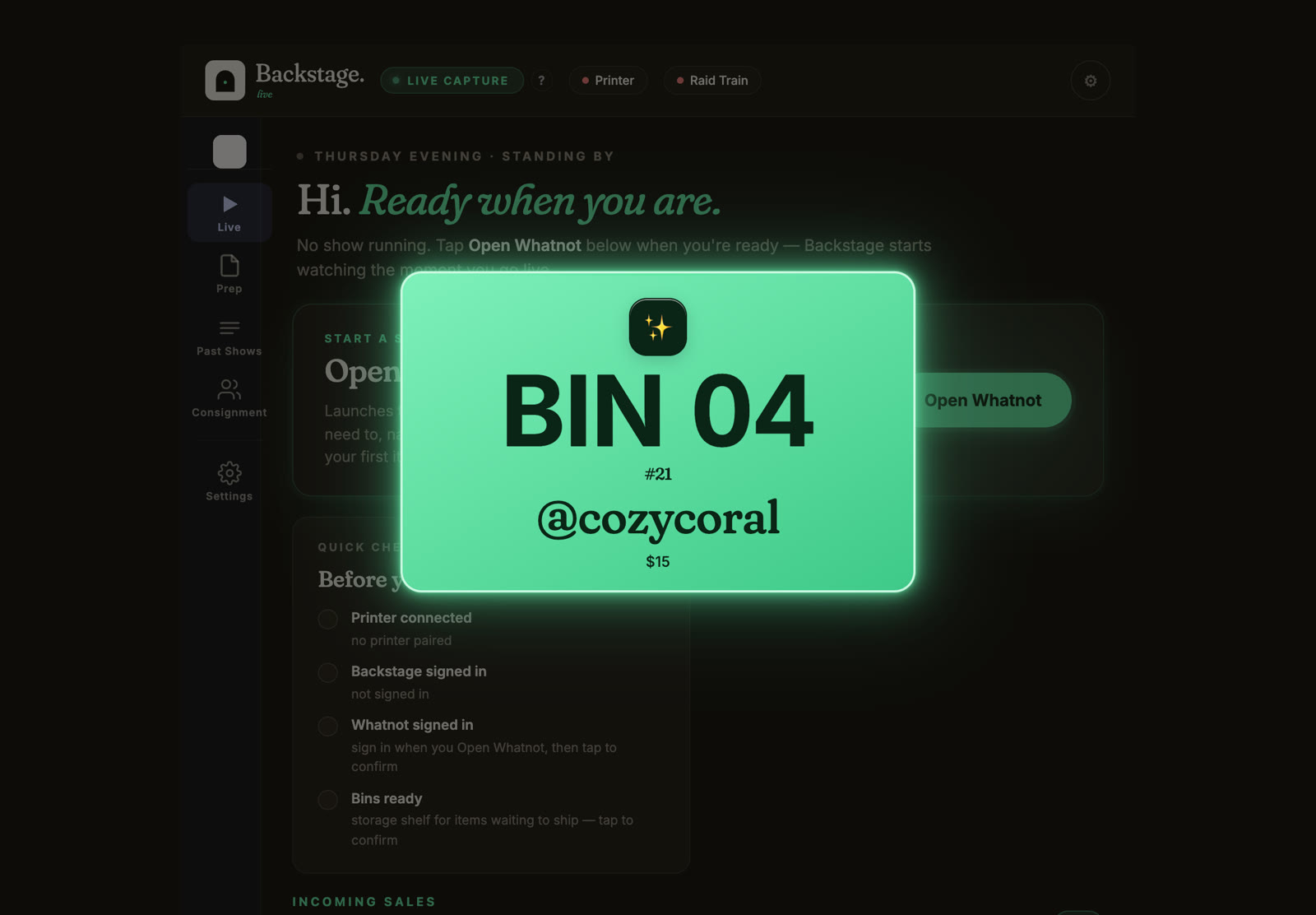
More: how to run a Whatnot show from an iPad.
Bulk listing your inventory
Best for: sellers who list dozens or hundreds of items before a show.
Whatnot’s own CSV import works from whatnot.com on a computer. Backstage Prep is where you build the batch first: photos, titles, prices, weights and saved templates, then a file in Whatnot’s format, ready to import.
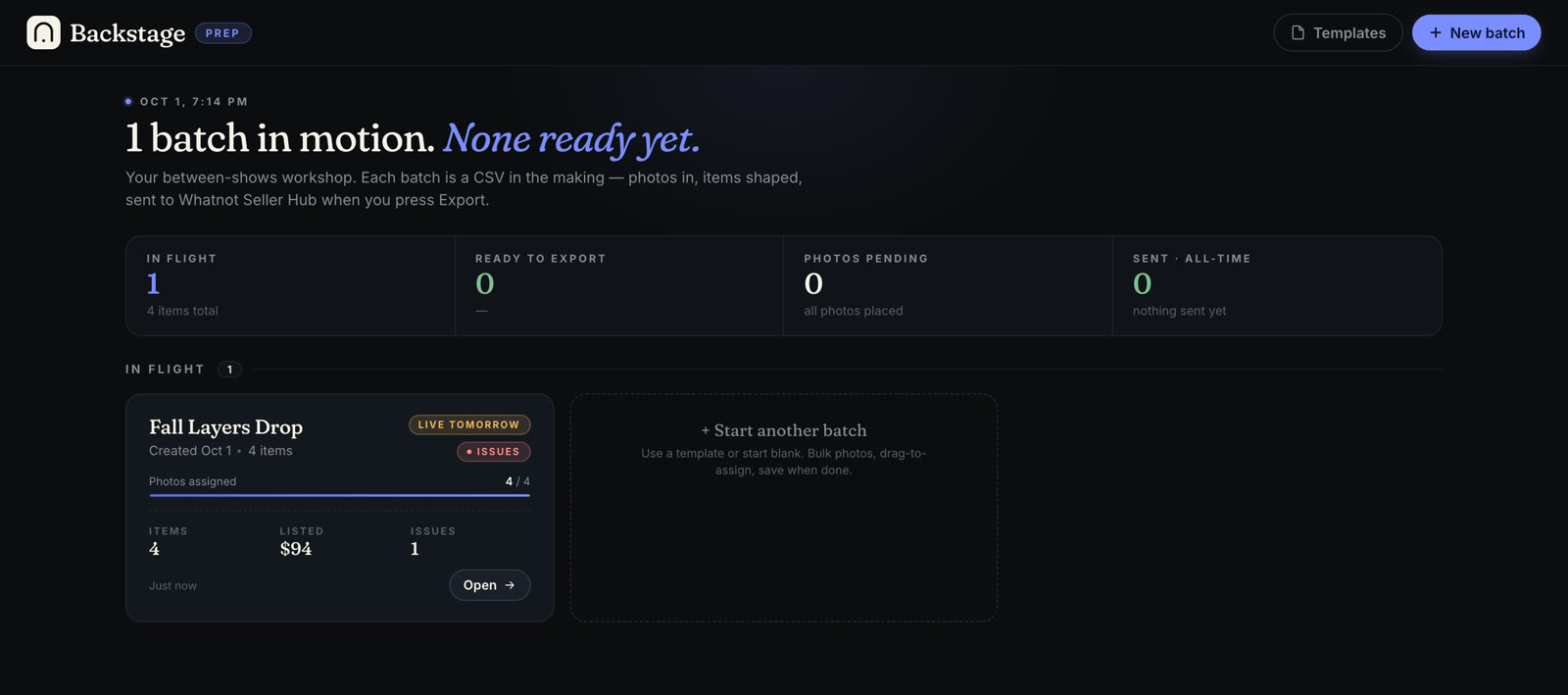
More: the Whatnot bulk listing guide.
Profit, costs and year-end numbers
Best for: sellers who want to know what each show actually made, not just what it sold.
Whatnot shows what it paid you after its fees. It can’t know what your stock cost you. Backstage’s profit report joins each sale from your live show to what you paid for it:
- By show, by item and by bulk purchase, including how many dollars came back for every $1 you spent on a lot.
- Costs that aren’t stock, like supplies, consignor shares and anyone you pay to run a show.
- A Year-end summary with sales, fees, cost of goods and stock value in one place for your accountant.
An item you haven’t given a cost shows “No cost yet”, never $0, so your profit never looks better than it is. It isn’t tax advice; your accountant can tell you how to use the numbers.
More: the Whatnot profit tracker.
Selling for consignors
Best for: sellers who sell other people’s items and split the money.
On the Pro plan, Backstage tracks each consignor’s items through your live shows, works out their split and what you owe them, and gives each consignor their own login to see their own numbers.
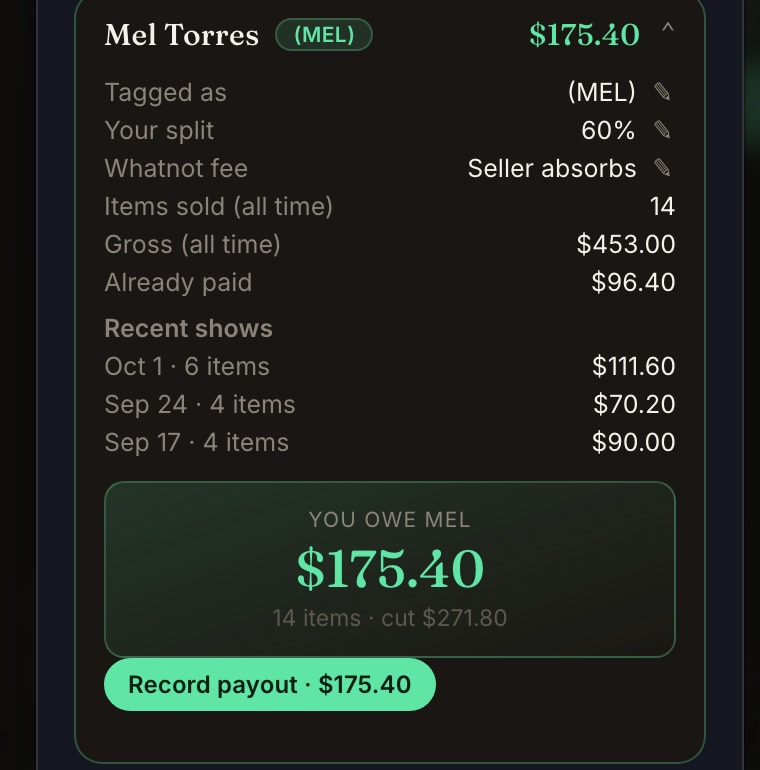
More: consignment tracking for Whatnot sellers.
Moderating chat
Best for: mods, and sellers who mod their own shows.
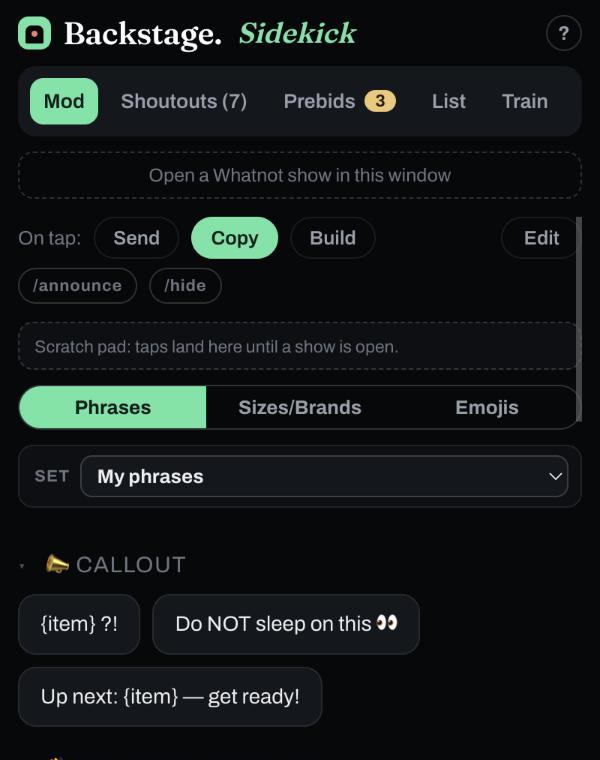
Whatnot gives moderators chat commands and tools. Backstage Sidekick adds tap-to-send phrases, a running list of who to thank for tips, raids and sponsors, and a Train tab for raid trains. It’s free, with no account or password, as a Chrome extension and an iPhone and iPad app.
More: the Whatnot moderator toolkit.
Raid trains
Best for: sellers who team up to send their viewers from show to show.
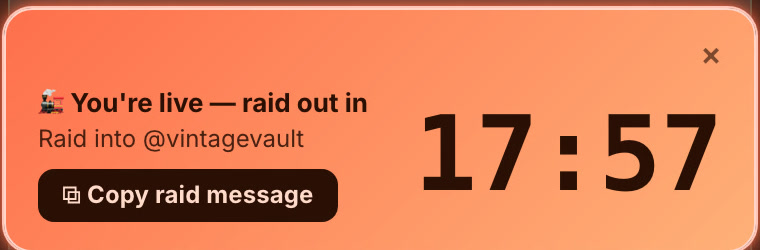
Trains are organized on Raid Train Express, our partner. Backstage runs your part of the ride: a countdown to your raid-out, the raid message ready to copy, and every new buyer the train brings caught by name. Questions about a train itself go to Raid Train Express support.
More: using Backstage with Raid Train Express.
Streaming, cameras and graphics
Best for: sellers ready to move past a single phone camera.
- OBS: free streaming software for real cameras, overlays and scenes on a computer. Whatnot supports it through Show Tools on whatnot.com.
- Streamlabs: built on the same idea as OBS, with ready-made themes and widgets. Easier to start, a little less flexible.
- Canva: for show thumbnails and promo graphics.
Starting out? The Whatnot app on your phone is enough. Add these when you want the show to look more produced.
Pricing cards before you list
Best for: card, Pokémon and TCG sellers.
- PSA’s price guide for graded sports cards.
- TCGplayer for Pokémon, Magic and Yu-Gi-Oh market prices.
- 130point for recent eBay sold prices on sports cards.
Selling the same stock on eBay or Mercari
Best for: sellers who list the same inventory on several marketplaces.
A cross-listing tool copies a listing from one marketplace to others and keeps quantities in sync. Backstage doesn’t cross-list. It’s built around your Whatnot shows, so if you sell everywhere, use a cross-lister for the other marketplaces alongside it.
Bookkeeping and taxes
Best for: everyone, once a year at least.
If you’re a US seller over the IRS or state reporting threshold, Whatnot sends you a 1099-K. What you can deduct, like what your stock cost, is up to you to track. Backstage’s profit report and Year-end summary give you those numbers from your shows. Bookkeeping software like QuickBooks, a spreadsheet, or your accountant takes it from there.
Which apps you actually need
| Where you are | What to run |
|---|---|
| Your first shows | The Whatnot app on your phone, numbered bins and a marker. |
| Selling every week | Add Backstage so every sale is recorded by buyer and sorted into bins, and a label printer so labels print as items sell. |
| Bigger shows or a team | Add Prep for listing, a mod with Sidekick, a packer on Backstage’s shared live board, and OBS if you want production. |
| Selling for others | Add Backstage consignment on the Pro plan. |
For the hardware around all of this (printers, label rolls, bins and lights), see the Whatnot seller toolkit.
Next steps
- Live shows in depth: the best app for Whatnot sellers who run live shows.
- Every Backstage tool in one place: Whatnot seller tools.
- Try it: every paid plan starts with a 7-day free trial on the pricing page.