
Free Whatnot mod tools.
The mod seat, made easy.
Sidekick is a free helper for Whatnot mods, co-hosts and sellers. It rides beside your show: tap a phrase and it lands in chat, every raid, tip, sponsor and giveaway winner lands on a thank-you list, and the listings already getting bids are one tap from a hype line.
Free · no account · Chrome side panel or iPhone and iPad app
Everything the helper does
Run your chat from one tap
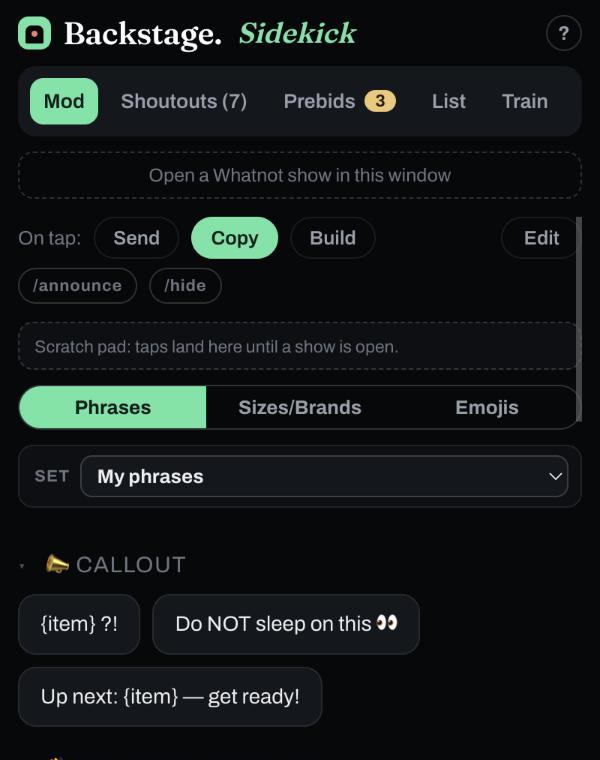
Welcomes, follows, giveaway hype, size calls — your whole routine on a deck of ready-to-post lines. Every phrase is editable, and you can add your own. A tap sends to chat or copies, and /announce or /hide post it highlighted or hidden. The phrases are color-coded so you always know what a tap does: yellow goes to chat, red goes hidden, green copies. Build mode collects several taps into one message.
Nobody slips past
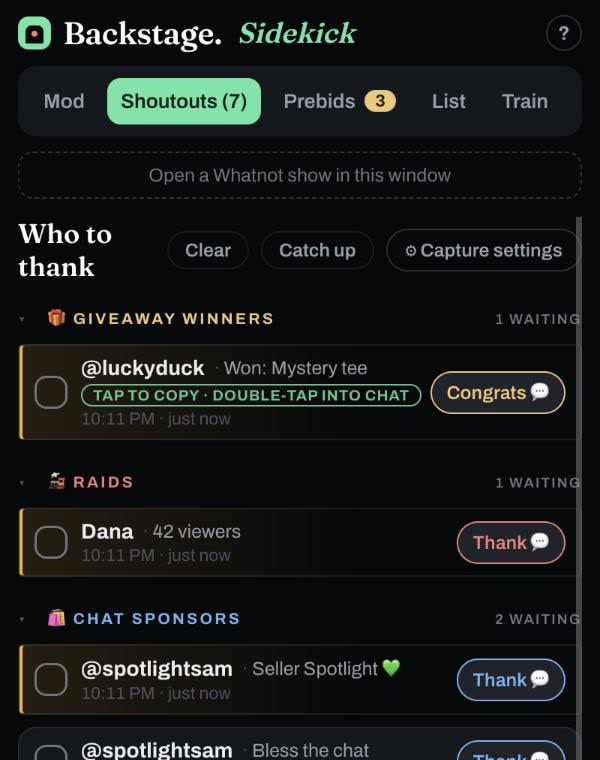
Sponsors, tips, raids and giveaway winners land in one list, in arrival order with a waiting clock. Thank each by name and check them off. Opened Sidekick mid-show? Catch up pulls in everyone already owed a thank-you.
Hype what's already hot
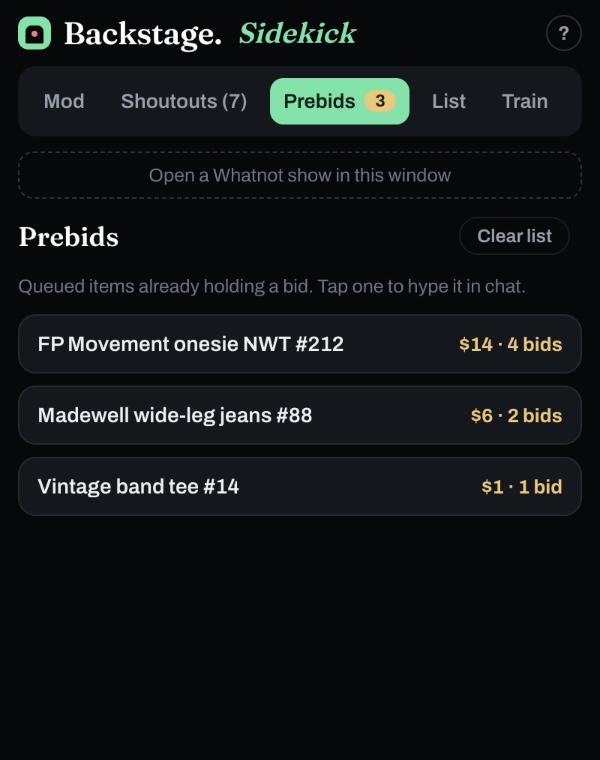
The listings getting bids before they go live are your best sellers. Sidekick surfaces them so a tap drops a "get your bids in" line.
Remember who's who
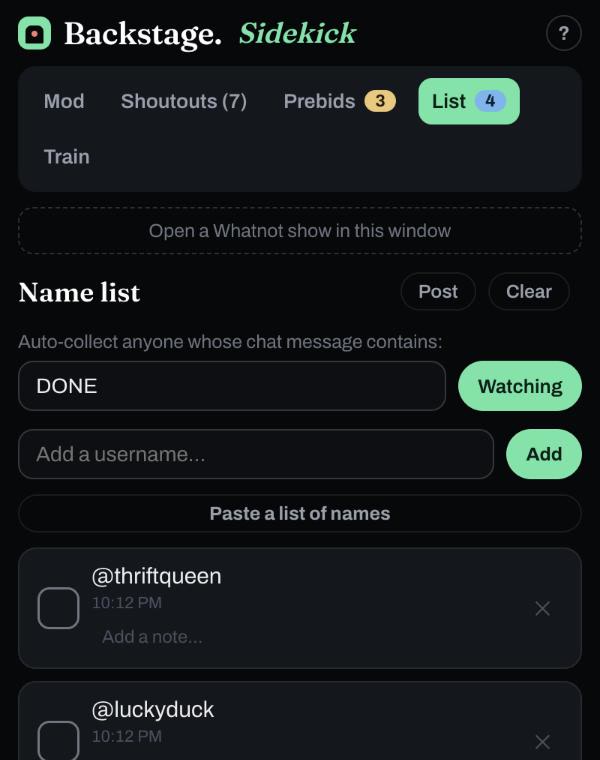
Set a watch word like DONE and Sidekick collects everyone who types it — then posts the whole list back in one shout.
Ride the train without the spreadsheet
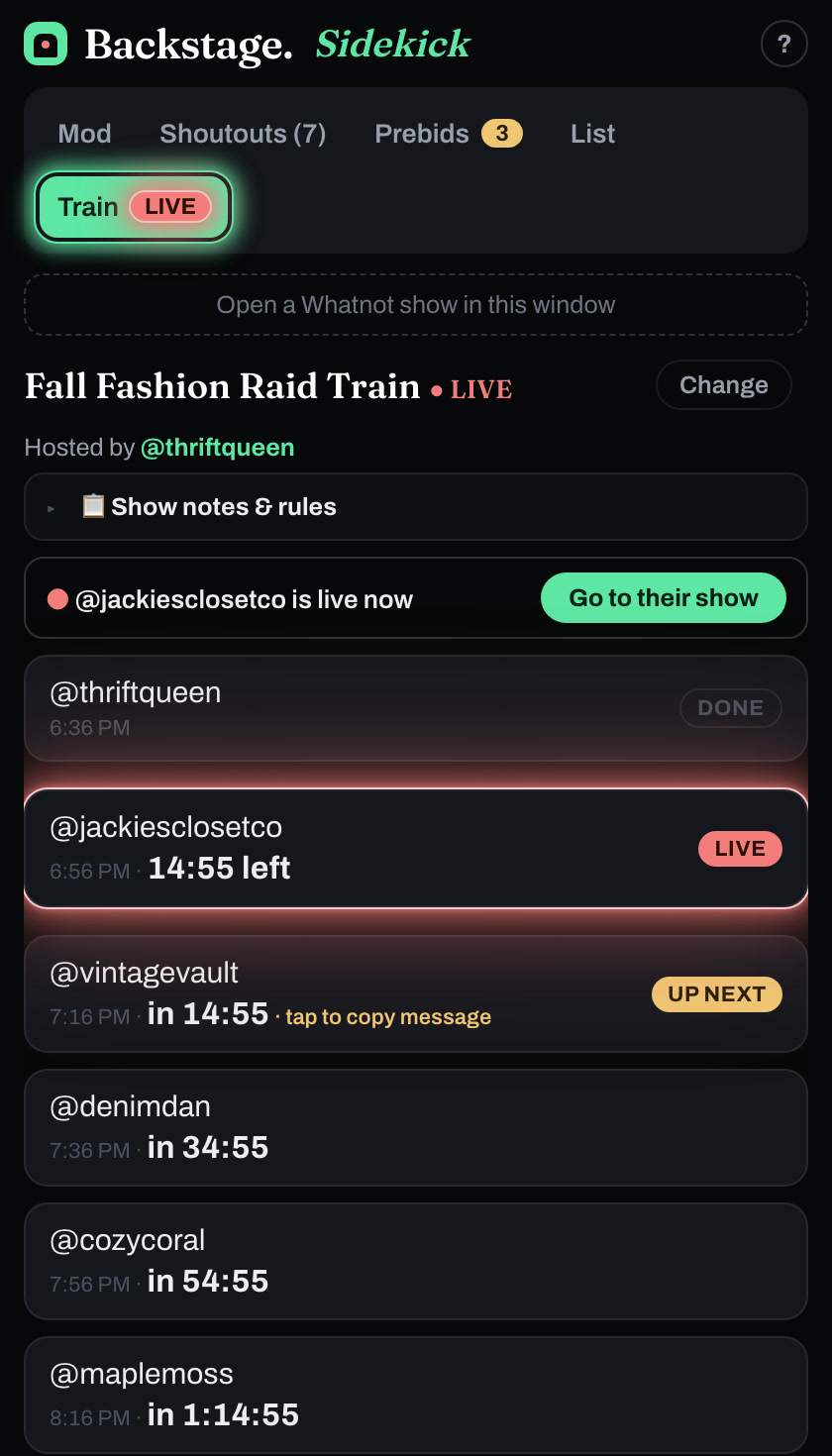
Enter a Raid Train Express tracking number and the Train tab shows who's live, who's up next and a countdown to every handoff. One-tap lines welcome the show, thank the host and repost the lineup. Raid Train Express is our partner.
A set for every seller you mod for
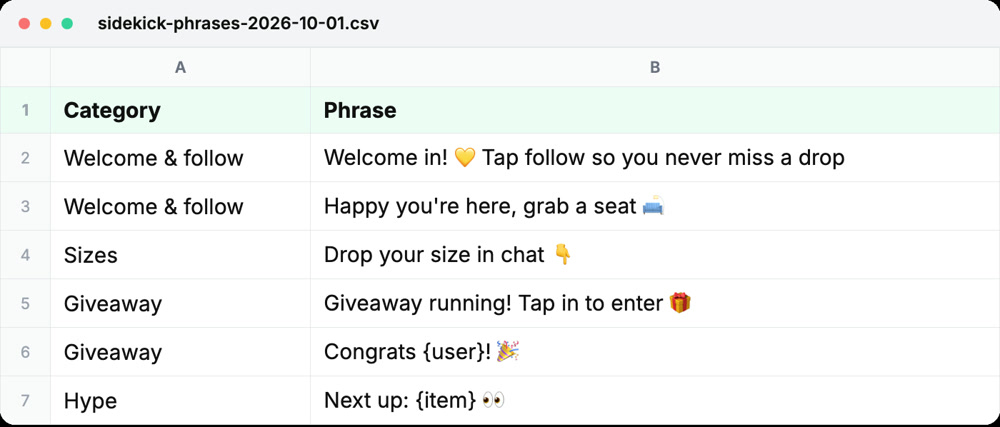
Keep a different phrase deck for each show you mod, and switch with one tap. Export a set to a spreadsheet, edit it, and import it back.
New in Chrome and on iPhone & iPad
Every size, one tap away
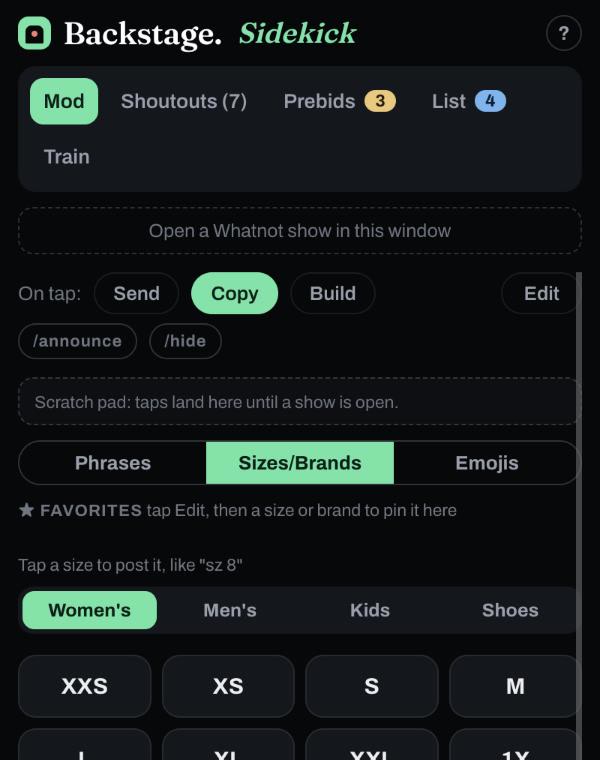
Women's, men's and kids' sizes on chips, plus the brands you sell. Star the ones you use most and they come first.
New in Chrome and on iPhone & iPad
What a tap will do, at a glance
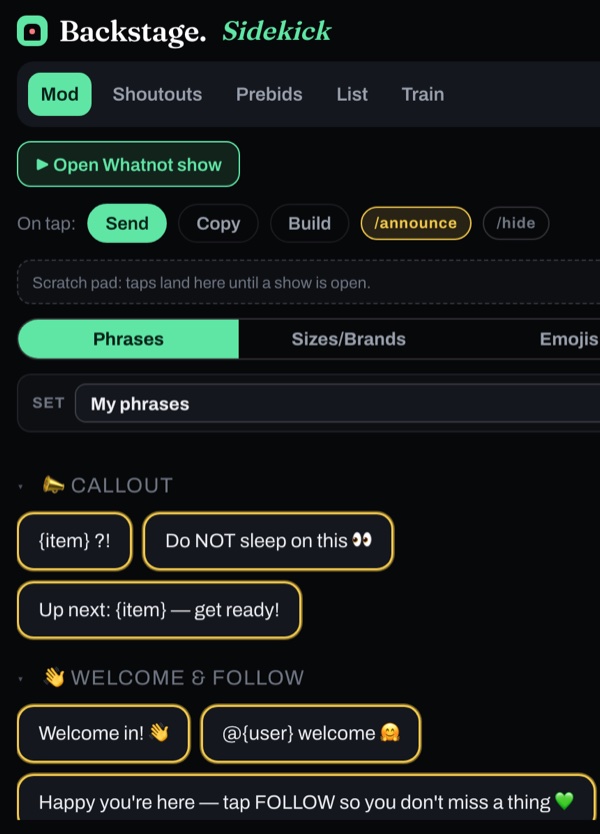
A tap goes straight to chat. With /announce on, it posts as a highlighted announcement.
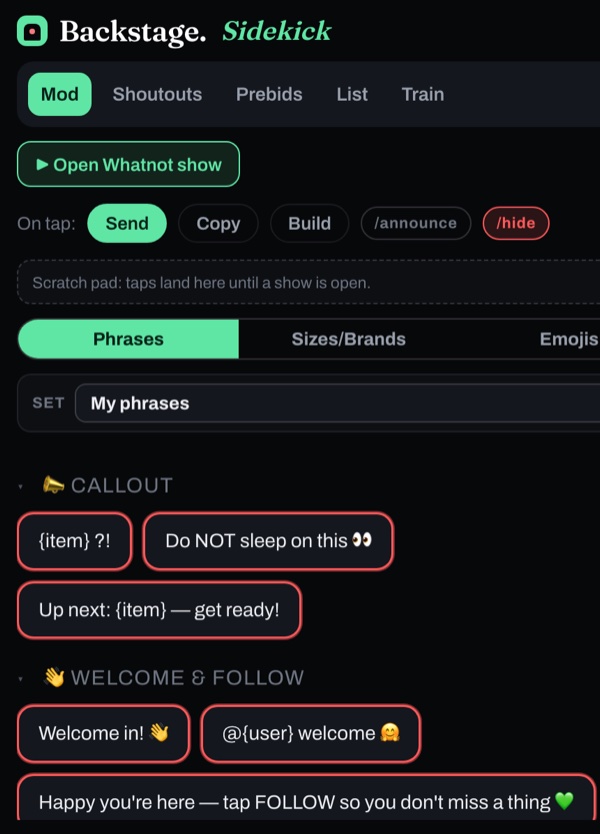
A tap posts a message only the seller and mods can see.
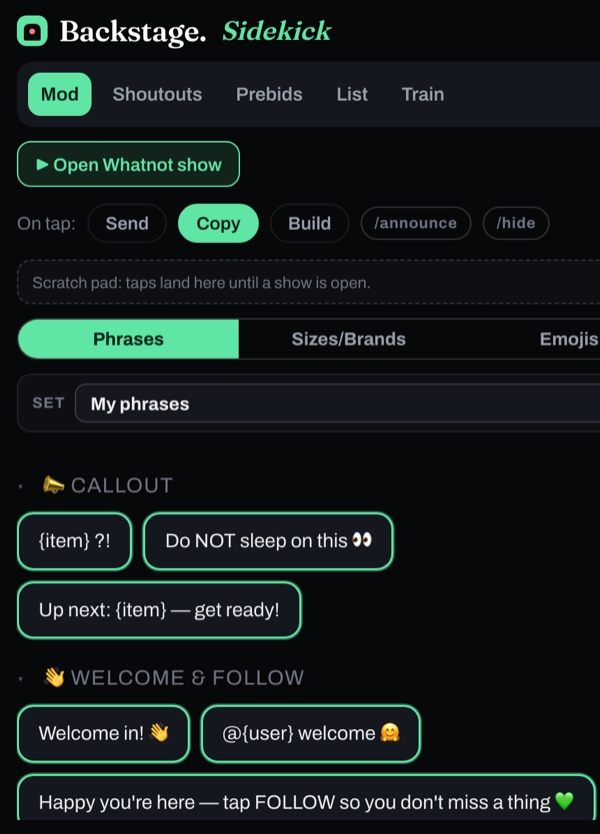
A tap copies the phrase so you can paste it yourself.
What Whatnot gives mods, and what Sidekick adds
- Four chat commands: /announce, /hide, /slow and /raid @username
- Remove someone from the show
- See muted messages
- The viewer list, with an Activity tab of raids, follows, tips and wins
- Chat filters for Questions, Buyers, Mods and Muted
- A deck of ready-to-post phrases, all editable, with size chips and emoji
- A who-to-thank checklist for raids, tips, sponsors and giveaway winners, with a waiting clock
- Catch up mid-show on everyone already owed a shout-out
- A prebid radar for the listings already getting bids
- A name list that collects everyone who types a watch word
- Phrase sets for each seller you mod for, with spreadsheet import and export
- A sizes and brands tab, with your favorites first
- A Train tab for Raid Train Express trains: who's live, who's next, and a countdown to each handoff
New to modding? Start with the Whatnot moderator toolkit, Whatnot mod commands explained and how to be a good Whatnot moderator.
Free, and private by design
No account and no password. You sign in to Whatnot directly with Whatnot, and Sidekick never sees your login. Names, amounts and items from a show stay on your device; the only show details that reach us are counts, like how long it ran and how many thank-yous came up. Read the privacy policy.
Part of Backstage
Sidekick is the free helper. When you're ready to run your whole show, the rest of Backstage is built to match.
Questions mods ask
What tools do Whatnot moderators use?
Whatnot gives mods four chat commands (/announce, /hide, /slow and /raid), the power to remove someone from a show, a view of muted messages, the viewer list with its Activity tab, and chat filters. What it doesn't give you is a deck of ready-to-post phrases or a running list of who still needs a thank-you. Sidekick adds those, free: one-tap chat phrases, a who-to-thank list for raids, tips, sponsors and giveaway winners, a prebid radar and a name list.
What are the Whatnot mod commands?
Whatnot lists four: /announce to highlight a message, /hide for a message only the seller and mods can see, /slow to set a cooldown between chat messages, and /raid @username to send viewers to another live show when this one ends. Sellers and moderators can use all four.
How do you become a mod on Whatnot?
A seller adds you. They can add moderators when they schedule a show, or make someone a moderator during the show. Mods are chosen by each seller for their own shows.
Is there a Whatnot mod app for iPhone or iPad?
Yes. Backstage Sidekick is free on the App Store for iPhone and iPad. You open your show inside the app and the phrase deck, size chips and who-to-thank list ride along beside it. It's also a free Chrome extension for mods working from a computer.
Is Backstage Sidekick free?
Yes. Everything the panel does is included, and there's nothing to buy inside it. The Chrome version asks for an email and your Whatnot username to get started; on iPhone the email is optional.
Do I need an account?
No account and no password. You sign in to Whatnot directly with Whatnot, and Sidekick never sees your Whatnot login. Names, amounts and items from a show stay on your device; the only show details that reach us are counts, like how long a show ran and how many thank-yous came up.
Is it for mods or sellers?
Both. Mods and co-hosts use the phrase deck and who-to-thank list to run chat; sellers get the same, plus the prebid radar for their own show.
How does it connect to my show?
In Chrome, open your Whatnot show and click the Sidekick icon; the panel opens beside it. If it isn't reading the show yet, a one-tap “Connect to show” button refreshes the tab and it starts riding along. On iPhone or iPad, open your show inside the Sidekick app.
Take the mod seat.
Free, no account, and it opens right beside your show.