Use a promo or referral code (2 weeks free)
Type it on the pricing page before you pick a plan. A referral code doubles your free trial to 14 days.
Account
Got a code from another seller, on a stream or in a message? It's usually a referral code. It doubles your free trial from 7 days to 14 days.
A referral code from another Backstage seller must be used on the website, on the pricing page. It won't work if you subscribe in the iPad or iPhone app.
How to use it
- Go to the pricing page on the website.
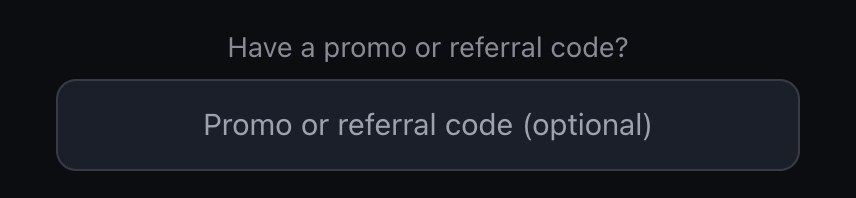
- Scroll down just past the plans to the Have a promo or referral code? box, and type your code. Do this before you pick a plan.
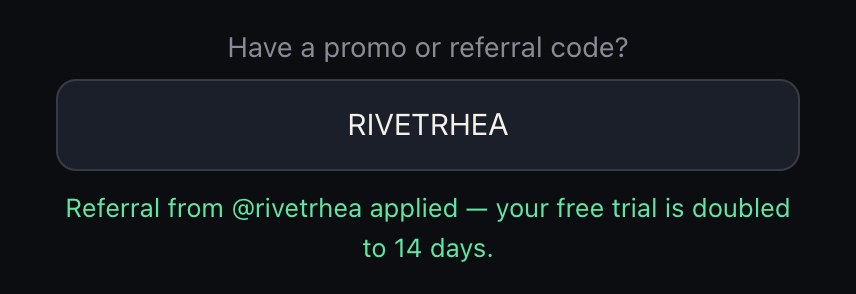
- Look for the green note under the box: Referral from @… applied, and your trial doubled to 14 days.
- Scroll back up and tap Start 7-day free trial on the plan you want. The button still says 7 days, but your code comes with you and makes it 14. Sign in if it asks, then add your card.
Your 14 free days start the day you add your card. Nothing is charged until the trial ends, and you can cancel any time before then.
On the iPad or iPhone
Codes only work on the website, not when you subscribe in the app through Apple. Use the pricing page, then sign in to the app with the same Backstage account. Your plan is already there.
Good to know
- Use the code when you first sign up for a plan. If your trial has already started, email [email protected] with the code.
- Typing it with an @ or numbers on the end is fine. The box works it out.
- If the box says it doesn't recognize the code, check the spelling with whoever gave it to you, or email [email protected] with the code.