
Buyer comments: what the winner typed in chat
Backstage keeps what a winner typed right after they won, on their sale.
Chrome + iPad
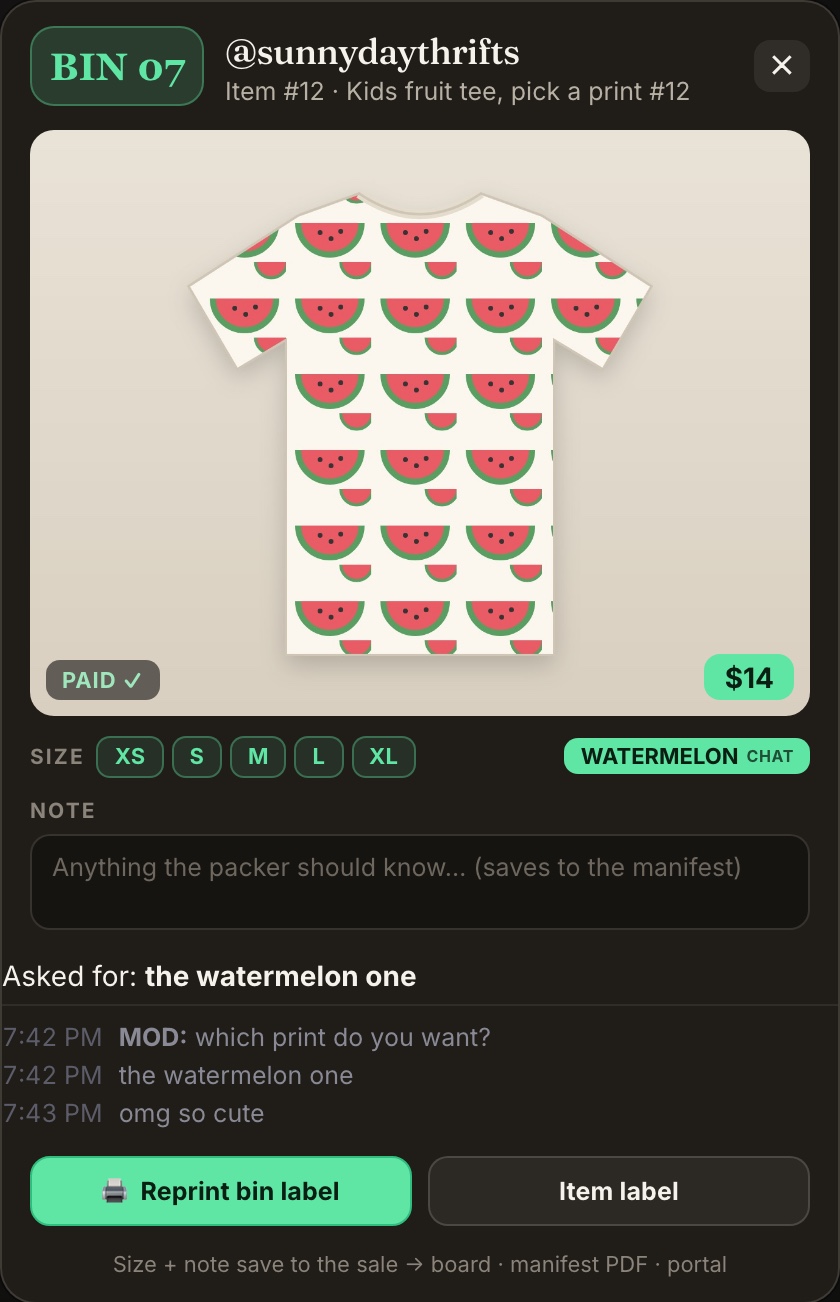
When someone wins an item and then types in chat, like "medium please!" or "the watermelon one", Backstage keeps their words with that sale. You don't have to scroll back through the show to find out what they asked for.
Turn it on
Buyer comments are part of Buyer's choice. Switch Buyer's choice on (on the Start card, or at the top of the live feed) and comments are saved for you. See Buyer's choice.
See them
- Chrome: click the sale in your live feed. Under the photo you'll see Asked for: with their answer, then each message they typed with the time. Messages from your mods are marked MOD.
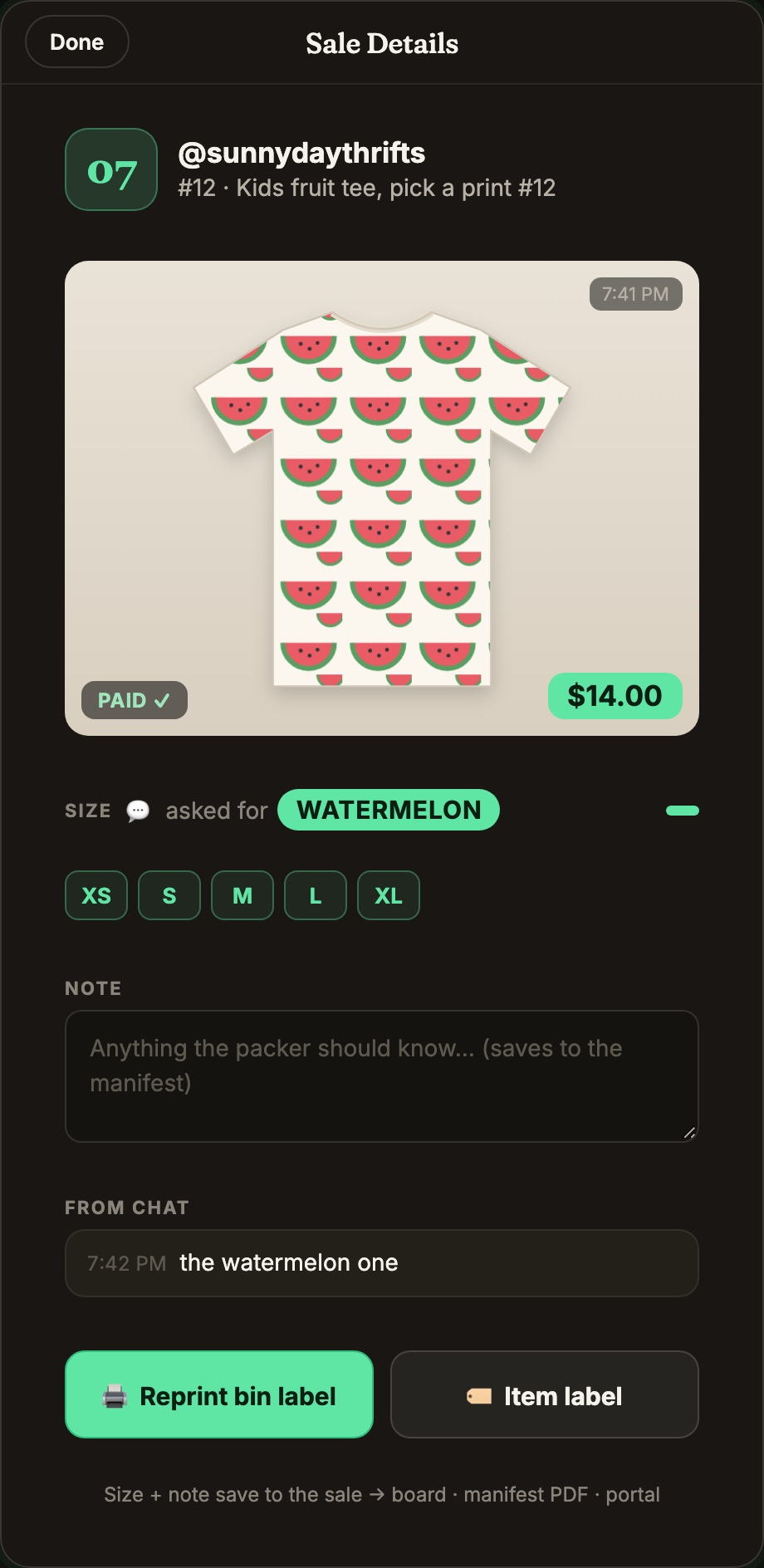
- iPad: tap the sale to open Sale Details. The buyer's words are under From chat.
What gets kept
- Chrome keeps what the winner types right after they win, and leaves out quick reactions so their real answer stands out. If the same buyer wins again, the next messages go with the new item.
- iPad keeps the message with their pick.
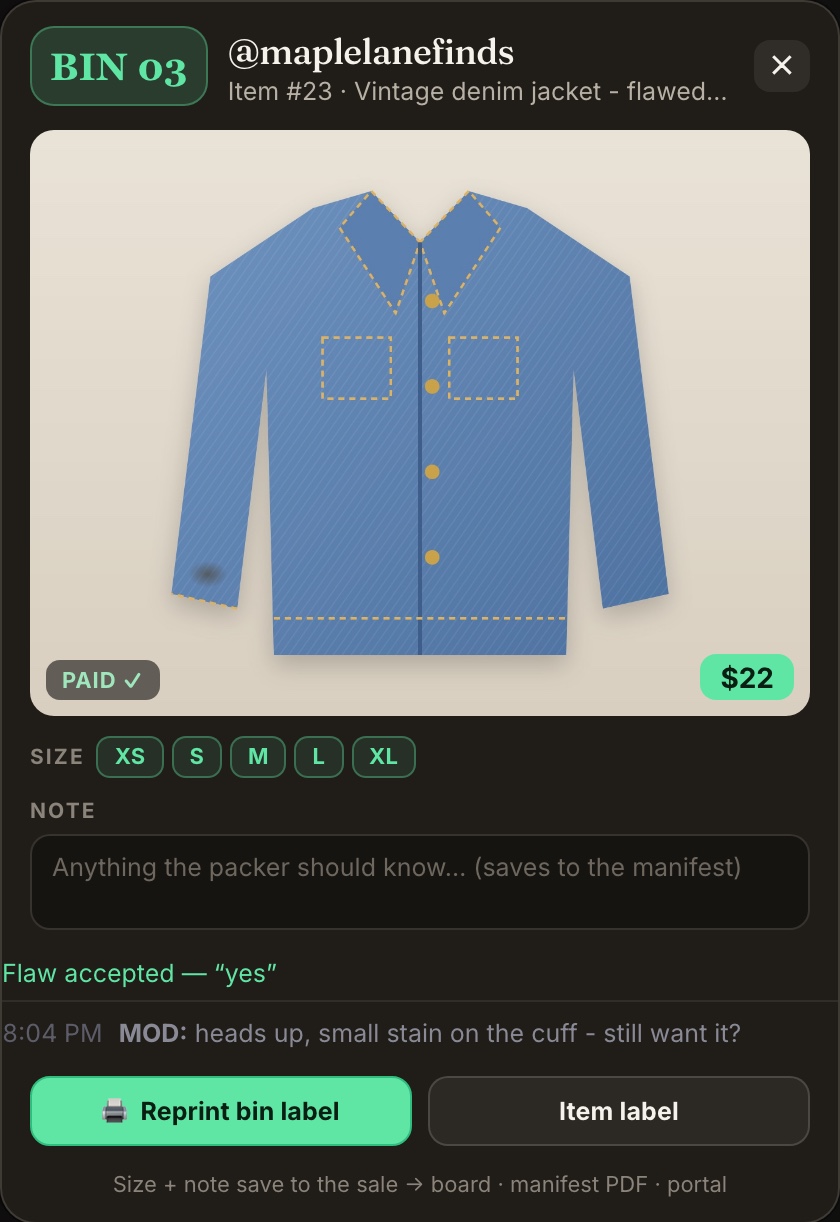
- When an item's title marks it as flawed and the winner confirms in chat, Chrome shows Flaw accepted with their exact words.
On your manifest
Comments show on the sale but don't print on labels. To print the buyer's words on your manifest too, turn on Chat records on the manifest (iPad: Buyer's chat on the sheet). See Buyer's choice.
Nothing showing up?
- Check the Buyer's choice switch is on, in the app you're using.
- Ask the winner to type their answer in chat themselves, right after they win.
- It only works on your own show.