
Buyer's choice: sizes and options from chat
The winner types their pick in chat, and Backstage puts it on their sale.
Running a "pick your size" or "pick your print" listing? When the winner types their choice in chat, Backstage reads it and puts it on their sale, like SIZE M. It shows in your live feed (marked CHAT, so you know where it came from) and on your manifest.
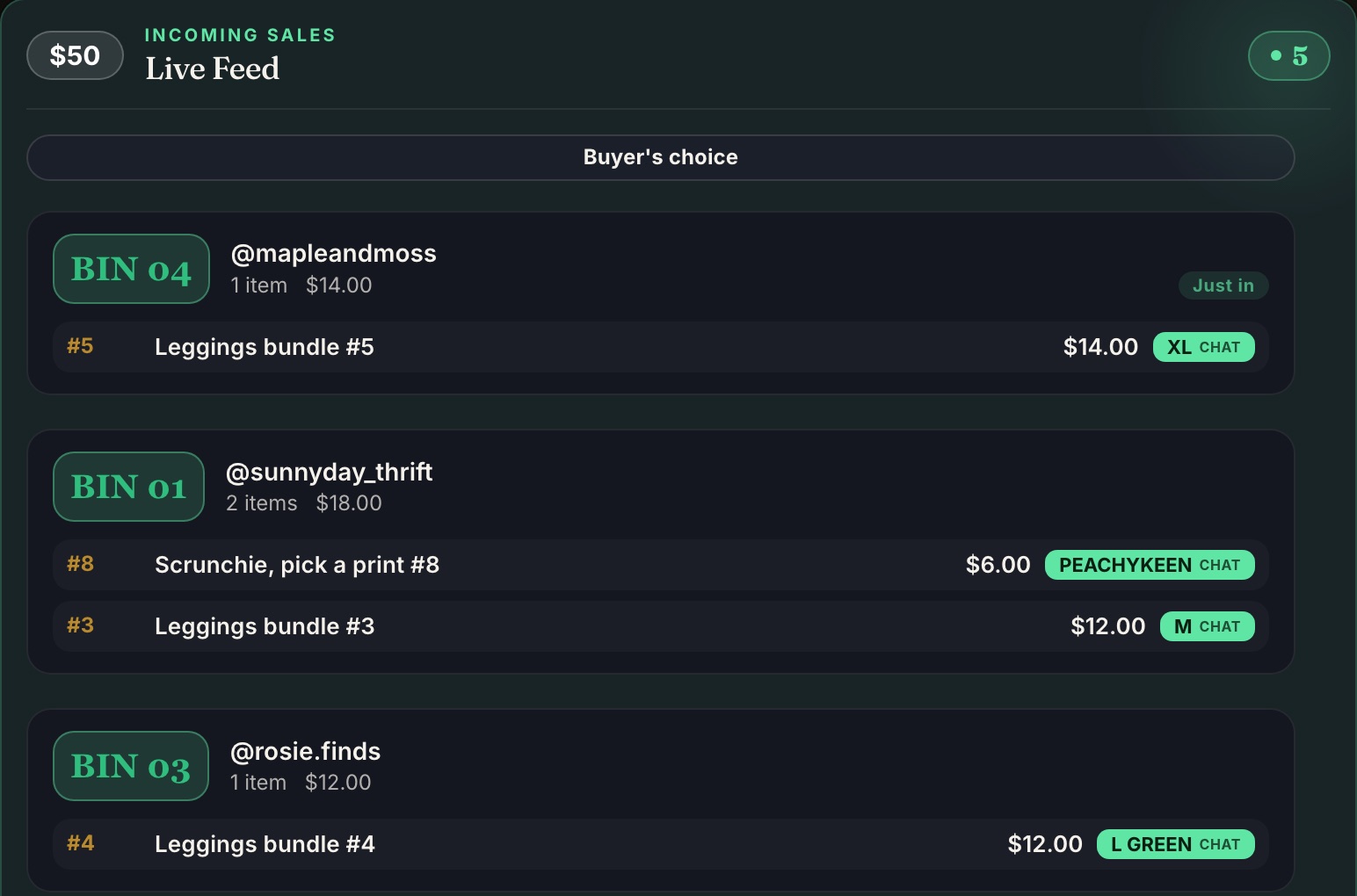
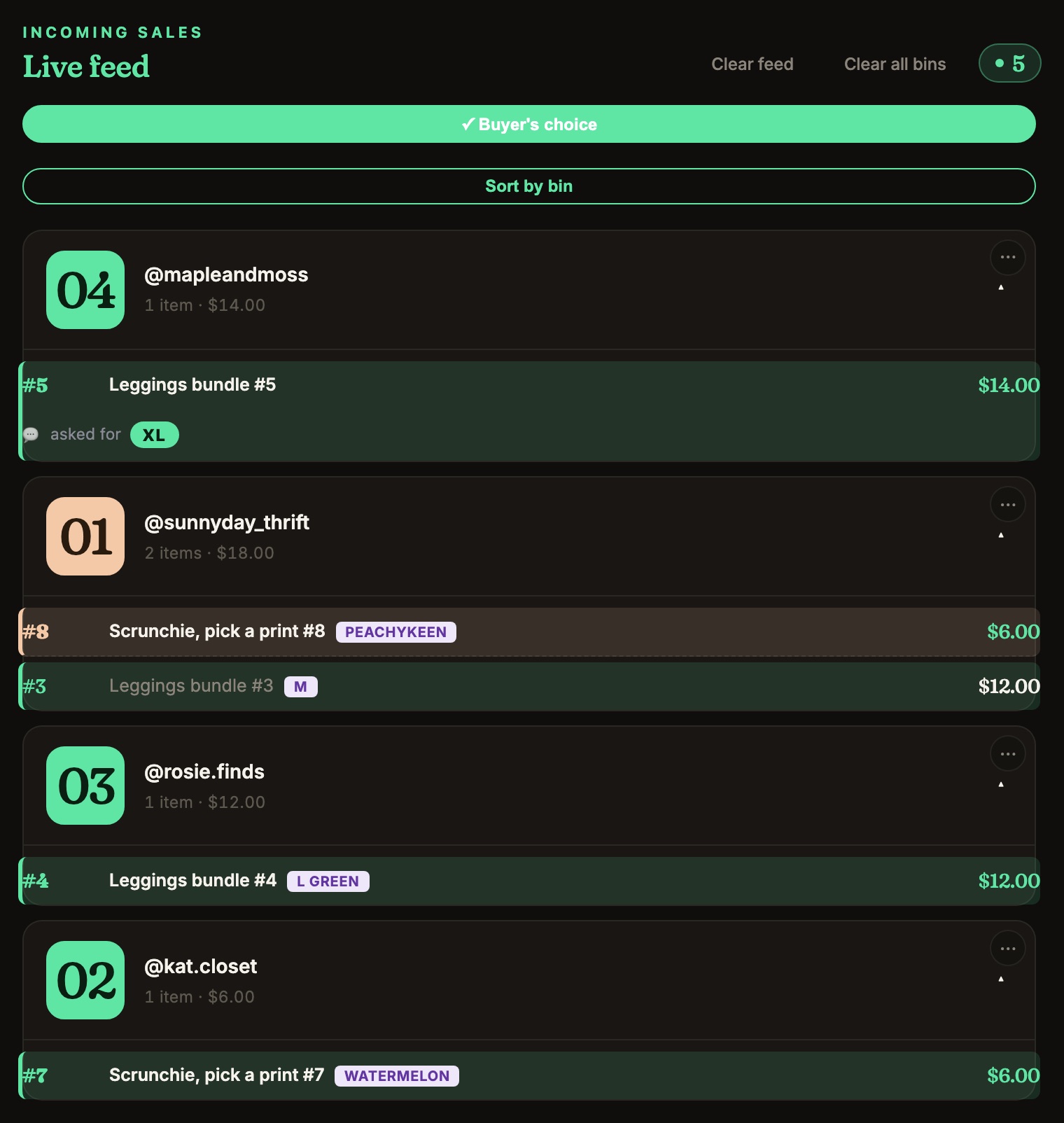
Turn it on
On the Start card, switch Buyer's choice on, or tap Buyer's choice at the top of the live feed. It stays on for your next shows on that device. Chrome and the iPad each have their own switch, so turn it on in the one you're using.

Sizes work by themselves
S, M, L, XL and the usual spellings are picked up with no setup.
Anything else: tell it your options
For colors, prints, positions or numbers, type what you're offering, one per line or separated by commas ("watermelon", "peachykeen", "top left", "3").
- Chrome: menu ☰ › In show › Your buyer's-choice options.
- iPad: Settings › In show › Your buyer's-choice options.
You don't need to list sizes.
Or let your mod pin it. Pin the options in chat, like "blue or pink or green", and Backstage puts each buyer's pick on their sale. While they're pinned, the options box says Using the pinned message. Re-pin for the next item.
Fix one by hand
Tap the sale in the feed to change or add the size. See Add a note or size to a sale.
Keep the buyer's own words
The pick always prints on your manifest as a SIZE tag next to the item. Turn on Chat records on the manifest (iPad: Buyer's chat on the sheet) as well, and what the buyer actually typed prints under the item. Handy if a buyer later says they asked for something else. It's off to start, because the manifest is a packing sheet.
- Chrome: menu ☰ › In show, under Buyer's choice.
- iPad: Settings › Packing › Buyer's chat on the sheet.
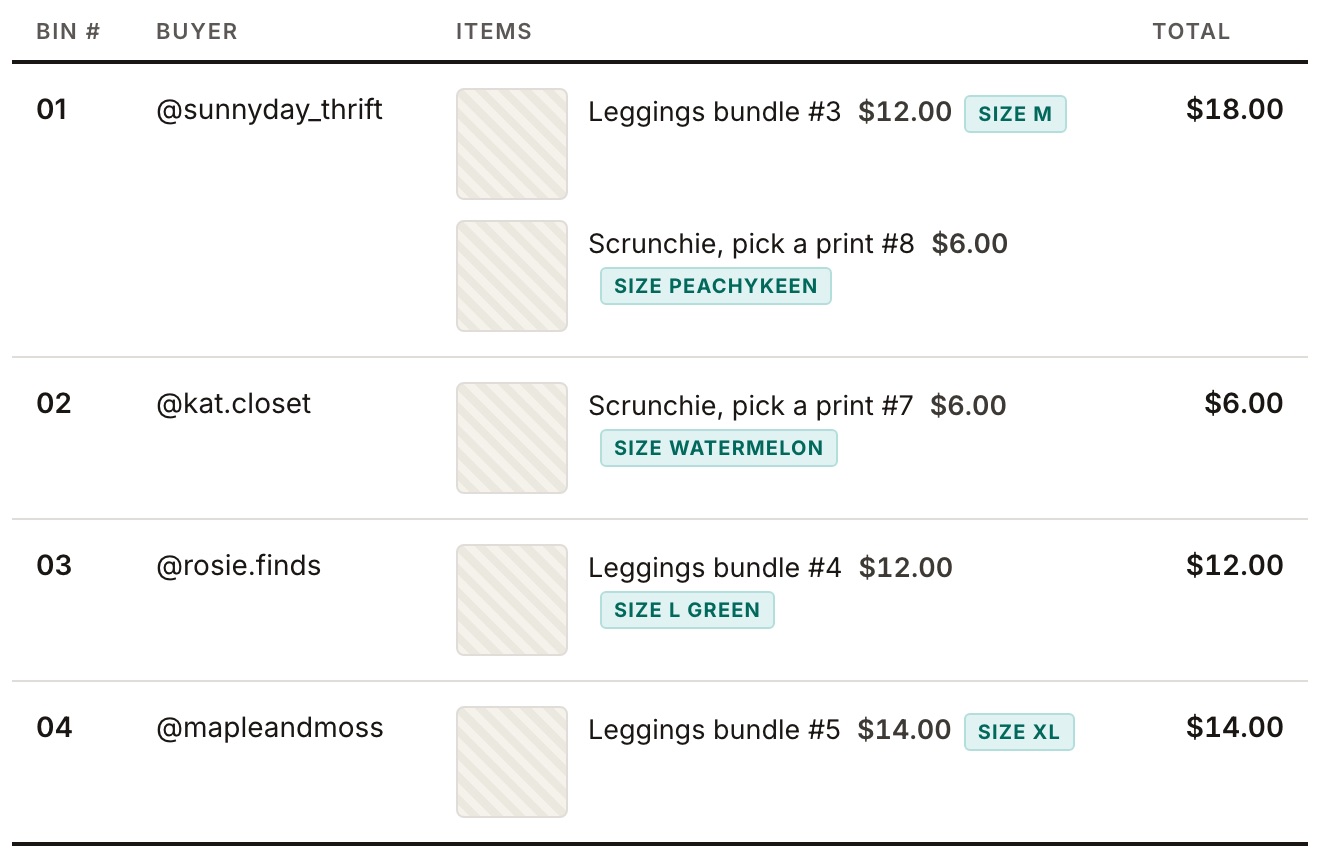
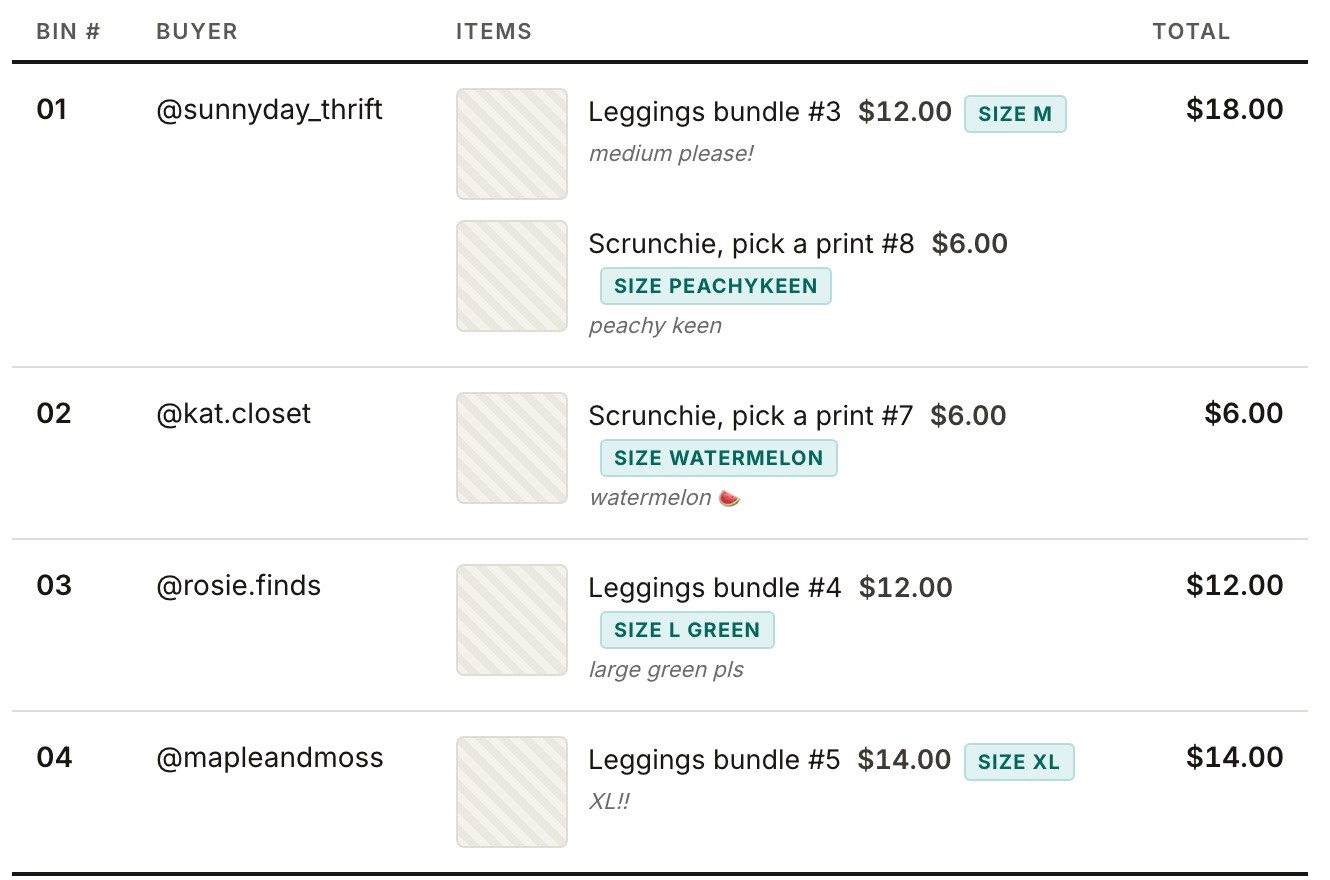
![The iPad manifest PDF with chat records on. Each item line ends with the pick in brackets and the buyer's words, like '(M) $12.00 [chat: medium please!]'.](/help/buyers-choice/ipad-manifest-chat-on.jpg)
Nothing showing up?
- Check the Buyer's choice switch is on, in the app you're using.
- Ask the winner to type their pick in chat themselves, right after they win.
- It only works on your own show.