
Change the split on one item
A different payout % for a single sale, without changing the whole agreement.
Chrome + iPad
Sometimes one item deserves a different deal: a high-ticket piece, or something you agreed on separately. You can change the split for just that sale.
- Chrome: in My consignors, tap Payout report (PDF). iPad: open the consignor, then under Recent shows tap See items.
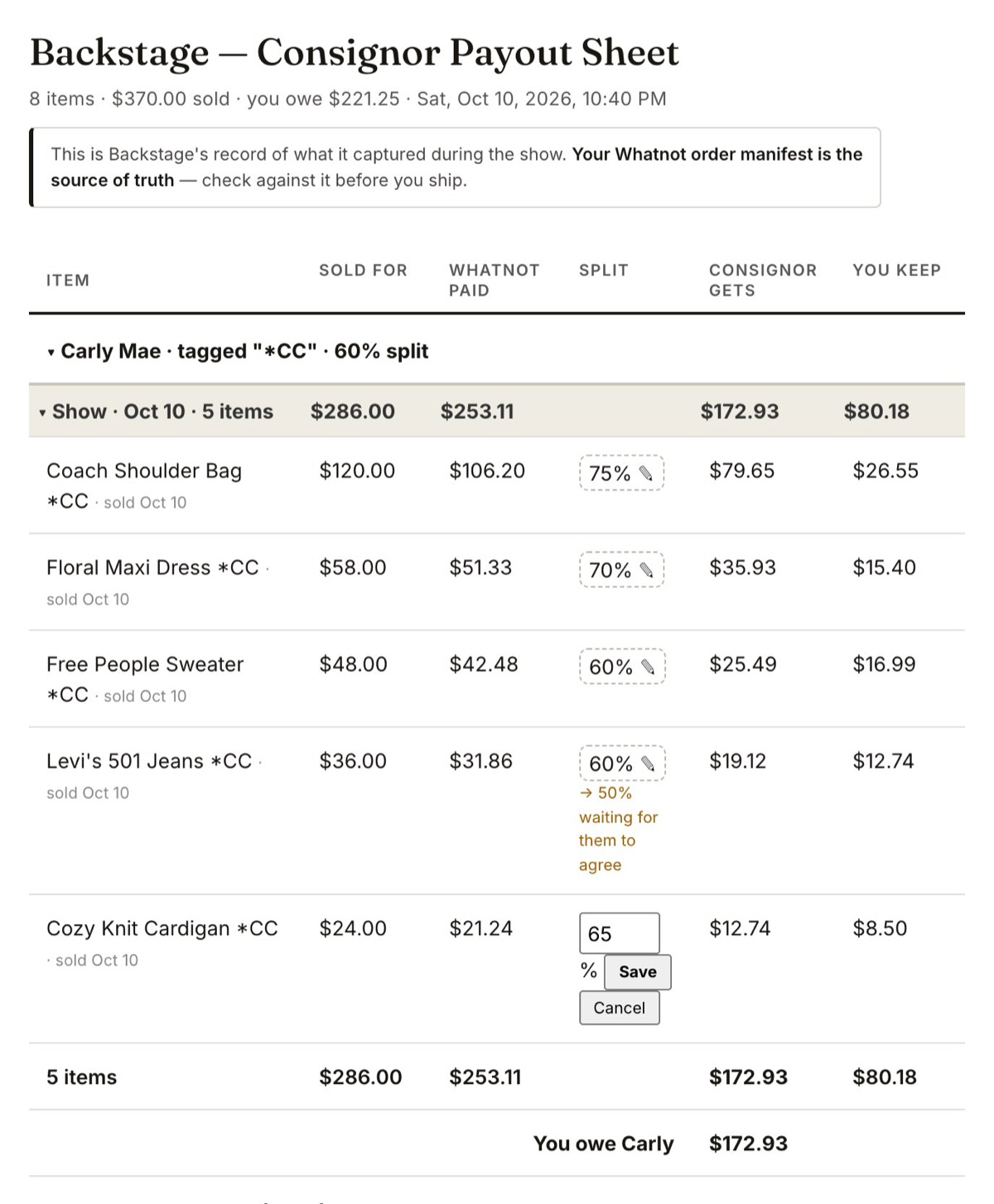
- Find the item and tap the ✎ next to its split.
- Enter the new % and tap Save.
- A higher split applies right away.
- A lower split waits for your consignor. It shows on the report as waiting for them to agree, and they see it in their portal with I agree and No thanks. Until they agree, the item keeps its old split.
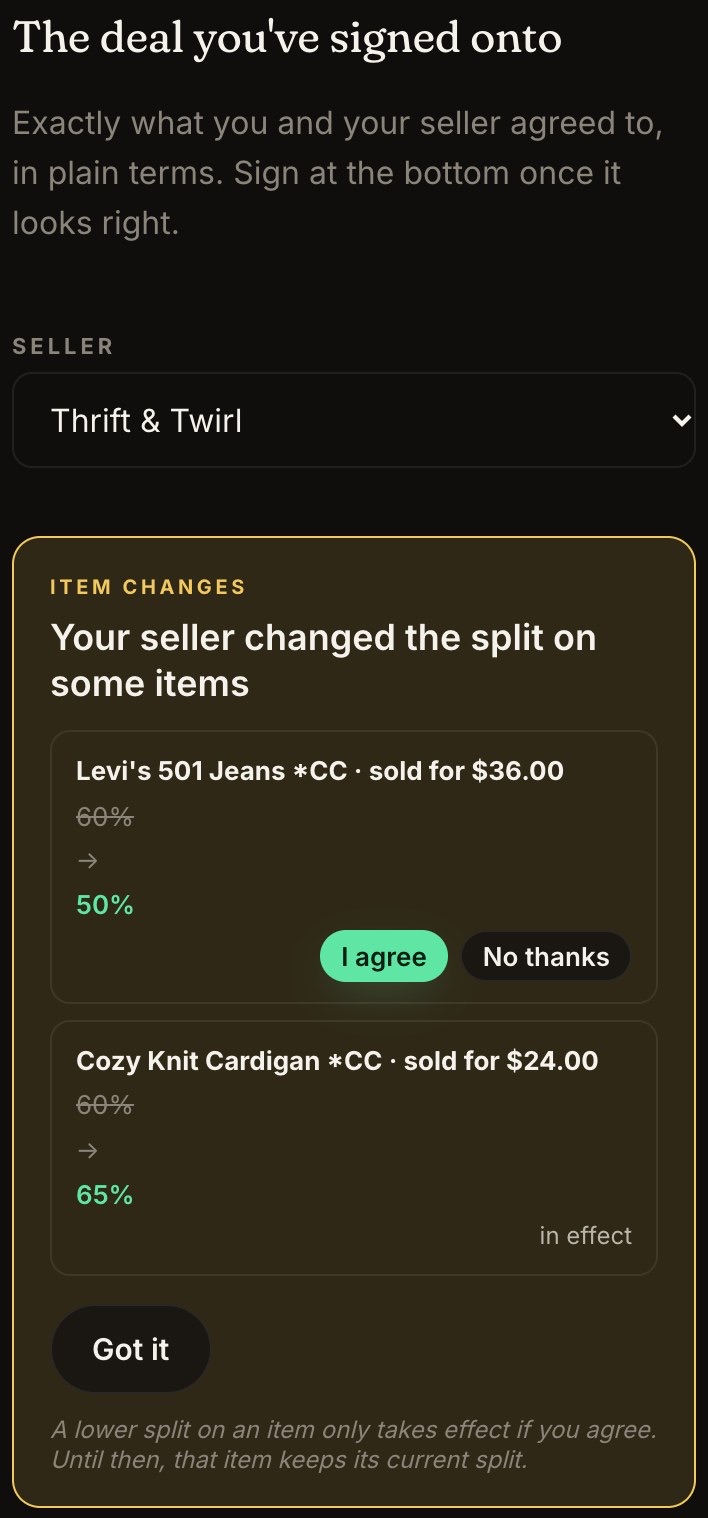
Nobody's payout changes without them seeing it. That's on purpose, and it keeps disagreements from starting.