Opened Backstage late? Catch up
Pull in the sales from before you pressed Start.
Chrome + iPad
Started selling before you pressed Start? Catch up pulls in the earlier sales, bins and labels included, without a popup for each one.
- Chrome:
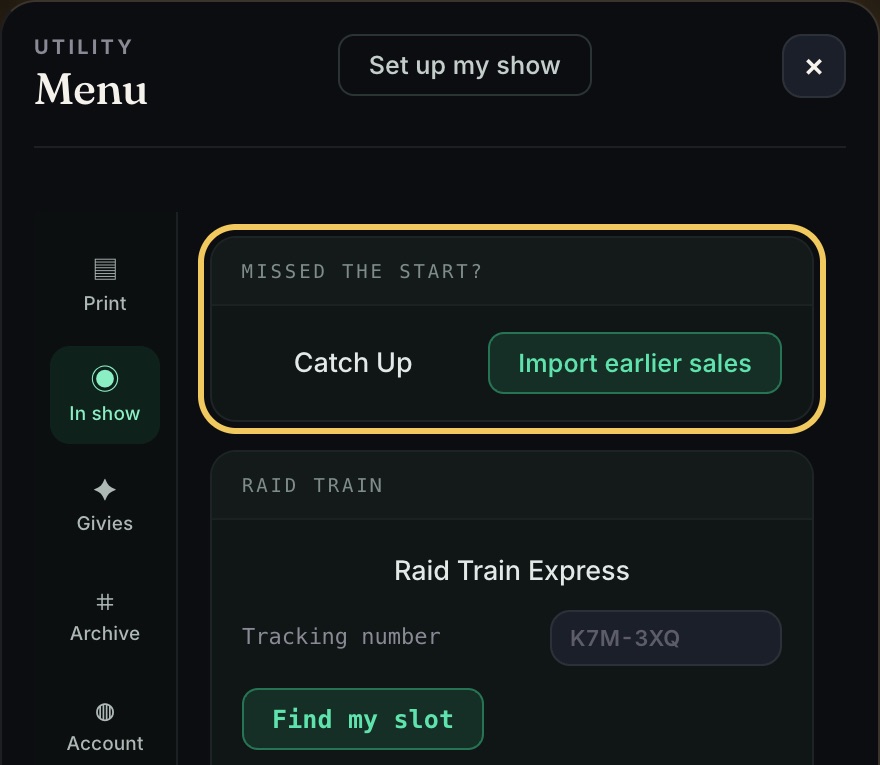
- Tap the menu button ☰ at the top right of the panel, next to Fit Whatnot.
- Tap In show on the left.
- Under Missed the start?, tap Import earlier sales.
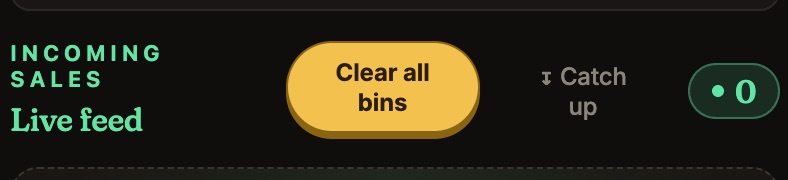
- iPad: tap ↧ Catch up above the live feed, after you've started. Pressing Start on its own doesn't bring in earlier sales (so a show you raided into stays out of yours); Catch up does, when you ask.
On the iPad, Catch up is off during a test run.
Related
More in Running a show
- Practice with a test run
- Reading the popups and the live feed
- What PENDING means
- Giveaways and Buy It Now: why some sales have no bin
- Why are my bins skipping numbers?
- Bins started at the wrong number
- Nothing is being captured, or sales stopped
- Black screen on your laptop when you go live on your phone
- Make Whatnot fit beside the panel
- Add a note or size to a sale, or reprint its label