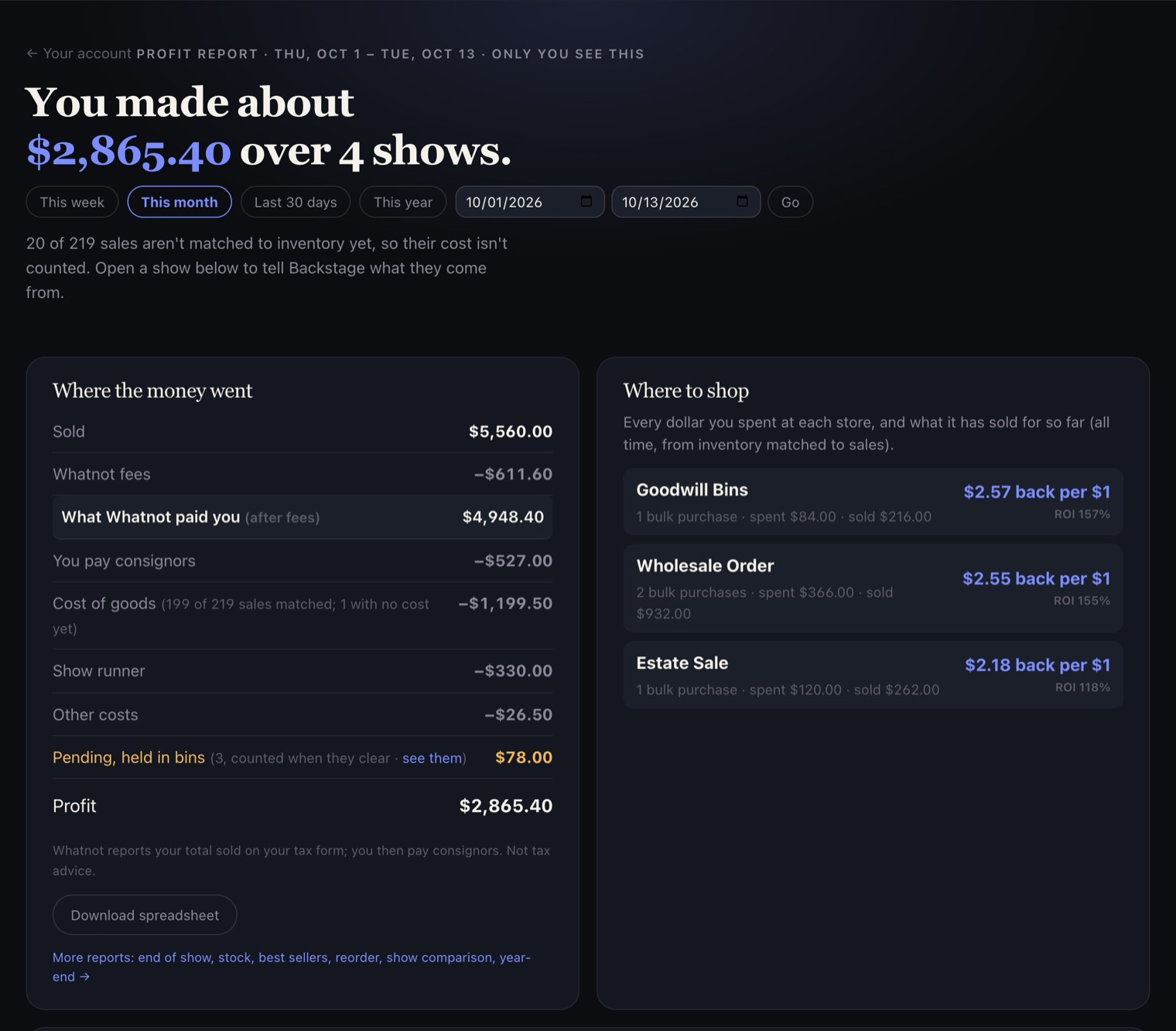
How Backstage works out your profit
From what Whatnot paid you, minus consignors, cost of goods and other costs.
Web portal
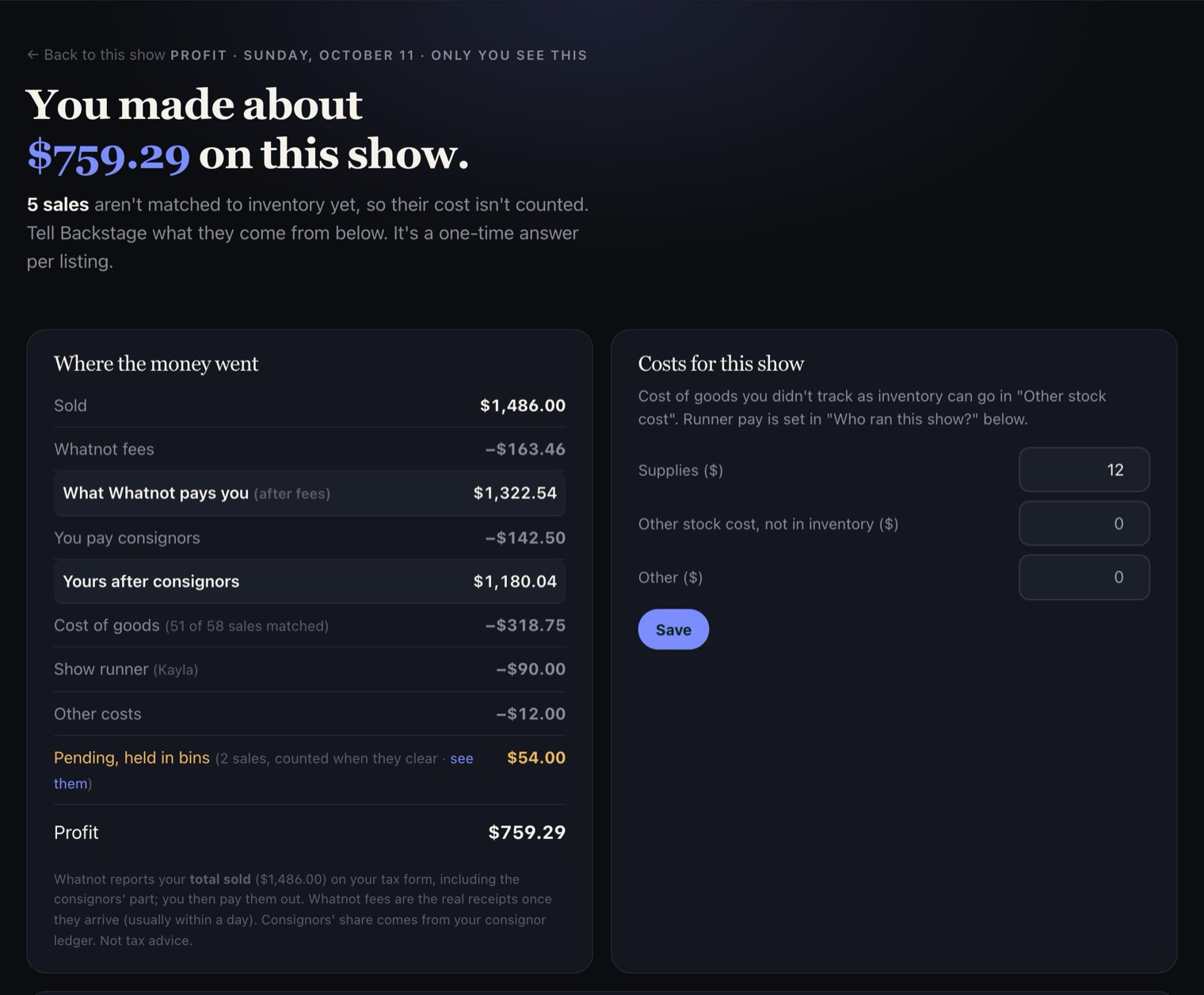
Every show has a page that shows what it really made. Open the show in your portal and tap See what you really made on this show. Where the money went goes in this order:
- What Whatnot pays you (after fees): your sales minus Whatnot's fees, using Whatnot's own numbers. Until Whatnot confirms them, it's an estimate.
- You pay consignors: their share of their items.
- Cost of goods: what the items that sold cost you, from your inventory.
- Other costs: supplies, stock you don't track in inventory, and runner pay. Add supplies and stock under Costs for this show, and runner pay under Who ran this show?.
- What's left is your Profit.
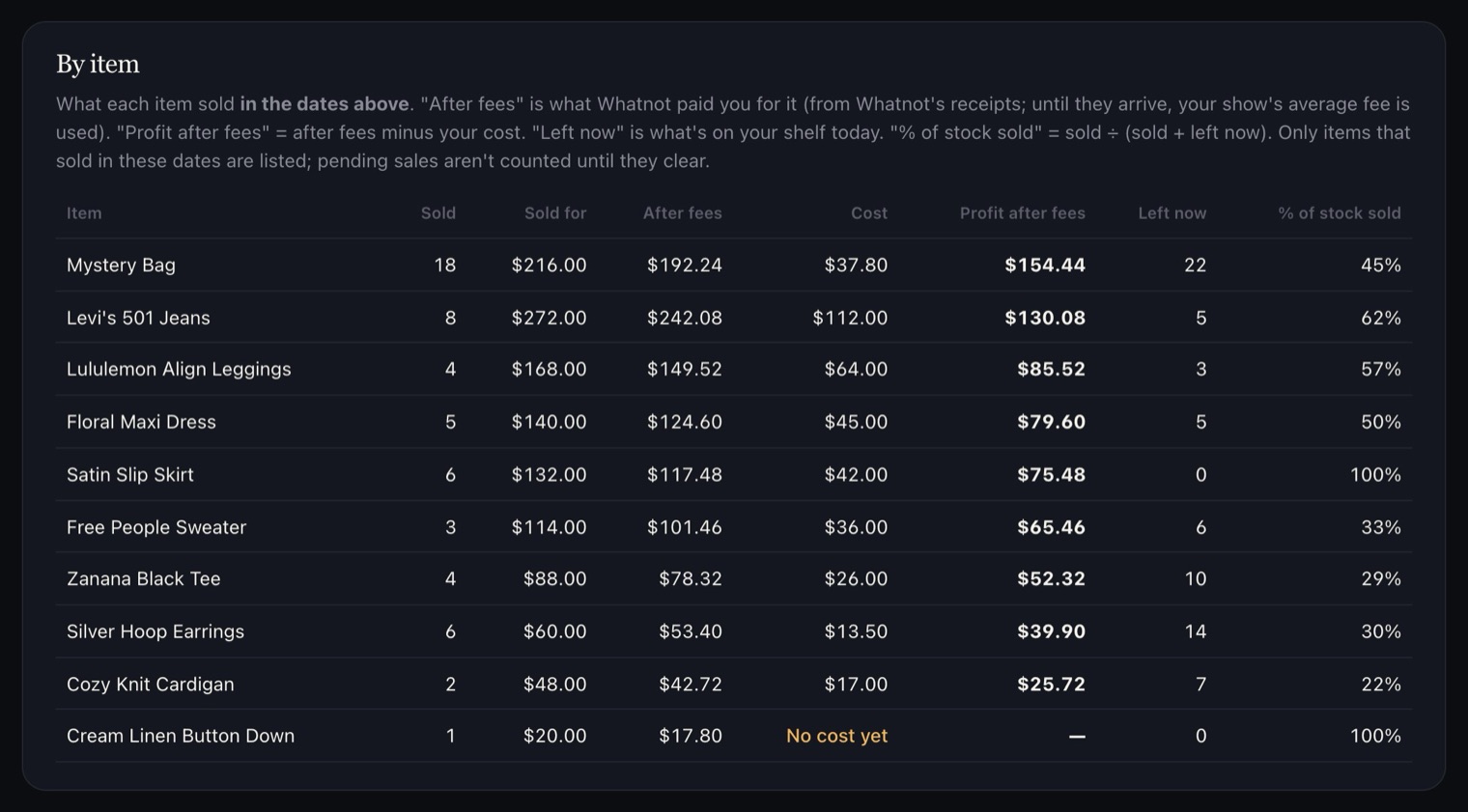
Items with no cost entered show as "No cost yet" and aren't counted as free. Your profit is only as complete as your costs; add them in Prep to fill it in.
Pending sales are shown separately as Pending, held in bins and aren't in your profit until they clear.
Across several shows
The Profit report adds it up for any dates, and shows which stores pay you back the most for every dollar you spend there. Download spreadsheet gives you all of it in a file.