
Your reports: what each one tells you
Profit, best time to go live, what to reorder and more, in your portal.
Web portal
Open Reports in your portal. Pending sales are left out of every money total until they clear, so the numbers never count money you don't have yet.
After every show
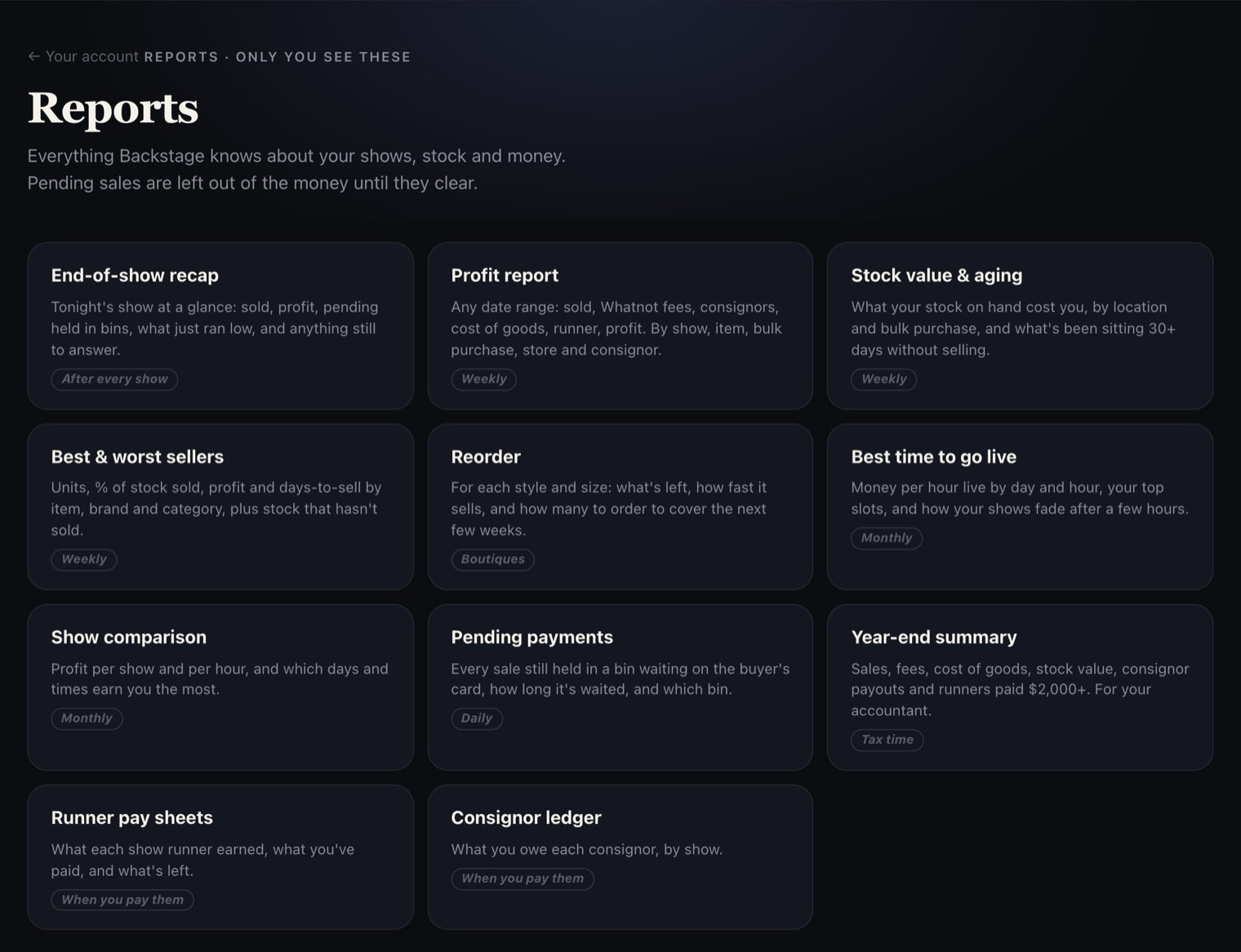
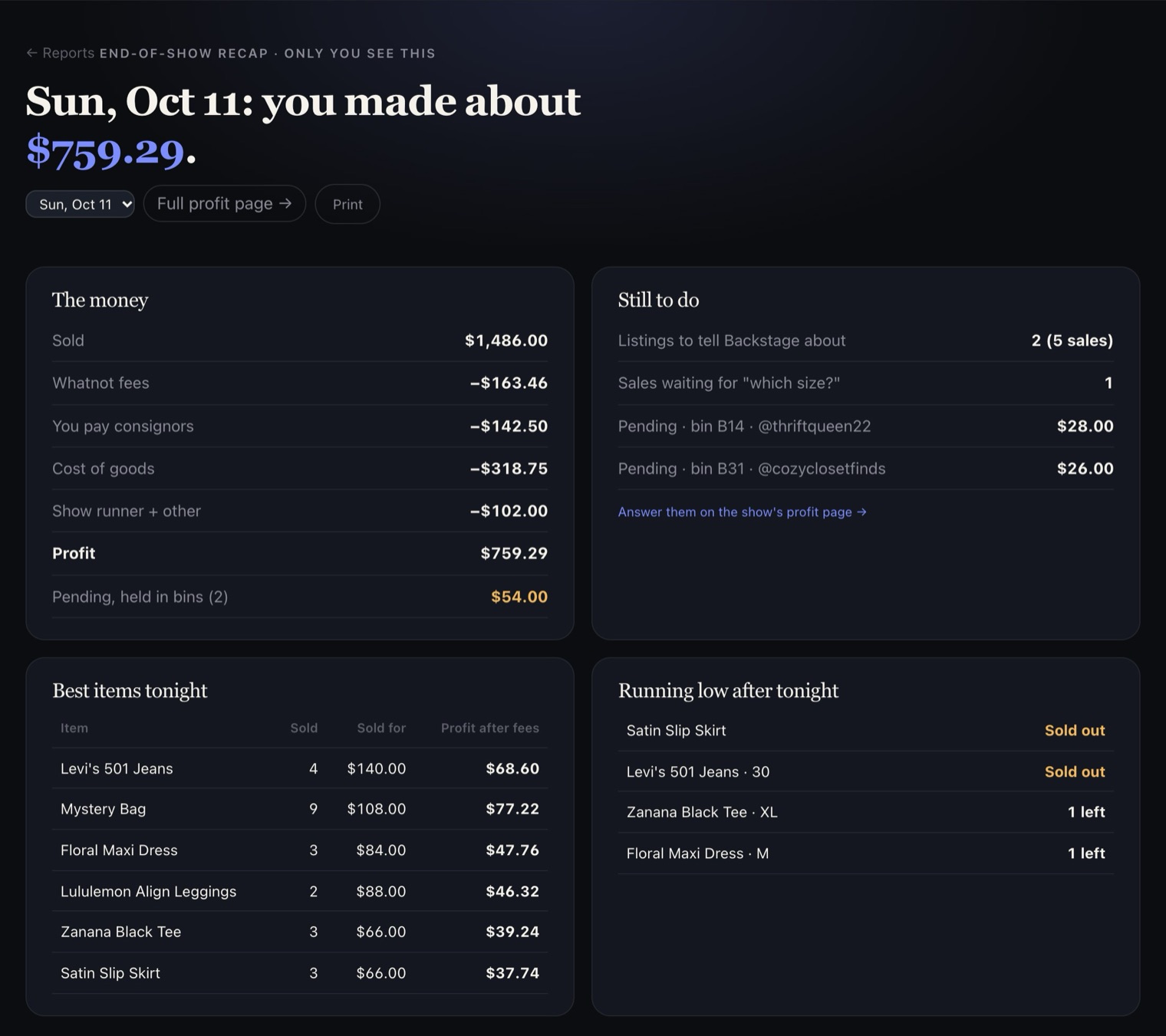
- End-of-show recap: what sold, your profit, pending sales held in bins, what just ran low, and anything still to answer.
- Pending payments: every sale still waiting on the buyer's card, how long it's waited, and which bin it's in.
Your money
- Profit report: pick any dates. Sales, Whatnot's fees, consignor payouts, cost of goods, runner pay and your profit, by show, item, bulk purchase, store and consignor.
- Show comparison: profit per show and per hour, and which days and times earn you the most.
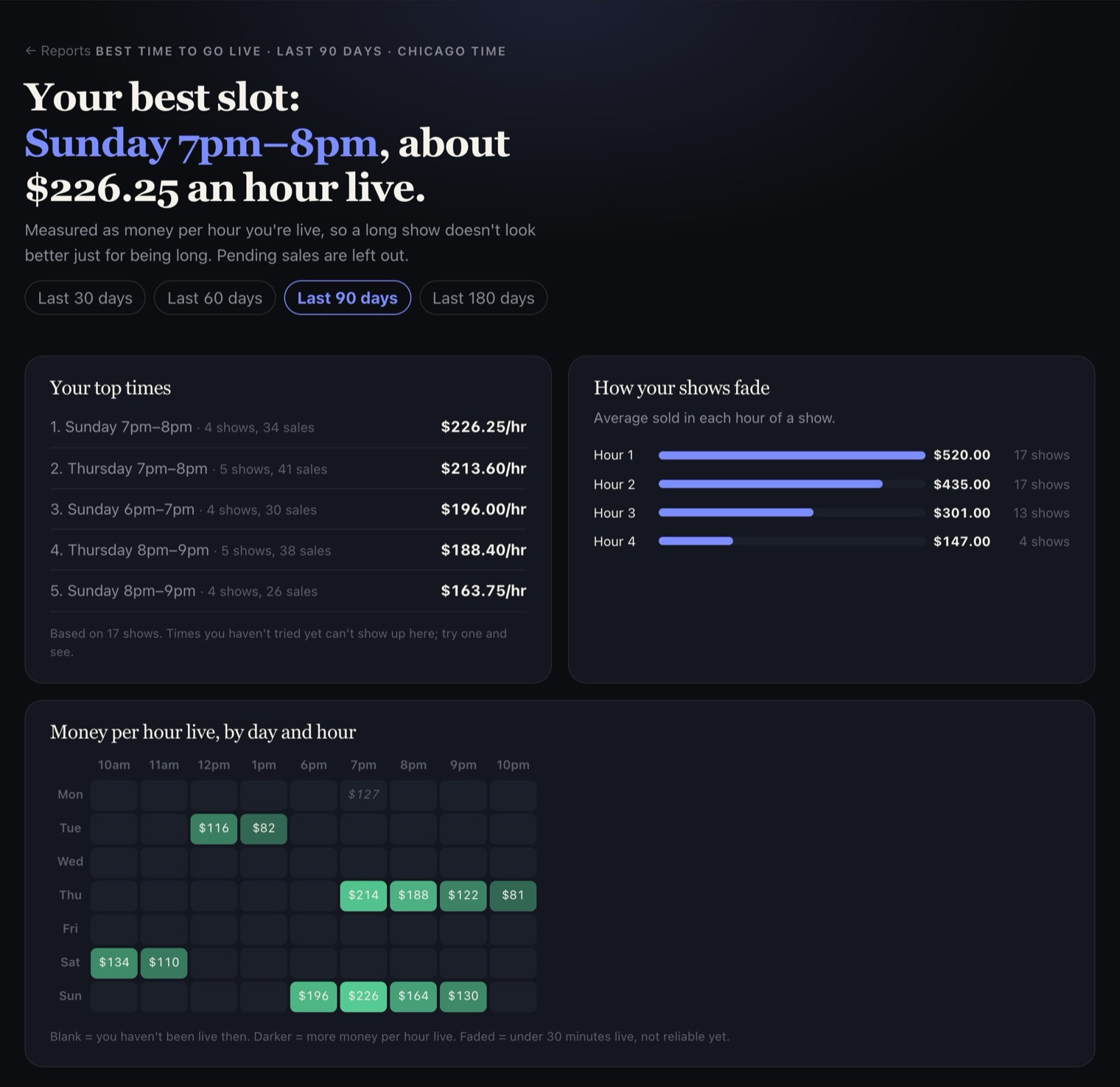
- Best time to go live: money per hour by day and hour, your top time slots, and when your shows start to fade. It's built from your own shows only.
- Year-end summary: sales, fees, cost of goods, stock value and consignor payouts, ready for your accountant.
Your stock
These fill in once you've set up Inventory.
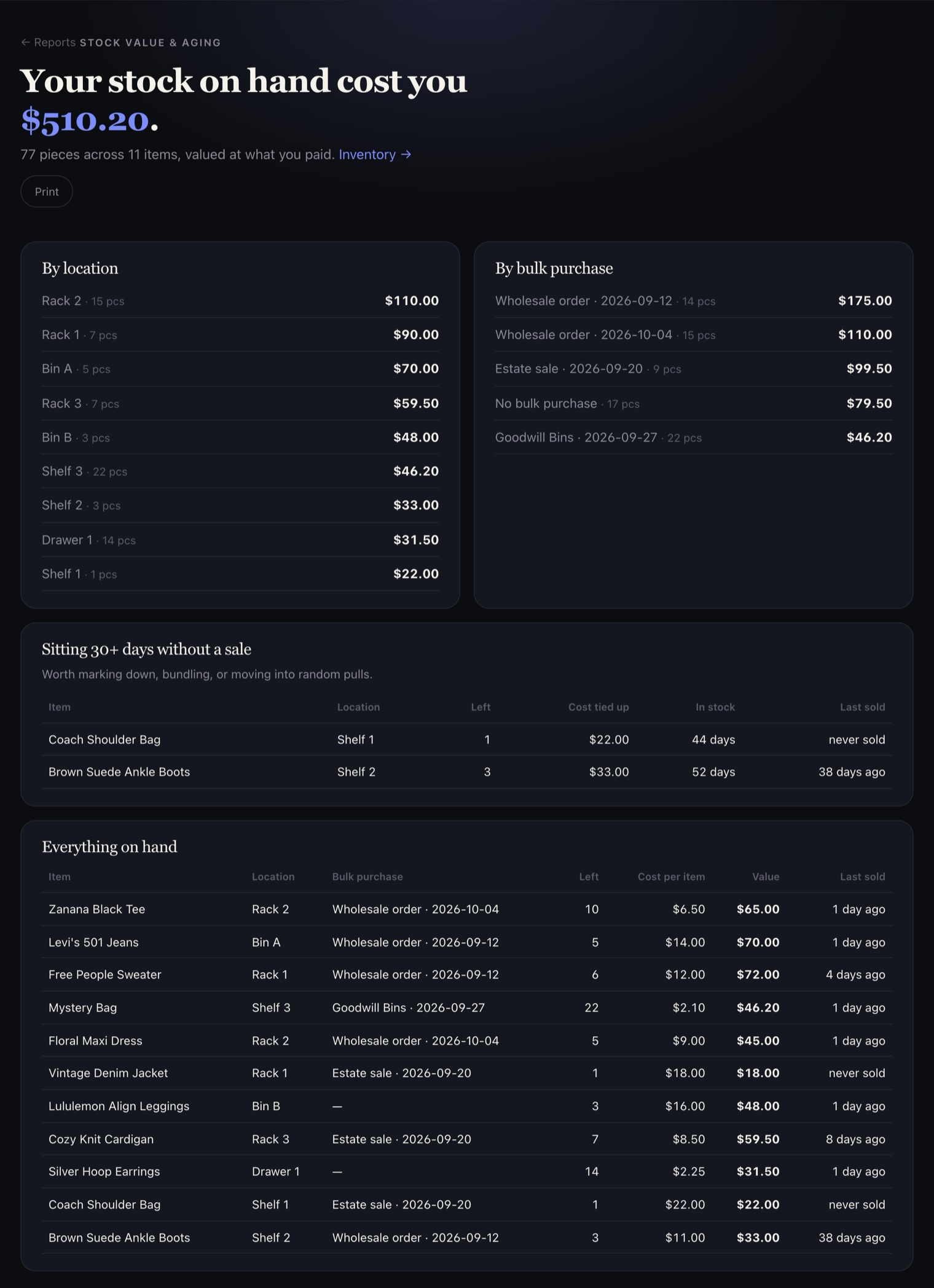
- Stock value & aging: what your stock on hand cost you, by location and bulk purchase, and what's been sitting 30+ days without selling.
- Best & worst sellers: units, % of stock sold, profit and days-to-sell by item, brand and category.
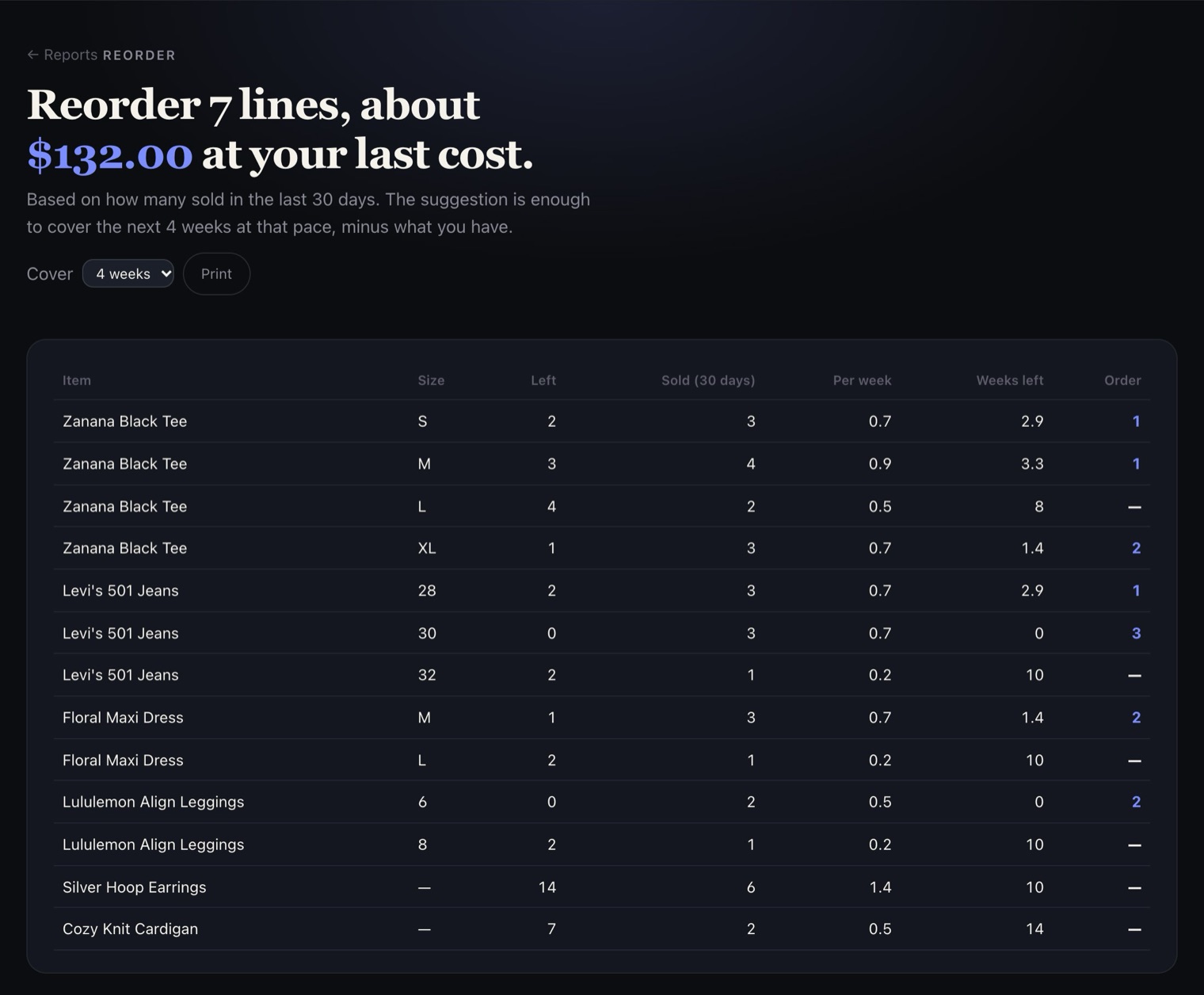
- Reorder: for each style and size, what's left, how fast it sells, and how many to order to cover the next few weeks.
Your buyers
- Top buyers: your best buyers for any dates.
- Regulars & gone quiet: who buys show after show, and regulars who've stopped.
- New buyers: first-time buyers each show, and how many came back.
- Look up a buyer: everything one buyer has bought from you.
- Giveaway winners who bought: whether giveaways bring you buyers.
If you pay people
- Consignor ledger: what you owe each consignor, by show.
- Runner pay sheets: what each show runner earned, what you've paid, and what's left.